May 2026
iOS native app development is the process of building iPhone and iPad apps using Apple’s own tools — Swift, Xcode, and the iOS SDK — to create apps that run directly on Apple hardware without any middleware layer.
Quick answer for those in a hurry:
| What you need to know | Details |
|---|---|
| Language | Swift (recommended) or Objective-C |
| IDE | Xcode (macOS only) |
| Cost to start | $99/year Apple Developer Program |
| Time to launch | 3–9 months for experienced developers |
| Where apps are sold | App Store (175 storefronts worldwide) |
| Revenue potential | iOS users spend ~$138/year on apps vs. $69 on Android |
Native apps communicate directly with Apple hardware. That means faster performance, full access to device features, and the ability to adopt new iOS capabilities the moment Apple ships them.
Cross-platform tools like React Native or Flutter can approximate that experience. But they always lag behind. Native doesn’t.
The stakes are real for businesses. iOS users are concentrated in high-income markets like the US and Japan. Despite holding less than 15% of global smartphone market share, the App Store generated $117 billion in revenue in 2025 — more than double Google Play. If you want to reach premium audiences, native iOS is where that happens.
I’m Blake George, founder of BMG Media Co, a nationally recognized digital development agency with over a decade of experience building high-performance digital products — including ios native app development for clients across industries. In this guide, I’ll walk you through everything you need to go from idea to App Store, without the fluff.
As we move through 2026, the mobile landscape has shifted. While cross-platform frameworks have improved, they are still playing catch-up with Apple’s rapid-fire innovation. Choosing ios native app development means you aren’t just building an app; you’re building a piece of the Apple ecosystem.
Apple’s recent introduction of Liquid Glass—their broadest design update in years—perfectly illustrates this. Liquid Glass combines optical glass properties with fluidity, refracting content and reflecting light in ways that hybrid apps struggle to replicate. To get that look and feel, you need to be working directly with Apple’s native APIs.
Furthermore, native development allows us to leverage Apple Intelligence—on-device Large Language Models (LLMs) that handle text extraction and summarization while keeping user data private. When you build natively, you get immediate access to these features announced at WWDC, whereas cross-platform developers often wait months for community-made wrappers.
For a deeper dive into the foundational steps, check out this iOS App Development Tutorial: The Best Guide for 2025.
When we talk about performance, we aren’t just talking about speed; we’re talking about efficiency. Native apps utilize Metal 4, Apple’s latest graphics framework, which supports advanced graphics and ML inference directly in shaders. This results in:
Native development ensures your app stays relevant as hardware evolves. With App Intents, your app’s functionality can be surfaced through Siri, Spotlight, and visual search automatically. Live Activities allow you to provide real-time, glanceable updates on the Lock Screen or Dynamic Island—perfect for delivery tracking or sports scores.
As we look toward the future of spatial computing, native Swift and SwiftUI code is the primary pathway to building immersive experiences for Apple Vision Pro. By staying native, you ensure your codebase is ready for the next decade of hardware.
To start your journey in ios native app development, you need the right gear. Unlike web development, which can be done on almost any machine, Apple requires a specific, controlled environment.
The heart of this toolkit is Xcode, the Integrated Development Environment (IDE) that only runs on macOS. It includes the iOS SDK, compilers, and a suite of debugging tools. For building modern interfaces, we use SwiftUI, Apple’s declarative framework that allows for real-time UI previews. If you’re looking for more technical depth, you can build an iOS app with SwiftUI | Swift.org to see how the code structures look in practice.
At BMG Media Co, we believe that the right tools are just the beginning; the strategy behind them is what creates custom software that actually converts users into customers.
Apple’s Human Interface Guidelines (HIG) are the “bible” for iOS design. Following these ensures your app feels like it belongs on an iPhone. This includes:
Designing for the web is one thing, but custom web design and development services for mobile require a specific focus on “thumb-reachability” and gesture-based navigation.
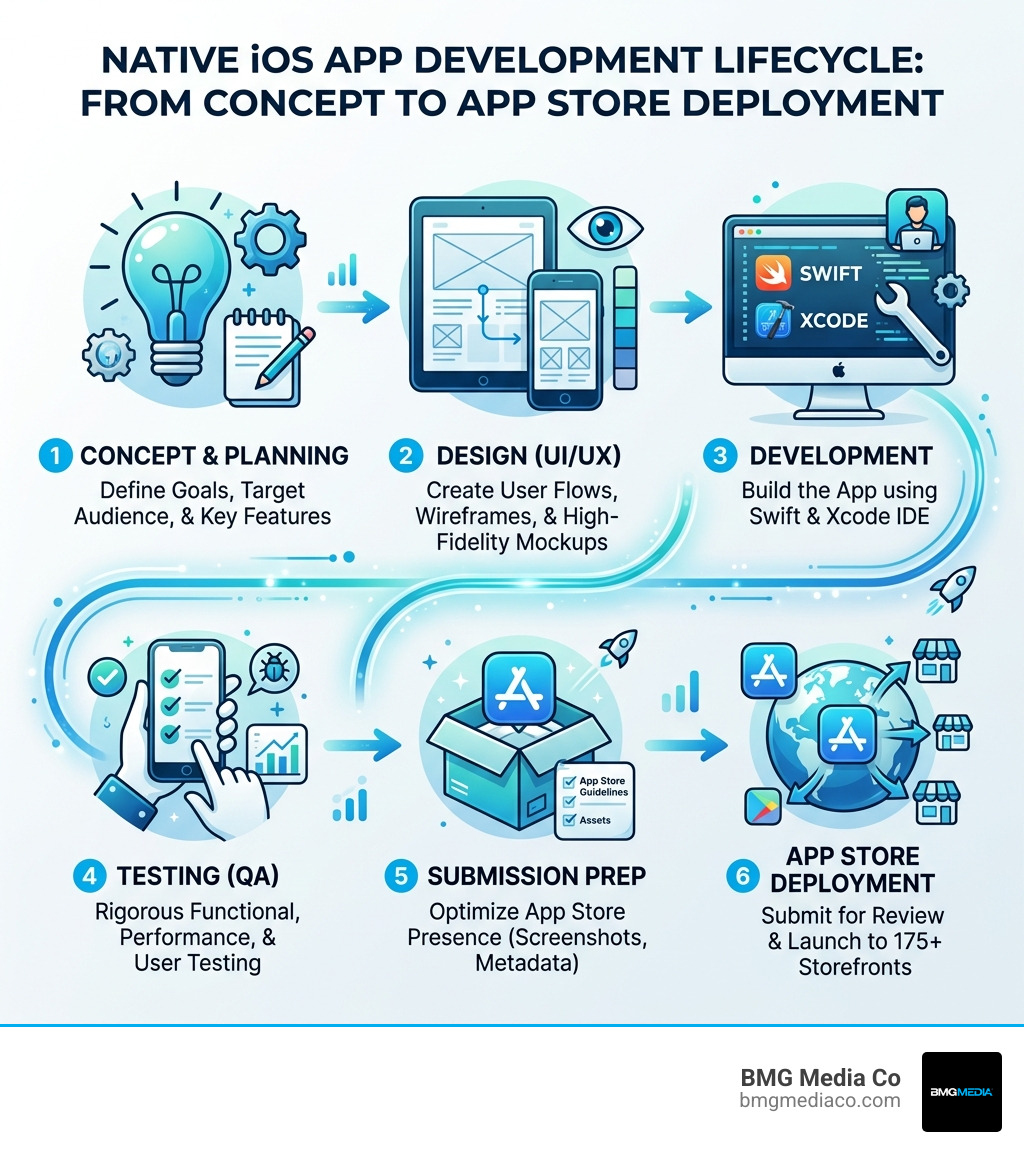
Building an app is like sculpting a masterpiece—it requires precision and a clear roadmap. We typically start with Wireframing in tools like Figma or Sketch to map out the user flow before a single line of code is written.
Once the design is locked, we move to frontend development using SwiftUI. While the frontend handles what the user sees, the backend integration manages the data, often using cloud services like AWS Amplify or Supabase to handle user accounts and databases.
Testing is where many DIY projects fail. You must test on both the Xcode Simulator and physical hardware.
| Feature | iOS Simulator | Real Device |
|---|---|---|
| Speed | Fast for UI layout | Slower but accurate |
| Sensors | Limited (Simulated GPS) | Full (Camera, Gyro, FaceID) |
| Network | Uses Mac’s Ethernet/Wi-Fi | Actual Cellular/Wi-Fi latency |
| Performance | Uses Mac’s CPU/RAM | Actual iPhone thermal limits |
Before going live, you should use TestFlight. It allows you to invite up to 10,000 external testers to try your app. This is crucial for:
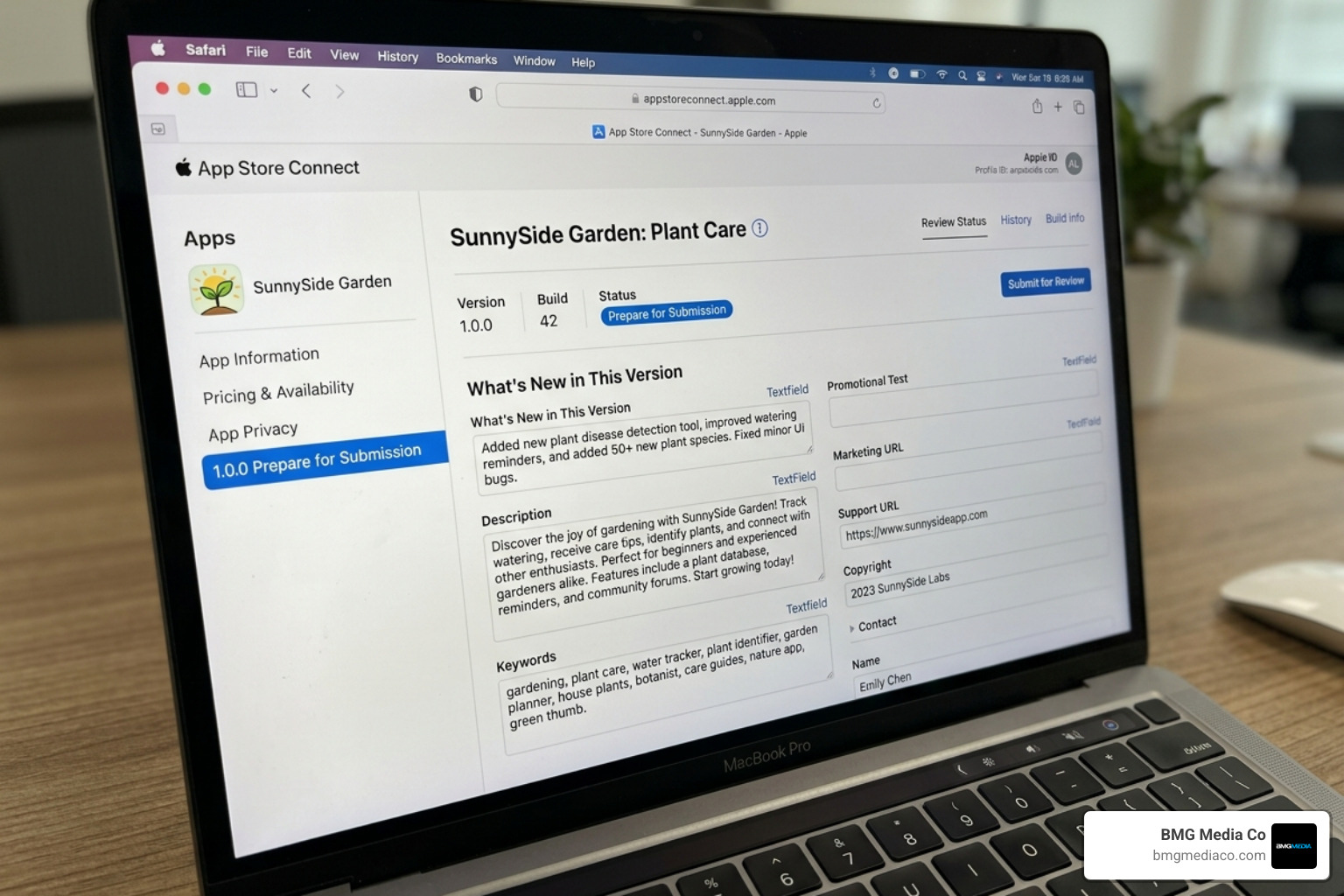
The final hurdle is the App Store Review. Apple is notoriously strict to ensure quality and security. You will need to provide:
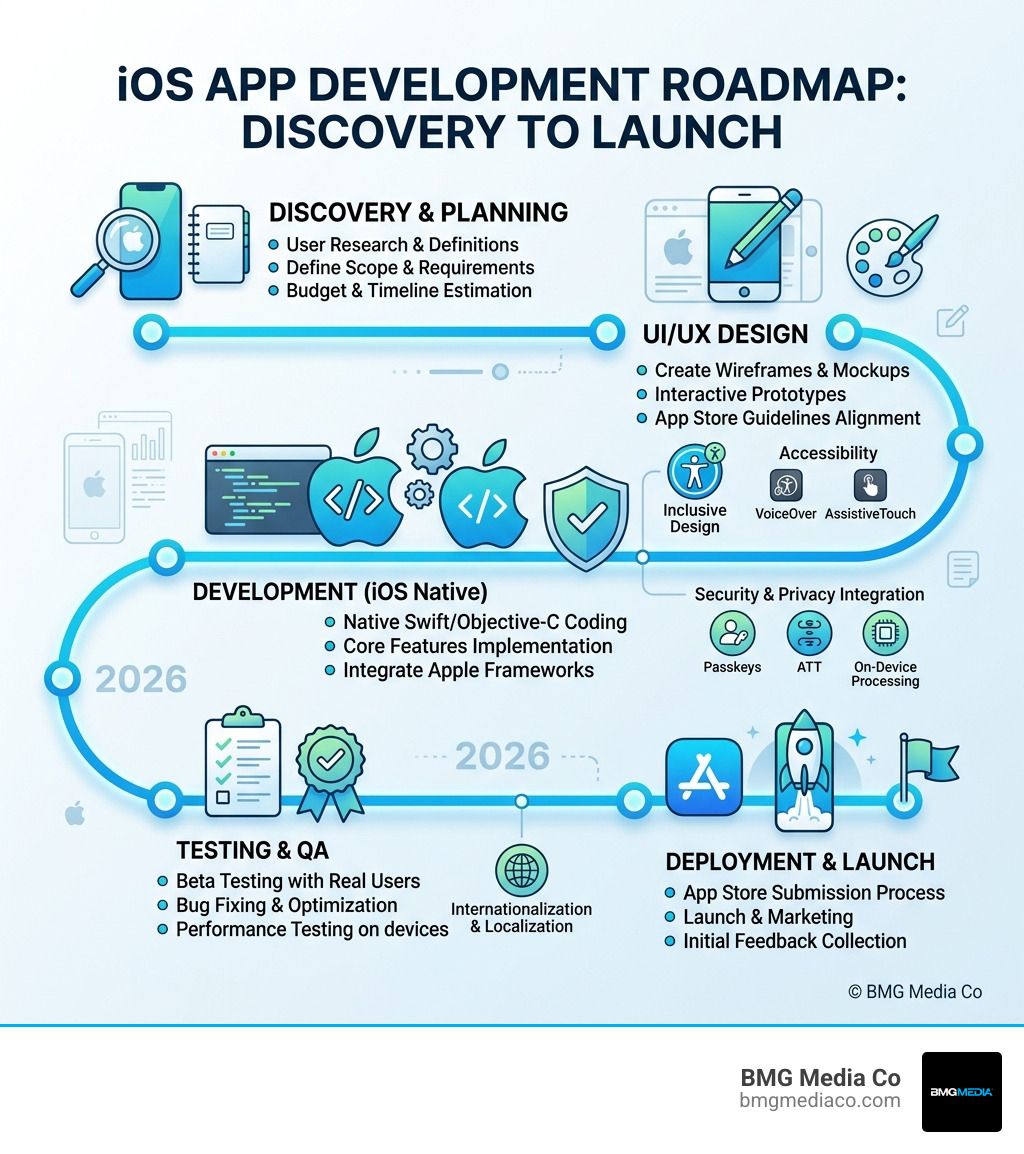
In 2026, security isn’t a “nice-to-have”—it’s a requirement. Apple has pioneered the move away from passwords with Passkeys, which use FaceID or TouchID for phishing-resistant sign-ins.
At BMG Media Co, we integrate these security measures into our web design services and mobile apps to protect both our clients and their end-users.
Privacy is a fundamental human right in the Apple ecosystem. Your app should:
An “App Store Hero” builds for everyone. This means:
Let’s talk numbers. ios native app development is an investment. While a simple utility app might cost between $10,000 and $50,000, a complex enterprise-grade app can easily exceed $150,000.
However, the ROI is often much higher than other platforms. Because iOS users are typically in high-income regions, they are more likely to engage with in-app purchases and premium subscriptions. Plus, the maintenance of native apps is often simpler in the long run because you aren’t fighting with a third-party framework every time Apple releases an update.
For businesses looking to capture the full mobile market, we often recommend starting with iOS and then exploring mobile app development for Android once the iOS MVP (Minimum Viable Product) has proven its value.
The average time to develop an iOS app ranges from 3 to 9 months.
A simple app typically costs $10k–$50k. Mid-range apps with API integrations run $50k–$100k, while complex apps (like a custom marketplace or social network) can cost $100k–$250k+.
Yes. Unless you are maintaining a legacy app built before 2014, Swift is the way to go. It’s faster, safer, and much easier to read. Apple has made it clear that Swift is the future of the platform.
Most reviews are completed within 24 to 72 hours. However, if your app is rejected for a guideline violation, the back-and-forth can add a week or more to your timeline.
Building a native iOS app is a journey of precision, creativity, and technical excellence. By choosing ios native app development, you ensure your product offers the highest possible performance, the most secure environment for your users, and the ability to leverage Apple’s latest innovations the second they hit the market.
At BMG Media Co, we don’t do “cookie-cutter.” Based in Birmingham, Michigan, our team specializes in fully custom, high-performance apps that are designed to win awards and, more importantly, win customers. We’ve completed over 1,000 projects, and we bring that deep expertise to every line of code we write.
Ready to turn your idea into the next App Store success story? Start your project with our mobile app development for iOS team and let’s build something extraordinary together.
