March 2026

A web app development framework is a pre-built toolkit of code, libraries, and conventions that gives developers a structured starting point for building web applications — so they don’t have to reinvent the wheel every time.
Here’s a quick look at the most popular options and what they’re best for:
| Framework | Type | Best For |
|---|---|---|
| React | Front-end | Flexible UIs, large apps |
| Angular | Front-end | Enterprise, TypeScript teams |
| Vue.js | Front-end | Approachable, progressive builds |
| Django | Back-end / Full-stack | Python teams, rapid prototyping |
| Laravel | Full-stack | PHP teams, fast shipping |
| ASP.NET Core | Back-end | High-performance, .NET teams |
| Next.js | Full-stack | React + server-side rendering |
Picking the wrong one is expensive. It can mean slow load times, frustrated developers, costly rewrites, and a site that doesn’t scale. And with 97% of websites running JavaScript, the options have never been wider — or more overwhelming.
This guide cuts through the noise. Whether you’re a business owner trying to understand your options or a developer making a high-stakes tech decision, you’ll walk away knowing exactly what fits your project.
I’m Blake George, founder of BMG MEDIA, where I’ve spent over a decade helping businesses choose and build on the right web app development framework — from custom enterprise platforms to high-converting marketing sites across industries like healthcare, real estate, and manufacturing. That experience shapes everything in this guide.
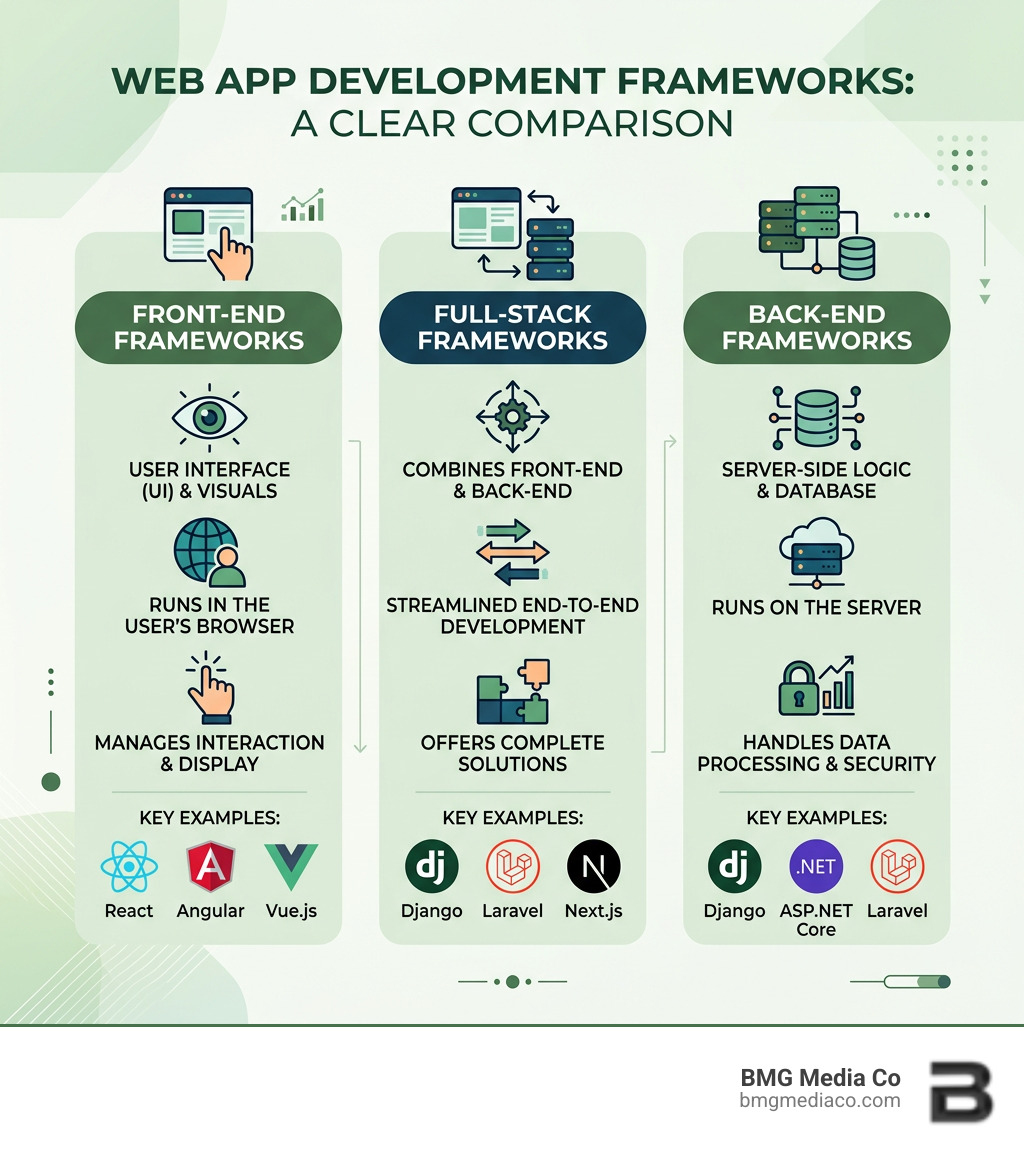
When we talk about a web app development framework, we are essentially talking about efficiency. Think of it like building a house: you could craft every single brick and nail from scratch, or you could start with a professional-grade foundation and framing kit. Frameworks provide that foundation.
They offer standardized code and follow architectural patterns like Model-View-Controller (MVC) or Model-View-ViewModel (MVVM). These patterns help us organize code so that the data (Model), the user interface (View), and the logic (Controller/ViewModel) don’t get tangled into a “spaghetti code” mess.
In 2025, JavaScript remains the undisputed king of the web. It’s the language powering the vast majority of the internet’s interactive features. Because of this, many of the most popular tools we use are built on top of it. However, a framework is only one part of the ecosystem. To build a high-performance application, we also rely on:
Not all frameworks are created equal. Depending on what part of the “stack” they handle, we categorize them into a few main buckets:
In the Software & Technology industry, the trend is moving toward frameworks that can handle more of the heavy lifting automatically, allowing us to focus on the unique features of your business rather than the plumbing.
If you were to build a web app without a framework today, you’d be responsible for manually handling every security vulnerability, performance tweak, and accessibility requirement. That is a recipe for disaster.
Modern frameworks come with “security by default.” This means they have built-in protections against common attacks like Cross-Site Scripting (XSS) and SQL injection. They also prioritize performance optimization, using techniques like virtual DOMs or server-side rendering to ensure your app loads in milliseconds, not seconds.
Furthermore, with tightening regulations around digital inclusivity, frameworks help us maintain accessibility compliance (like WCAG guidelines) by providing components that are already optimized for screen readers. When we build Custom Software, using a framework ensures that the product is maintainable for years to change, rather than becoming a legacy headache the moment it’s launched.
Choosing a web app development framework often feels like picking a favorite child—each has its own personality and strengths. To help you decide, we’ve looked at the current landscape of 2025, including the latest major updates.
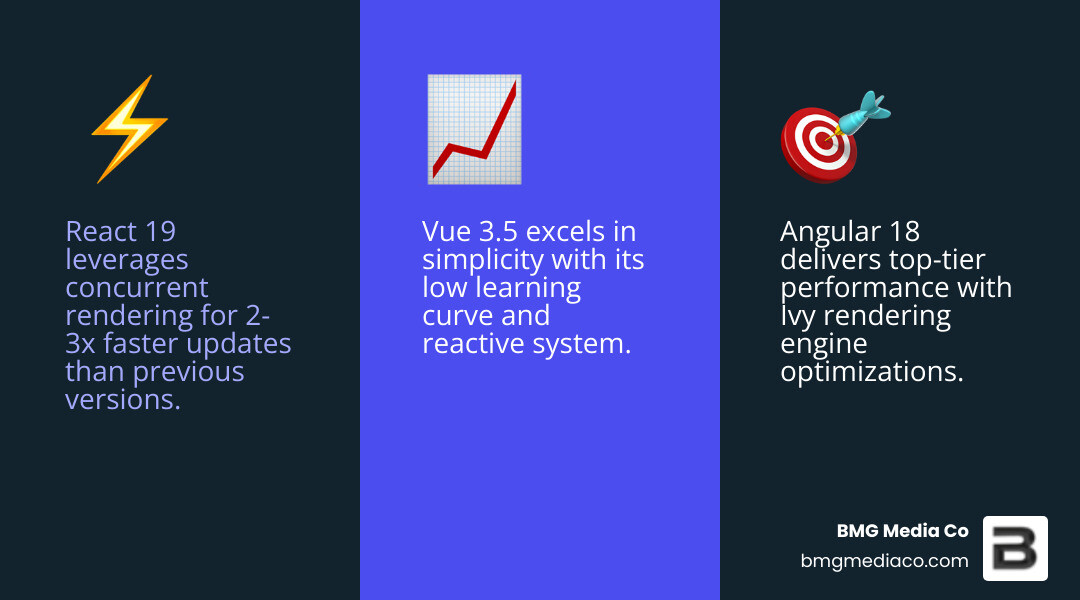
| Feature | React 19 | Angular 18 | Vue 3.5 | Django 5.1 | Laravel 11 |
|---|---|---|---|---|---|
| Learning Curve | Medium | High | Low/Medium | Medium | Medium |
| Performance | Excellent | Very High | Excellent | Good | Good |
| Primary Language | JavaScript/TS | TypeScript | JavaScript/TS | Python | PHP |
| Best Use Case | Highly dynamic UIs | Enterprise apps | Fast-growing startups | Data-heavy apps | Rapid MVP delivery |
The big three—React, Angular, and Vue—continue to dominate the front-end world.
While the front end gets all the glory, the back end is where the real work happens.
Sometimes, a general-purpose framework isn’t enough. If you are building a dashboard that needs to display thousands of rows of real-time financial data, or if you need your app to run on both an iPhone and a web browser using the same code, you need specialized tools.
Why build two separate apps for web and mobile when you can build one?
So, how do we actually choose? We look at four pillars:
Picking the framework is just the beginning. How you implement it determines if the app succeeds. We always advocate for modularization—breaking the app into small, reusable pieces. This makes the code easier to test and much easier to upgrade later.
We also prioritize security sanitization (cleaning user input to prevent hacks) and graceful error handling. If something goes wrong, the user should see a helpful message, not a screen full of code. Even when dealing with jQuery for legacy integrations, we ensure the code is wrapped in modern safety standards.
To give you a taste of how these frameworks work in practice, let’s look at a common UI element: the Action Sheet. In an Ionic Framework and Angular application, an action sheet is a dialog that displays a set of options.
To implement this, we use the ActionSheetController. Here is a simplified workflow:
ActionSheetController into our component’s constructor..create() method, where we define the header and an array of buttons..present() to show it to the user.This is a perfect example of how frameworks provide high-level “controllers” to handle complex UI behavior with just a few lines of code.
What if you already have an app built on an old stack? You don’t always have to start over. We often use the Strangler Pattern. Instead of a total rewrite, we build new features in a modern web app development framework and slowly “strangle” the old system by replacing its parts one by one. This reduces risk and keeps your business running during the upgrade.
The landscape is shifting again, and AI is at the center of it.
For large-scale enterprise needs, Angular and ASP.NET Core are the top contenders due to their strict typing and high performance. If the app is extremely data-heavy, Ext JS is often the most cost-effective choice because of its pre-built enterprise components.
It’s rarely an “either/or” choice. Most modern apps use a JavaScript framework (like React) for the front end and a language-specific framework (like Django or Laravel) for the back end, communicating via an API. However, if you want a unified experience, Laravel or Next.js are excellent full-stack options.
Yes! Using an API-first architecture or the Strangler Pattern, we can incrementally migrate your application. This allows you to improve performance and security on high-value features first while keeping the legacy system functional.
Choosing a web app development framework doesn’t have to be a source of stress. Whether you need the rapid prototyping power of Laravel, the enterprise stability of Angular, or the high-performance throughput of ASP.NET Core, there is a tool designed specifically for your goals.
At BMG Media Co, we specialize in cutting through the technical jargon to build custom, high-performance solutions that actually drive results. Based in Birmingham, Michigan, our team is dedicated to Custom Web Design and Development Services that are fully bespoke—no templates, no shortcuts, just award-winning work tailored to your business.
If you’re ready to stop stressing and start building, we’re here to help you pick the perfect stack and execute it flawlessly. Let’s build something great together.
