March 2026

A wordpress multisite custom setup lets you run multiple WordPress websites from a single installation — one dashboard, one codebase, one place to manage updates, users, themes, and plugins across your entire network.
Here’s the quick answer on how to set it up:
define('WP_ALLOW_MULTISITE', true); to your wp-config.php filesite1.yourdomain.com) or subdirectory (yourdomain.com/site1) structurewp-config.php and .htaccessWordPress has included Multisite as a built-in feature since version 3.0 in 2010. Since then, it has powered everything from university networks and nonprofit organizations to agency client portfolios and franchise brand sites — all from a single WordPress core installation.
The appeal is real: instead of logging into 10 separate dashboards to push a plugin update, you do it once. Instead of paying for 10 hosting environments, you consolidate. But Multisite is not the right fit for every situation, and the setup has real technical requirements that can trip you up fast.
This guide walks you through everything — from the first line of code to domain mapping, hosting decisions, and long-term maintenance.
I’m Blake George, founder of BMG MEDIA, a web design and development agency where I’ve led the build of over 1,000 custom WordPress sites — including complex wordpress multisite custom setup deployments for clients in real estate, healthcare, and manufacturing. If you want to get this right the first time, you’re in the right place.
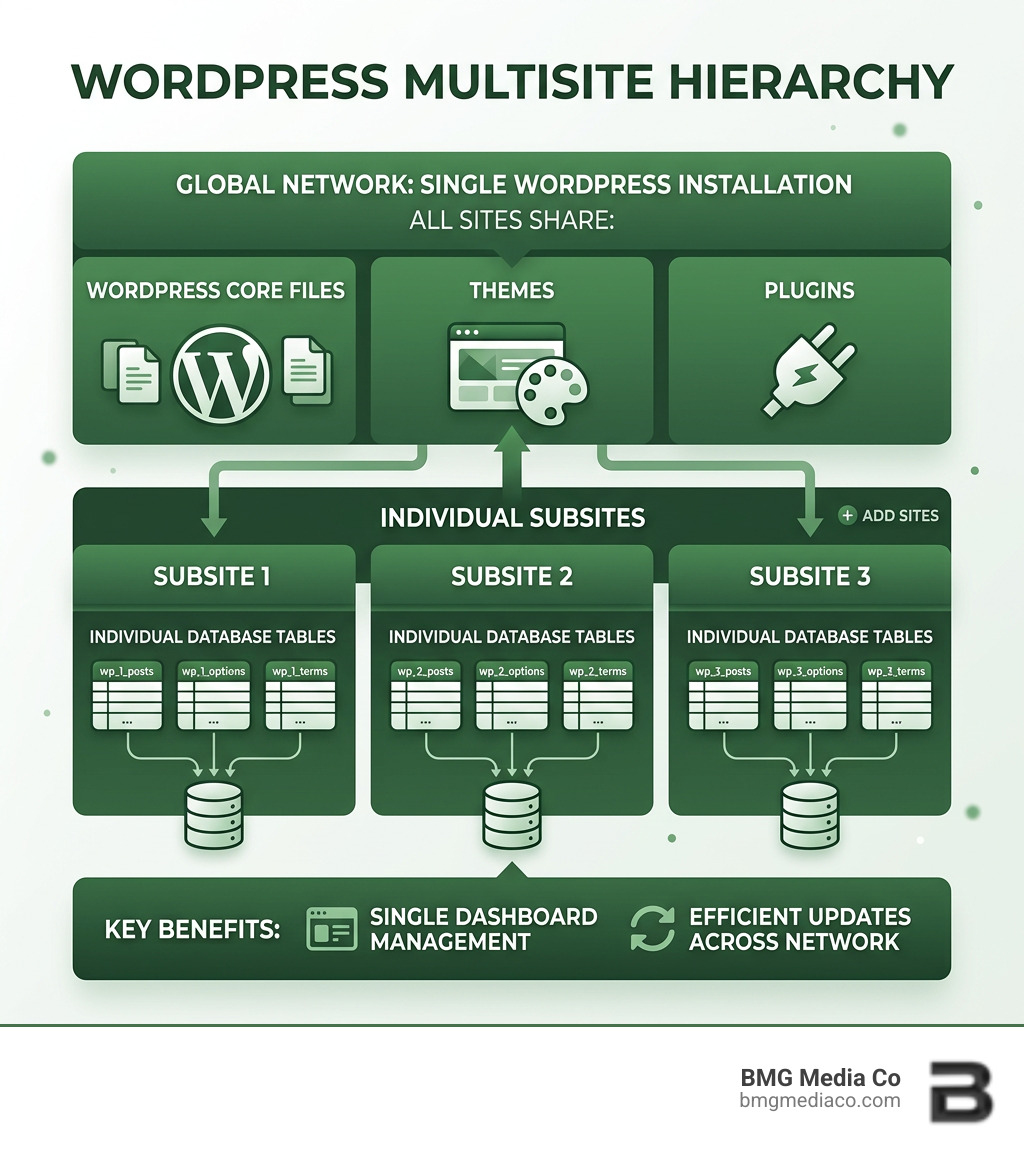
To master a wordpress multisite custom setup, we first need to look under the hood. Unlike a standard installation, a Multisite network acts as a “multi-tenant” architecture. This means all the sites in your network share the same core WordPress files, plugins, and themes. However, each subsite maintains its own separate content, media library, and specific database tables.
When you enable Multisite, WordPress modifies your database. It creates global tables like wp_blogs (to track all sites in the network) and wp_users (to share users across the whole network). For every new subsite you add, WordPress generates a new set of content tables with a unique ID, such as wp_2_posts or wp_5_options.
One of the most critical decisions in a wordpress multisite custom setup is choosing your URL structure. This choice is often permanent, so we need to get it right from day one.
| Feature | Subdomains (site1.example.com) |
Subdirectories (example.com/site1) |
|---|---|---|
| Setup Difficulty | Higher (requires Wildcard DNS/SSL) | Lower (works out of the box) |
| SEO Impact | Google treats them as separate entities | Inherits authority from the root domain |
| Use Case | Distinct brands, franchises, or regions | Related sections, languages, or departments |
| Hosting Requirement | Must support Wildcard Subdomains | Standard hosting usually suffices |
From an SEO implications standpoint, subdirectories are often favored for smaller networks because they consolidate “link juice” into one domain. However, for a wordpress multisite custom setup involving distinct brands, subdomains offer better professional isolation.
The Pros:
The Cons:
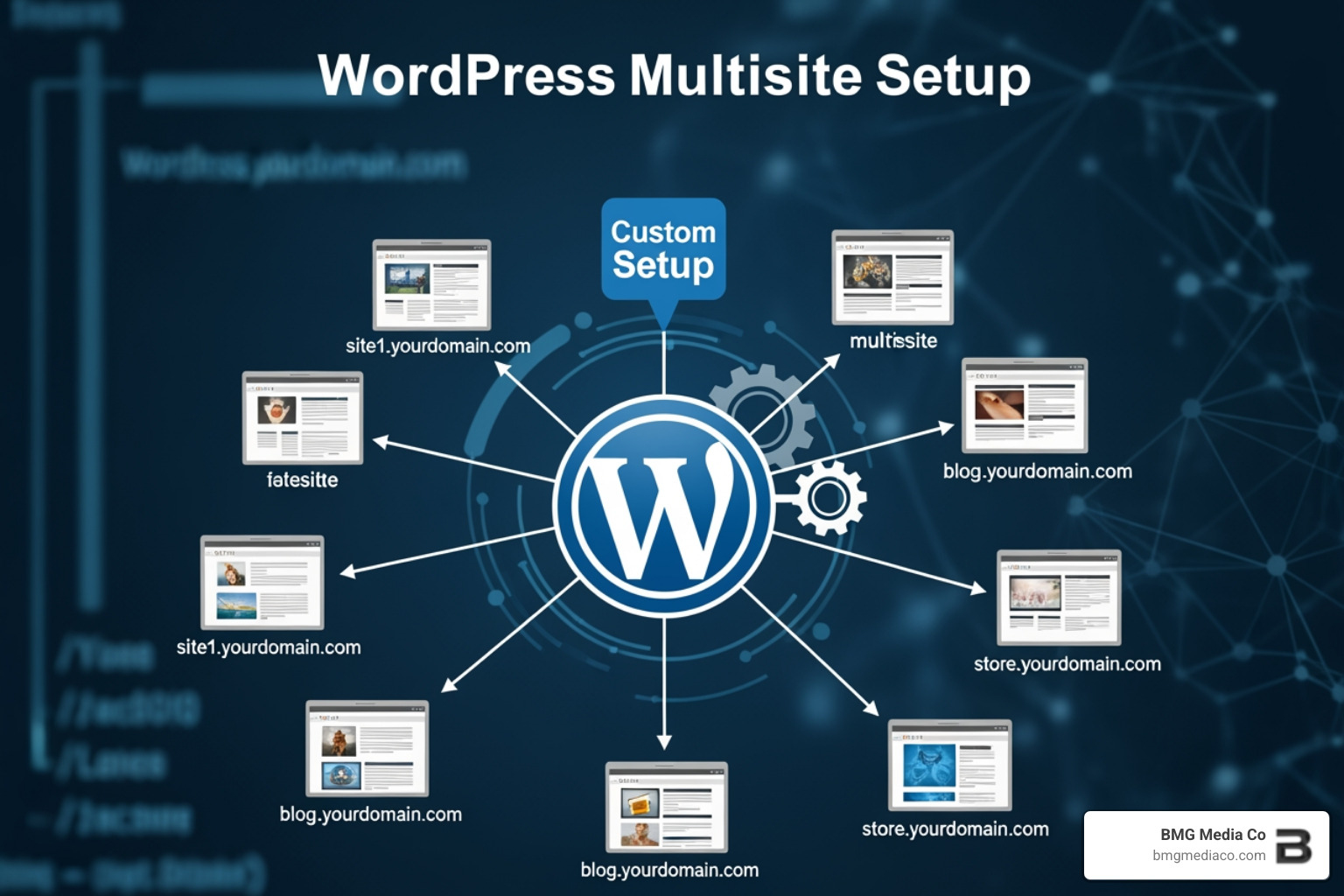
Before we touch a single line of code, we must follow the prepare a network protocol. This means taking a full backup of your database and files. Trust us, one misplaced semicolon in your configuration files can lead to the “White Screen of Death.”
First, we need to tell WordPress that it’s allowed to become a network. You’ll need an SFTP client like FileZilla to access your site files. Locate your wp-config.php file in the root directory.
Just above the line that says /* That's all, stop editing! Happy publishing. */, add this constant:
define( 'WP_ALLOW_MULTISITE', true );
Once you save that file and refresh your dashboard, go to Tools → Network Setup. Note: You must deactivate all active plugins before you can proceed.
You will also need to ensure you are Using Permalinks that are “pretty” (anything other than the default plain structure). WordPress will then ask you to choose between Subdomains or Subdirectories. After you click “Install,” WordPress will provide two blocks of code.
You must paste the first block into your wp-config.php file (replacing the line you added in Phase 1) and the second block into your .htaccess file, replacing all existing WordPress rules.
If you are on a Mac or PC, ensure you have “show hidden files” enabled, as the .htaccess file is often hidden by default.
For Nginx users, .htaccess won’t work. You’ll need to add specific rewrite rules to your server block configuration to handle the subsite routing. Once these changes are live, log out and log back in. You are now a Super Admin!
A basic wordpress multisite custom setup is great, but for enterprise-level performance, we need to go deeper into custom domains and infrastructure. At BMG Media Co, we often see Top WordPress Developers overlook the nuances of domain mapping, which can lead to messy URLs and SSL errors.
Can each subsite have its own unique domain (e.g., brand-a.com instead of a.example.com)? Absolutely. Since WordPress 4.5, Native Domain Mapping has been built into the core.
To map a custom domain:
https://brand-a.com).wp-config.php to include define('COOKIE_DOMAIN', $_SERVER['HTTP_HOST']); or leave it empty to prevent login issues across different Top-Level Domains (TLDs).While legacy MU Domain Mapping plugins exist, we strongly recommend sticking to the native method for better security and fewer bugs.
Don’t try to run a professional Multisite network on cheap shared hosting. It’s like trying to power a skyscraper with a lawnmower engine. Because all sites share resources, you need a robust environment.
As one of the Top WordPress Web Design Companies, we always advocate for a VPS or high-tier managed hosting. This ensures that a traffic spike on one subsite doesn’t crash the rest of your digital portfolio.
Managing a wordpress multisite custom setup requires a different mindset than managing a single site. You are now the captain of a fleet, not just a single boat.
In a Multisite network, only the Super Admin can install plugins and themes. You have two choices:
Moving sites in and out of a network is tricky. For migrating a single site into an existing network, the Prime Mover plugin is a lifesaver. It handles the database prefix changes automatically.
Other heavy hitters include WP Migrate DB for advanced database exports and All in One Migration with its specific Multisite extension. If you’re doing a manual export, check their guide to ensure you don’t break the serialized data in your database.
To keep your wordpress multisite custom setup running smoothly, follow these tasks:
wp-content/uploads/sites folder.Being recognized among the Best WordPress Development Companies means we know that maintenance isn’t just about clicking “update”—it’s about proactive monitoring.
Setting up a wordpress multisite custom setup is a powerful way to scale your digital presence. Whether you’re an agency in Birmingham, Michigan, managing a dozen client sites, or a global franchise needing brand consistency, Multisite offers a level of control that individual installs simply can’t match.
At BMG Media Co, we specialize in these high-performance, fully custom environments. We don’t use templates; we build award-winning, bespoke solutions tailored to your specific business needs. If you’re ready to streamline your workflow and launch a professional network, Visit BMG Media Co for web design services.
Use Multisite if the sites share similar themes, plugins, and functionality (like a network of blogs or regional branches). If the sites are completely unrelated, require different server configurations, or need absolute database isolation for security/compliance, stick with separate installations.
Yes, but it’s a complex process. You have to manually export the specific subsite’s database tables, re-index them to the standard wp_ prefix, move the media files from the sites/ID/ folder back to the main uploads/ folder, and re-configure the wp-config.php file. Always keep a backup of your pre-Multisite install just in case.
Multisite introduces the Super Admin role, which has total control over the entire network. A standard Administrator role is limited to a single subsite. Users are stored in a global table, meaning a user can be a “Subscriber” on Site A but an “Editor” on Site B without needing separate login credentials.
Ready to take control of your web presence? BMG Media Co is based in Birmingham, Michigan, and we’ve completed over 1,000 custom sites. We know the ins and outs of the wordpress multisite custom setup like no one else. Let’s build something amazing together.
