June 2026

Looking for the best UI UX design course for beginners? Here’s a quick answer before we dive deeper:
Top beginner UI/UX courses in 2026:
UI/UX design is one of the fastest-growing fields in tech right now. There are over 63,000 open UX design jobs in the U.S., with a median entry-level salary of $125,000. That’s not a typo.
And the barrier to entry is lower than most people think. You don’t need a design degree. You don’t need to know how to code. Most top beginner courses require zero prior experience.
Whether you’re looking to switch careers, add a marketable skill, or simply understand how great digital products are built — learning UI/UX design is one of the highest-ROI moves you can make right now.
I’m Blake George, founder of BMG Media Co., a custom web design and development agency with over 1,000 projects built from scratch since 2009 — and UI/UX design has been at the core of every single one. My experience working across industries has given me a front-row seat to what separates good digital experiences from forgettable ones, and I’ll share what actually matters when choosing a UI UX design course for beginners.
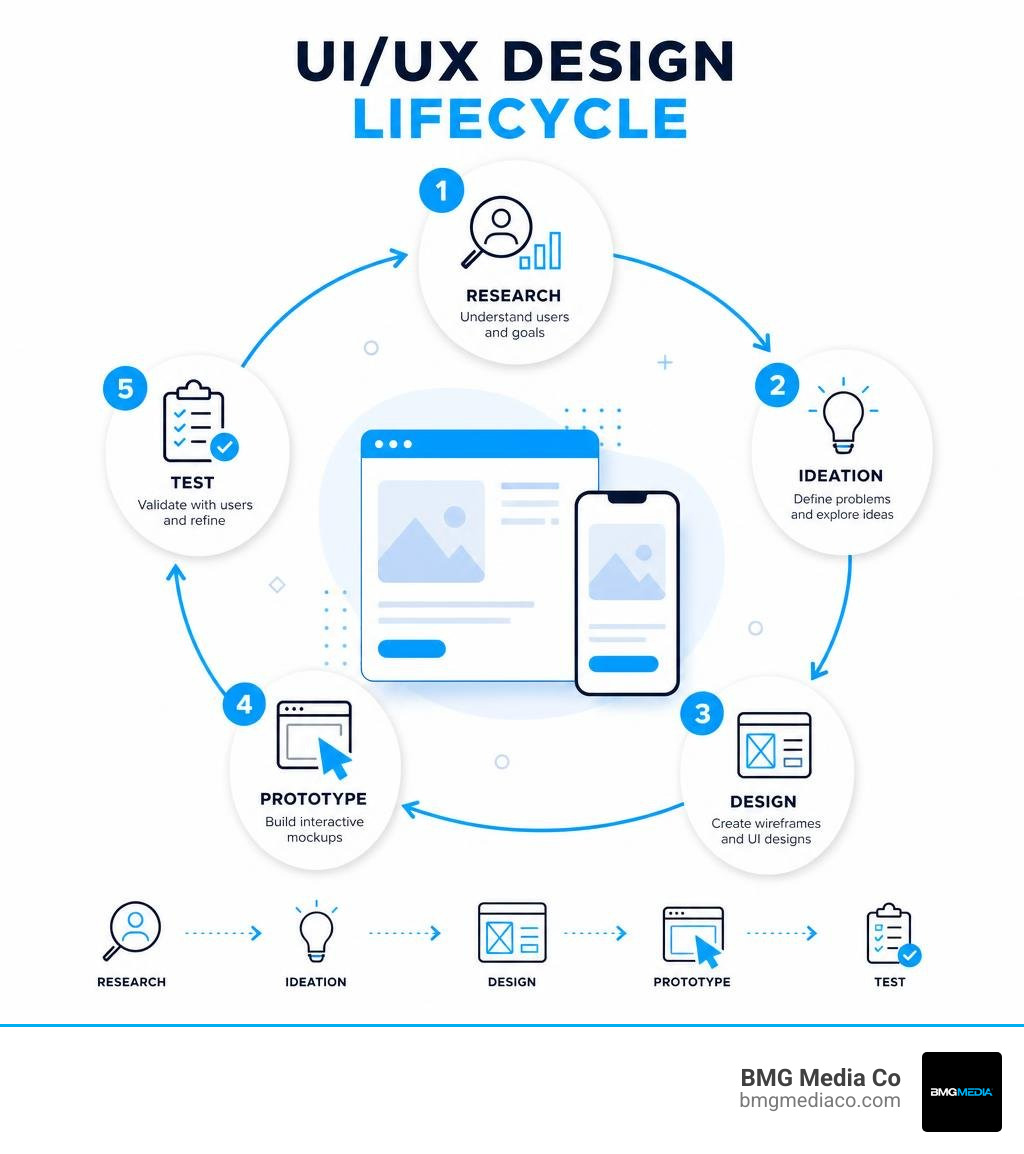
Before you spend your hard-earned money or valuable hours on a course, let’s clear up a massive point of confusion: the difference between UI (User Interface) and UX (User Experience) design.
In the digital world, these two terms are often smashed together like a double-barreled surname, but they represent entirely different phases of the creative process.
At BMG Media Co., we live and breathe this distinction. We know that a beautiful interface is useless if users can’t figure out how to buy your product. Conversely, a highly logical layout will fail to convert if it looks like it was designed in 1998. To truly understand how these two worlds collide and why they are both vital, take a look at our deep dive on UX vs UI Design: Understanding the Difference and Importance.
To make your designs stand out, you must also master the foundational rules of visual communication. We recommend checking out these Web Design Principles You Need to Know to build a solid aesthetic foundation before you start pushing pixels.
If you are looking to make a career transition, there has never been a better time. The demand for digital products is at an all-time high, and companies have finally realized that bad design equals lost revenue.
But trying to teach yourself UI/UX design by randomly browsing YouTube can feel like trying to build a house by looking at pictures of nice kitchens. You get plenty of inspiration, but absolutely no structural foundation.
A structured ui ux design course for beginners gives you a step-by-step roadmap. It forces you to step away from the design software initially and focus on the “why” behind design decisions. It teaches you how to conduct user research, how to sketch rough ideas on paper, and how to build wireframes before you ever touch a single color palette.

Let’s break down the day-to-day tasks of both sides so you can see where your natural strengths might lie:
The best designers understand both. Even if you choose to specialize in one later in your career, starting with a comprehensive course that covers both disciplines will make you incredibly valuable to employers.
With hundreds of courses flooding the internet, finding the right starting point can be overwhelming. Some are completely free, while others cost thousands of dollars. To help you cut through the noise, we have put together a comparison of the absolute best beginner-friendly programs available in 2026.
| Course Name | Platform | Duration | Key Project | Best For |
|---|---|---|---|---|
| Google UX Design Professional Certificate | Coursera | ~6 months (10 hrs/wk) | 3 Portfolio Projects (including a social good app) | Absolute beginners wanting a comprehensive, job-ready portfolio |
| UI/UX Design Specialization | Coursera / CalArts | ~2 months (10 hrs/wk) | Mid-level interactive digital prototype | Creatives wanting a strong visual and graphic design perspective |
| Introduction to UI and UX Design | Codecademy | ~2 hours | Wireframe & Prototype for “Ridgeline” clothing | Quick, hands-on introduction to Figma and basic theory |
| Introduction to UX Design | UX Design Institute | Free (7 lessons) | Interactive exercises & resource guides | Beginners wanting to test the waters before committing financially |
| Free UI/UX Design Course | Great Learning | ~1.5 hours | Design thinking and user persona exercises | Fast conceptual overview of UX metrics and frameworks |
When you are evaluating these options, do not just look at the price tag or the flashy logo of the university hosting it. A truly effective beginner course must check several boxes:
Let’s take a closer look at the heavy hitters.
The Google UX Design Professional Certificate | Coursera remains the gold standard for comprehensive beginner education. This massive 8-course series features over 200 hours of instruction and practice-based activities. It walks you through the entire design process, from empathizing with users to building high-fidelity interactive prototypes in Figma. By the time you graduate, you will have three complete projects for your portfolio—including a mobile app and a responsive website focused on social good.
If you prefer a program with a stronger emphasis on visual communication and graphic design, the CalArts UI/UX Design Specialization on Coursera is an excellent choice. This 4-course series takes about two months to complete at 10 hours a week, helping you master visual hierarchy, typography, and interactive design.
For those who want a completely free roadmap to structure their self-taught journey, we highly recommend watching the UI/UX Design Courses Roadmap 2026 [100% FREE] – YouTube . It provides an incredible step-by-step path using entirely free resources to take you from absolute novice to job-ready designer.
When you are starting out, do not make the mistake of trying to learn every single design tool on the market. You do not need to master Sketch, Adobe XD, Figma, Photoshop, and Illustrator all at once. Focus your energy on the industry standard.
In 2026, Figma is the undisputed king of UI/UX design. It is a cloud-based, collaborative design tool used by startups and enterprise giants alike. Because it runs in your browser, you do not need a high-end computer to use it, and its real-time collaboration features make working with developers and other designers seamless.

Alongside tool proficiency, you must understand responsive design. Modern users access websites on everything from tiny smartphone screens to massive ultra-wide monitors. Understanding how to design layout grids that fluidly adapt is crucial. To get a head start on this, read our comprehensive guide on Responsive Design 101: From Mobile First to SEO Ready.
As a beginner, your learning path in Figma should progress through three distinct stages:
To build a strong foundation in this visual process, consider taking the Introduction to UI Design | Coursera course, which focuses deeply on the psychology and user-centered principles of interface aesthetics.
Great design is not random; it is highly systematic. Throughout your beginner courses, you will encounter several industry-standard frameworks:
Once you have completed your courses and mastered the basics of Figma, the real work begins: transitioning into a professional role.
The entry-level job market is competitive, but it is also hungry for talent that understands how design impacts business. Hiring managers do not just want to see pretty UI screens; they want to see your thinking. They want to know how you uncovered a user problem, how you tested your ideas, and how you iterated based on feedback.
How do you build a portfolio when you have no client experience? You get creative:
In 2026, the hiring process has evolved. While standard portfolios are still your foot in the door, many companies now use live design challenges to see how you collaborate and solve problems under pressure.
Additionally, smart designers are using AI tools to accelerate their job search. You can use large language models to help you structure your case study copy, draft design briefs for practice projects, and refine your resume to match job descriptions. Just remember: never let AI do the actual designing for you. Your unique human empathy and creative perspective are your greatest assets.
For most self-paced beginners, it takes between 3 to 6 months to complete a comprehensive program like the Google UX Design Certificate (assuming you dedicate 10 to 15 hours per week). Building a polished, high-quality portfolio with 2 or 3 solid case studies typically takes an additional 1 to 2 months. Speeding through this process is rarely beneficial; taking the time to deeply understand user research and iterate on your designs will yield a far stronger portfolio.
Yes, many reputable platforms offer certificates. Programs like the Google UX Design Professional Certificate are highly recognized across the tech industry, and over 75% of graduates report a positive career outcome within six months. However, keep this industry secret in mind: a certificate will get you noticed, but your portfolio is what gets you hired. No employer will hire a designer with a certificate if their portfolio doesn’t show strong, logical design thinking.
No, you do not need to code to be a successful UI/UX designer. Your primary job is to understand user behavior and design visual interfaces. However, having a basic understanding of HTML, CSS, and how responsive design works is incredibly valuable. It helps you speak the same language as developers, making the design-to-development handoff smooth and ensuring your designs can actually be built without technical limitations.
Embarking on a journey to learn UI/UX design is an exciting, high-value career move. Whether you choose a comprehensive path like the Google Certificate or start with short, hands-on Figma tutorials, the key is to focus on the fundamentals: putting the user first, practicing consistently, and building a portfolio that showcases your problem-solving process.
At BMG Media Co., we have spent over 15 years proving the power of custom, user-centric design. Headquartered in Birmingham, Michigan, we have built over 1,000 custom websites and digital experiences from scratch. We don’t use shortcuts, templates, or bloated page builders. Every line of code and every user flow we create is hand-crafted to convert visitors into loyal customers.
If you are a business owner looking to elevate your digital presence with elite, custom-crafted UI/UX design, we would love to help bring your vision to life. Explore our premium BMG Media Co. Web Design Services and let’s build something extraordinary together.
