June 2026

Web design and redesign decisions are some of the most consequential choices a growing business can make — and most companies get them wrong.
Here’s the fast answer if you need it:
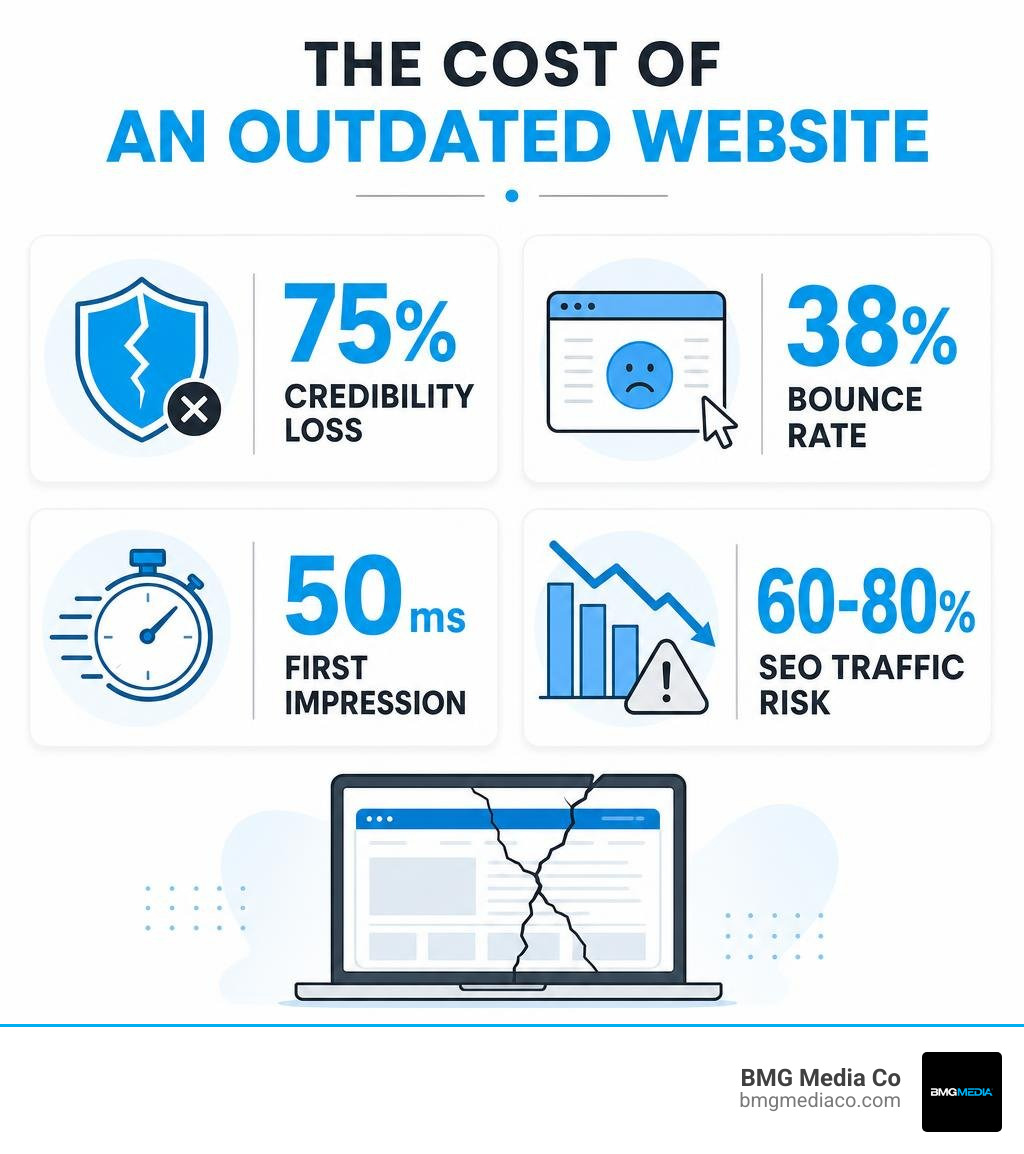
A few numbers tell the story quickly:
| Metric | What It Means for Your Business |
|---|---|
| 75% of consumers judge credibility by design | Your site is your first handshake |
| 38% of users leave outdated sites immediately | You’re losing leads before they read a word |
| 50 milliseconds to form a first impression | Perception happens before thought |
| 60–80% traffic loss from botched redesigns | The risk is real and avoidable |
Here’s the uncomfortable truth: your website isn’t a brochure. It’s a 24/7 salesperson, a trust signal, and often the deciding factor between a prospect choosing you or your competitor. When it stops performing — whether it loads too slowly, looks like it was built in 2015, or fails to convert visitors into leads — the cost is invisible but real.
Most businesses don’t notice how much their website is costing them until they fix it.
The challenge isn’t just deciding to redesign. It’s knowing how to do it without losing your search rankings, breaking what’s already working, or ending up with a beautiful site that still doesn’t convert.
That’s what this guide is for.
I’m Blake George, founder of BMG Media Co. and a web design and development practitioner with over 15 years of experience leading 1,000+ custom web design and redesign projects across industries ranging from healthcare and real estate to enterprise technology. This guide draws on everything I’ve learned about what separates redesigns that drive real business results from ones that just look different.
Web design and redesign terms to know:
When business owners notice their website is lagging, the immediate reaction is often: “We need a redesign.” But “redesign” is a broad term that means different things to different people. To make the right investment, you must understand where your site falls on the strategic spectrum.
At one end of the spectrum is the website refresh or visual “reskin.” This is a cosmetic update. It involves swapping out a logo, updating the color palette, choosing new typography, and replacing stock photography. The underlying structure, navigation, page URLs, and database remain untouched. It is the digital equivalent of a fresh coat of paint.
At the other end is a comprehensive website redesign. A true redesign transforms your digital foundation. It goes deep into the code, restructures your content architecture, reimagines your user experience (UX), and aligns your technology with your current business goals. We are talking about rewriting copy, rebuilding the content management system (CMS), optimizing database queries, and mapping out entirely new user journeys.
If your visual identity is still strong but your conversion rates are slipping, a refresh might suffice. However, if your business model has shifted, your technology is outdated, or your site is structurally broken, a superficial reskin will not solve your problems. To achieve sustainable growth, you need to understand why your business needs a custom website design and development strategy rather than a quick cosmetic fix.
To help you visualize the difference between these two approaches, let’s break down how they impact your site’s core elements:
| Project Element | Website Refresh (Reskin) | Full Website Redesign |
|---|---|---|
| Primary Goal | Modernize aesthetics and match updated brand guidelines. | Improve conversions, performance, SEO, and admin usability. |
| Site Architecture | Unchanged. Navigation and page structures remain identical. | Rebuilt. Pages are restructured based on user intent. |
| Code Quality | Legacy code remains; style sheets (CSS) are updated. | Rebuilt from scratch with clean, semantic, high-speed code. |
| SEO Impact | Low risk; URLs and meta structures stay the same. | High risk/reward; requires strict URL mapping and migration. |
| Content Strategy | Minor copy tweaks and new hero images. | Full audit, content pruning, rewriting, and schema markup. |
| Typical Timeline | 1 to 3 weeks. | 4 to 8 weeks (or longer for large enterprise sites). |
As you plan your next move, mapping out these differences helps you avoid the common trap of paying for a redesign but only receiving a refresh. A professional team will guide you through a structured process from initial audit to final launch to ensure every element is optimized. For another helpful overview of the planning sequence, Neil Patel’s Website Redesign: 12-Step Process From Audit to Launch reinforces why auditing, redirect planning, and post-launch monitoring matter.
To accurately diagnose what your website needs, we like to use a restaurant analogy: the “front-of-house” and the “back-of-house.”
The front-of-house is your visitor experience. When a potential customer lands on your site, what do they see? Is the navigation intuitive? Does the layout make sense? Can they find what they need in under three clicks? If your front-of-house is failing, visitors will bounce. They will judge your business credibility based on the outdated layout and leave for a competitor whose site feels modern and trustworthy.
The back-of-house is your administrator experience. This is what your marketing team, content managers, and developers see when they log into the CMS. Can they easily publish a new blog post, update a pricing page, or build a landing page without needing a developer? Or are they fighting a bloated system held together by 47 unmaintained plugins that break every time WordPress updates?
A successful business needs both houses operating in perfect harmony. If your front-of-house looks beautiful but your back-of-house is a slow, complex mess, your marketing team will stop updating the site. Conversely, if your back-of-house is highly efficient but your front-of-house looks like it belongs in 2015, no one will stay long enough to see your updates.
Before committing budget to a major digital project in June 2026, you must run through a clear decision framework. Businesses often fall into a costly “three-year redesign cycle” because they treat their website as a “set-it-and-forget-it” project. They launch a site, ignore it for three years, watch performance decline, and then panic-buy another rebuild.
You can break this cycle by evaluating your site’s current performance against your business goals. Ask yourself these questions:
To help you budget for whichever path you choose, read our comprehensive website redesign cost guide: budgeting for your digital glow-up.
If you are on the fence, look for these critical warning signs that indicate your website is actively costing you money:
For companies in the fast-moving tech sector, these issues are magnified. If you want to see how high-growth tech companies solve these problems, explore the ultimate SaaS website redesign guide: inspiration and implementation.
If your underlying technology is solid, you might not need to jump straight into a massive replatforming project. Instead, you can focus on continuous optimization.
Continuous optimization is the practice of making small, data-driven improvements to your existing site over time. By using tools to track user behavior, you can run experiments on your landing pages, test different call-to-action (CTA) buttons, and refine your messaging. To understand how this works in practice, dive into the importance of A/B testing in web design.
However, if your site’s core foundation is outdated, optimization will only get you so far. You cannot optimize a site that takes 8 seconds to load because of legacy database bloat. In that case, replatforming to a custom, lightweight CMS is the only way forward. To see how to combine both approaches for long-term growth, read our guide on how to scale with advanced SEO, web optimization, and custom WordPress development.
A successful web design and redesign project does not happen by accident. It requires a disciplined, structured approach. At BMG Media Co., we recommend a 5-phase blueprint to ensure your project stays on schedule, on budget, and delivers measurable business results. For a high-level overview of launching these types of systems successfully, see the no-nonsense guide to high-performance web launches.
Before our design team opens Figma or writes a single line of code, we must understand the “why” behind your project.
Whether you are looking at web design in Troy, MI, working with custom website design in Rochester, MI, or exploring Farmington Hills web design, having a clear local strategy is vital. The same applies to businesses seeking specialized West Bloomfield web designers, affordable web design in Metro Detroit, or high-converting web design for Northville Michigan businesses.
To make sure you don’t miss a single step during this critical planning phase, keep our website redesign checklist: key considerations for a successful revamp handy.
With a solid strategy in place, we move into the visual design and development phases.

To understand how speed and search visibility tie together during the development phase, read our breakdown of Core Web Vitals optimization for high-performance sites.
The single greatest risk of a website redesign is losing your organic search rankings. We have seen businesses lose 60% to 80% of their organic traffic overnight because their agency launched a beautiful new site but forgot to map the old URLs to the new ones.
When you change your site structure, your page URLs will change. If Google tries to crawl your old URLs and finds broken “404 Not Found” pages, it will quickly drop those pages from its search index.
To prevent this digital disaster, you must implement a strict SEO migration plan:
As we navigate the digital landscape of June 2026, artificial intelligence (AI) has become a powerful assistant in the web design and redesign process. AI tools can analyze user data, generate content outlines, and help designers compare multiple layout ideas side-by-side in minutes.
However, AI is a tool, not a replacement for human design and engineering. While AI can quickly generate a generic layout or export basic front-end code, it cannot understand your unique brand voice, your specific business goals, or the nuances of your local market.
The real key to long-term digital success is investing in a flexible, scalable custom architecture. When you build a custom site from scratch, you own your code forever. You aren’t locked into a proprietary platform or dependent on fragile third-party templates. As your business grows, your custom site can easily scale to support new features, custom API integrations, and advanced marketing automations.
To see what is possible when you combine high-performance custom development with exceptional visual design, take a look at our curated list of 20 of the most beautiful websites in the world that actually work.
On average, businesses redesign their websites every three to four years. However, you shouldn’t redesign just because of the calendar. You should redesign when your current site stops supporting your business goals — whether that is due to outdated visual branding, slow load times, poor mobile performance, or a back-of-house CMS that your team can no longer manage efficiently.
If done incorrectly, yes — a redesign can severely damage your search traffic. However, if you implement a proper SEO migration plan (including comprehensive 301 redirect mapping, preserving metadata, and maintaining high-quality content), your rankings should remain stable and typically improve within 60 to 90 days due to better mobile usability and faster page speeds.
A standard custom website redesign typically takes 4 to 8 weeks from kickoff to launch, depending on the size of the site and the complexity of the features. Costs vary widely based on your specific business requirements, page count, and custom integration needs.
Your website is the digital face of your business. It is where first impressions are made, where trust is established, and where visitors convert into lifelong customers.
At BMG Media Co., we don’t believe in shortcuts, templates, or page builders. Headquartered in Birmingham, Michigan, and founded in 2009 by Michigan State University graduate and entrepreneur Blake George, BMG Media Co. has delivered over 1,000 custom web projects for clients across the United States. Every single site we design and develop is built 100% custom from scratch, ensuring your digital presence is fast, secure, and perfectly tailored to your long-term growth.
Ready to transform your website into a high-performing business asset? Learn more and get started with custom web design and development services today.
