March 2026

Doctor blog WordPress setup is something every modern medical professional should understand — because right now, patients are searching for you online before they ever call your office.
Here’s the quick answer on how to set up a doctor blog on WordPress:
drjohnsmithcardiology.com)Consider this: 5% of all Google searches are health-related, and WordPress powers nearly half the web. If you’re not showing up when patients search for your specialty, someone else is.
Starting a doctor blog doesn’t require a computer science degree. It does require the right setup — and that’s exactly what this guide covers.
I’m Blake George, founder of BMG Media Co, and over the past 15+ years I’ve led the development of more than 1,000 custom websites, including high-performance doctor blog WordPress setups for healthcare clients across the country. I’ll walk you through every step, from picking a domain to publishing your first post.
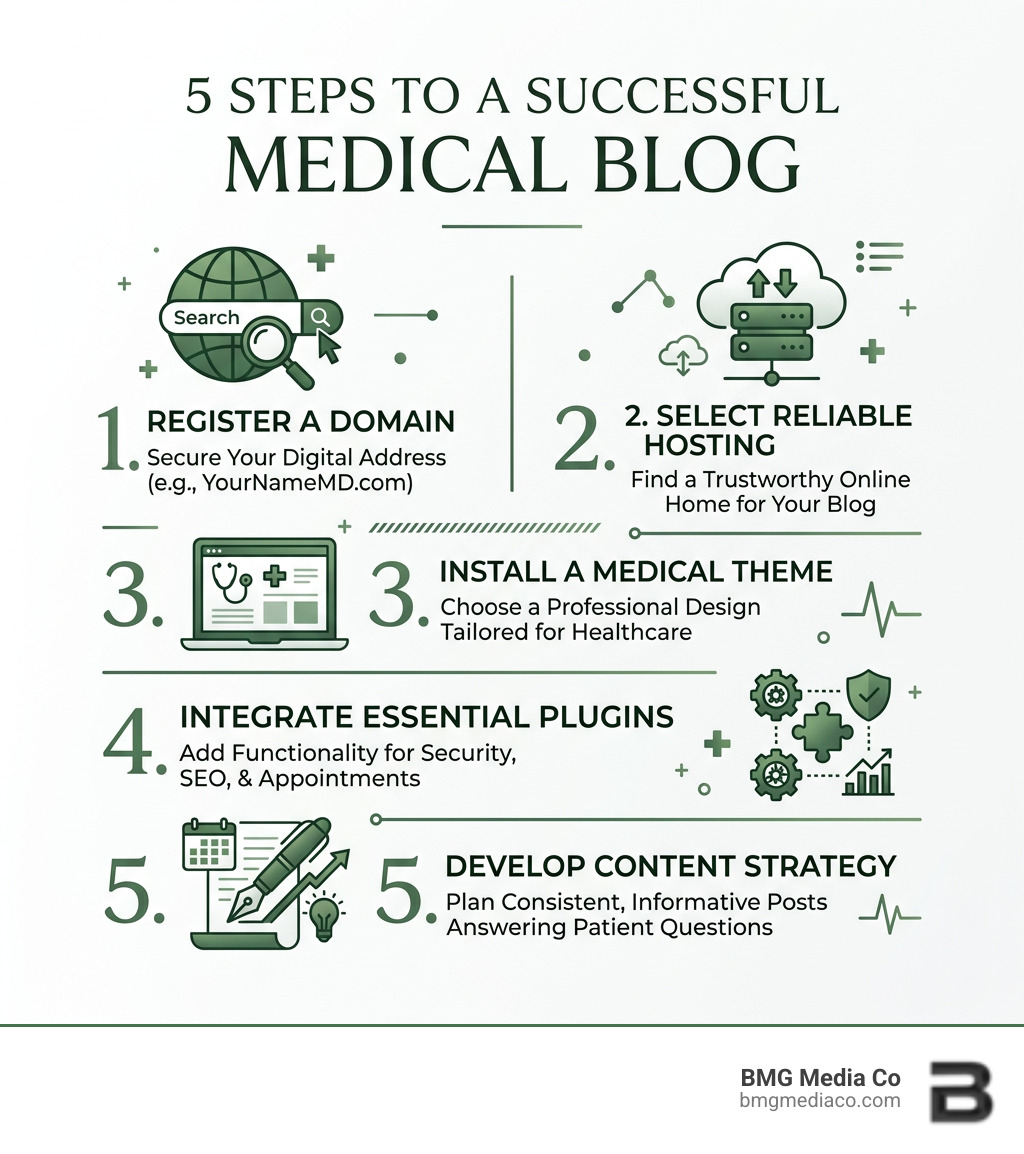
Before we touch a single line of code (don’t worry, there isn’t any!), we need a blueprint. A successful Medical Healthcare Web presence starts with ownership. While platforms like social media are great for reach, you don’t own them. If the algorithm changes, your audience disappears. By using WordPress, you own your “digital real estate.”
Statistics show that 43% of the world’s websites are powered by WordPress, and for good reason. It is scalable, SEO-friendly, and offers the flexibility that medical professionals need to maintain a professional image while providing patient resources.
Your domain name is your digital address. For doctors, personal branding is paramount. We recommend a “Name + Specialty” structure. For example, if your name is Dr. Kevin Weary and you are an ObGyn, a domain like kevinwearyobgyn.com is perfect.
Why does this matter?
Stick to a .com extension whenever possible. It is the most recognized and easiest for patients to remember. Avoid hyphens or numbers, which can lead to typos and lost traffic.
Not all hosting is created equal. For a medical site, you need more than just a place to store files; you need speed, security, and reliability. We suggest looking for providers like Kinsta or Cloudways because they offer high-performance infrastructure.
Key requirements for your host include:
Once your hosting is live, it’s time to choose a “skin” for your site. In doctor blog WordPress setup, this is called a theme. You want a theme that is “responsive,” meaning it looks just as good on a patient’s iPhone as it does on their desktop.
A blog is more than just a list of articles; it needs to be a complete resource. When we developed the site for Legacy Dermatology Group, we focused on a clear structure that guided patients to the information they needed. Your site should include:
You don’t need to be a designer to have a beautiful site. Most modern themes come with a “Customizer” or integrate with visual builders like Elementor.
Plugins are like apps for your website. They add functionality without requiring you to write code. However, be careful—too many plugins can slow down your site. Aim for quality over quantity.
To get found on Google, you need a solid SEO strategy. We recommend the WordPress SEO by Yoast plugin. It acts as a checklist for every post you write, ensuring you’ve included your keywords, meta descriptions, and image alt tags correctly.
Don’t forget to generate a Google XML sitemaps file. This is essentially a map you give to search engines so they can find and index every page of your site quickly.
This is the most critical part of a doctor blog WordPress setup. You must protect patient privacy.
“If you build it, they will come” does not apply to the internet. You have to provide value. The best way to do this is by answering the questions your patients ask you every day in the exam room.
While your primary goal might be patient acquisition, a blog can offer other benefits. Some doctors offer services on a subscription basis, which can provide stable revenue and better value for patients.
To manage this, you can use:
Absolutely not. With modern doctor blog WordPress setup tools, everything is drag-and-drop. If you can use Microsoft Word or a smartphone, you can manage a WordPress blog.
HIPAA compliance on a blog mostly comes down to what you don’t do. Never share patient stories, photos, or identifying information without explicit, written legal consent. Use secure, encrypted forms for any contact, and never use your blog as a replacement for a secure Patient Portal for transmitting medical records.
Consistency matters more than frequency. Posting once a week reliably is better than posting five times in one week and then disappearing for a month. A steady schedule signals to Google that your site is an active, authoritative source of information.
Setting up a medical blog is one of the best investments you can make in your career. It allows you to control your narrative, educate your community, and grow your practice on your own terms.
At BMG Media Co, we specialize in creating custom, high-performance websites that go far beyond basic templates. We’ve helped hundreds of professionals in Michigan and across the country build award-winning digital presences. If you want a site that is as professional as your practice, explore our Custom Web Design and Development Services or check out our Professional Medical Healthcare Web Solutions.
Ready to take your practice online? Let’s build something great together.
