April 2026

Building web applications with Python is one of the most practical skills you can invest in today — whether you’re launching a startup, modernizing a business platform, or adding a new revenue channel online.
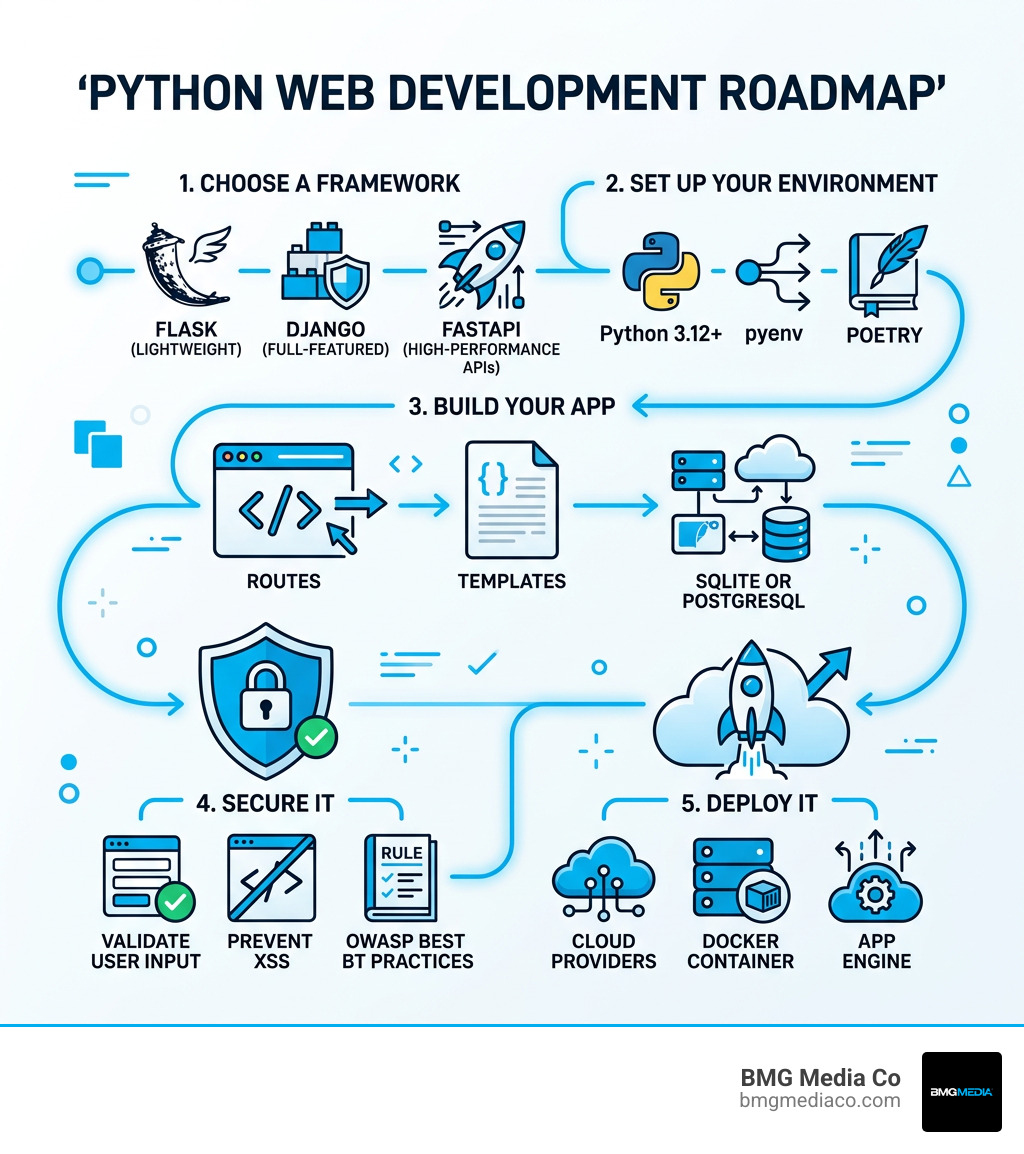
Here’s a quick summary of what you need to know:
| Step | What to Do |
|---|---|
| 1. Choose a framework | Flask (lightweight), Django (full-featured), or FastAPI (high-performance APIs) |
| 2. Set up your environment | Install Python 3.12+, use pyenv, and manage dependencies with Poetry |
| 3. Build your app | Create routes, templates, and connect a database (SQLite or PostgreSQL) |
| 4. Secure it | Validate user input, prevent XSS, and follow OWASP best practices |
| 5. Deploy it | Push to DigitalOcean, Google App Engine, or a Docker container |
Python is the second most wanted programming language among developers worldwide, according to the Stack Overflow 2025 Developer Survey. Over 40% of backend developers list it as their primary language. It powers everything from small business websites to Instagram’s backend, which serves over 2 billion monthly active users.
The reason? Python is readable, flexible, and backed by one of the largest ecosystems in software — with over 500,000 packages on PyPI. You can go from a simple script to a full production web app without switching languages or tools.
This guide walks you through the entire journey — frameworks, project structure, databases, security, and deployment — in plain language.
I’m Blake George, founder of BMG MEDIA, a web design and development agency that has built over 1,000 custom digital platforms across industries where building web applications with Python has become a core part of delivering scalable, high-performance solutions. With more than a decade of hands-on experience in custom web development, I’ll share what actually works at every stage of the process.
Essential building web applications with python terms:
If you had asked us a decade ago if Python would still be dominating the web in 2026, we might have been cautiously optimistic. Today, there is no doubt. Python has evolved from a “slow” scripting language into a high-performance powerhouse.
The release of Python 3.12 and 3.13 brought significant architectural changes, including a specialized JIT (Just-In-Time) compiler and improved sub-interpreters. These updates have resulted in up to a 20% speed increase compared to older versions, effectively silencing the “Python is slow” critics. For most modern web applications, the bottleneck is no longer the language itself, but rather how we handle database queries and network requests.
Beyond speed, the ecosystem is more mature than ever. The Python Package Index (PyPI) now hosts over 500,000 packages. This means that whether you need to integrate complex machine learning models, process massive CSV files, or connect to a niche Oracle Database, there is already a well-tested library ready for you to use.
Real-world companies continue to prove Python’s capability at an astronomical scale. Instagram handles over 2 billion active users using a Django-based backend. Spotify and Pinterest rely on Python for data processing and service management. At BMG Media Co, we’ve seen how this developer productivity translates to faster launch times for our clients in Michigan and beyond.
When we start building web applications with Python, the first major decision is choosing a framework. Think of a framework as a toolbox; some come with every tool imaginable, while others give you just the basics so you can add your own.
| Feature | Django | Flask | FastAPI |
|---|---|---|---|
| Philosophy | Batteries-included | Minimalist/Flexible | High-performance/Async |
| Learning Curve | Moderate | Easy | Easy to Moderate |
| Admin Interface | Built-in | Third-party only | Third-party only |
| Best For | Enterprise/Large Apps | Prototyping/Microservices | High-speed APIs |
| Async Support | Improving | Limited | Native/First-class |
Flask is often called a “microframework.” It is small, lightweight, and doesn’t force a specific directory structure on you. It’s the “accessible” choice for new developers because you can literally build a working web app in a single Python file.
FastAPI is the modern default for many of our new projects. It leverages Python’s async/await syntax for high concurrency and uses Pydantic for automatic data validation. One of its “killer features” is the automatic generation of interactive API documentation at http://127.0.0.1:8000/docs.
Django is the “full-stack powerhouse.” It follows a “batteries-included” philosophy, meaning it comes with an ORM (Object-Relational Mapper), an authentication system, and a world-class admin interface right out of the box. For more information on how we utilize these tools, check out our Python services.
How do you choose? It usually comes down to your project requirements and your team’s experience level.
If you are a beginner or a small team building a unique project that doesn’t fit a standard mold, Flask gives you the flexibility to build exactly what you want without fighting framework conventions. If you are building a high-performance API that needs to handle thousands of simultaneous requests, FastAPI is the clear winner.
However, if you are building an enterprise-level application with complex user roles, an internal management dashboard, and heavy database needs, Django is often the most cost-effective choice. Its built-in admin panel alone can save hundreds of hours of development time. As we often say at BMG Media Co, don’t reinvent the wheel unless you’re trying to build a better one.
Before you write a single line of code, you need a professional workspace. Forgetting to set up a virtual environment is like leaving the house without your pants — it’s going to get messy very quickly.
We recommend using Python downloads for the latest stable version (3.12+). To manage multiple versions of Python on one machine, pyenv is the gold standard. For dependency management, we’ve moved away from simple pip and toward Poetry. Poetry handles your virtual environments and ensures that every developer on your team is using the exact same version of every library, recorded in a pyproject.toml file.
For your code editor, VS Code remains the favorite. When paired with the Pylance extension, it provides incredible IntelliSense and type checking that catches errors before you even run your code.
To keep your code clean and professional, we use a few “silent partners”:
.env files and libraries like python-dotenv or pydantic-settings to keep your secrets safe.Let’s look at how to structure a real-world Flask project. While a “Hello World” app fits in one file, a production app needs organization.
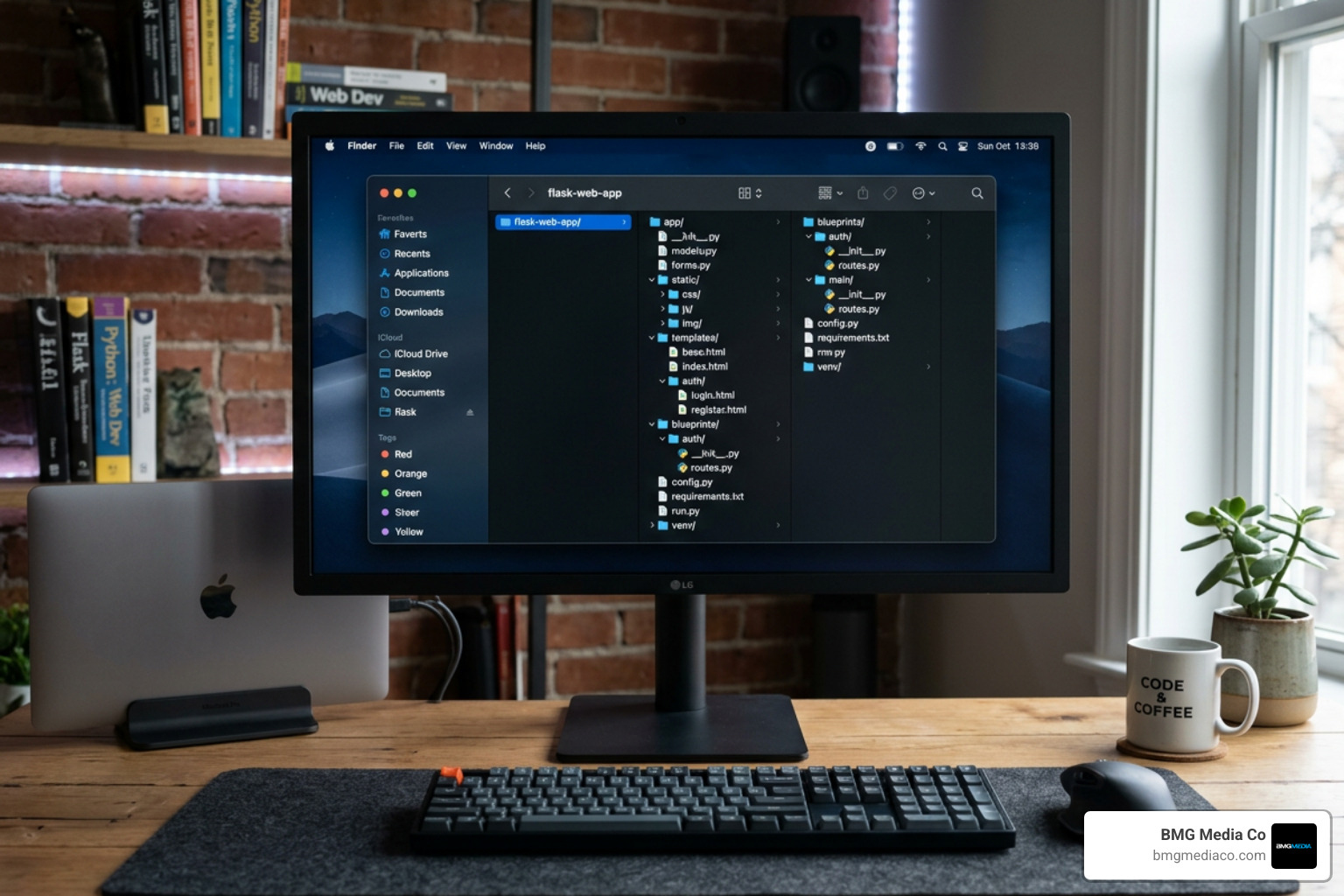
The Application Factory Pattern is the secret to scaling. Instead of creating a global app object, you wrap the creation of your application inside a function. This makes testing easier and allows you to use different configurations for development and production.
As your app grows, you shouldn’t have one 2,000-line file. Instead, use Blueprints. Blueprints allow you to group related views together — for example, an auth blueprint for login/signup and a blog blueprint for posts.
When it comes to the “look” of your app, Python developers use Jinja templates. Jinja allows you to use Python-like logic (loops and if-statements) directly inside your HTML. We use template inheritance to keep things consistent. You create a base.html with your navigation and footer, and then “child” templates (like home.html) simply fill in the middle.
To make the app interactive, you’ll use the HTML element to collect user input. To make it look professional without writing thousands of lines of CSS, we often integrate the Bootstrap toolkit. It provides responsive components that work perfectly on mobile browsers right out of the box.
A web app without a database is just a fancy document. Most Python frameworks use an ORM to talk to databases. This allows you to write Python code instead of raw SQL.
cx_Oracle driver.For handling changes to your database structure, we use migrations (via Flask-Migrate or Django’s built-in migration tool). This keeps a history of your database changes so you can safely upgrade your production server.
Sometimes, your app needs to do “heavy lifting,” like sending thousands of emails or processing a video. You shouldn’t make the user wait for this. Instead, use background tasks with tools like Celery or django-background-tasks.
Security isn’t an “add-on”; it must be built into the foundation. Here are the non-negotiables:
flask.escape() or let Jinja handle it automatically. This prevents hackers from injecting malicious scripts into your pages.When you’re ready to go live, platforms like DigitalOcean and Google App Engine offer streamlined ways to host Python apps. Using a Docker container is the most modern approach, as it packages your app, its dependencies, and its environment into one portable unit.
Flask remains the best for understanding the “why” behind web development because it is explicit and simple. However, if you want to get a job quickly, learning FastAPI is highly recommended as it is currently the fastest-growing framework in the industry.
With the introduction of the JIT compiler in Python 3.13 and the removal of the GIL (Global Interpreter Lock) in progress, Python is now significantly faster. Most “performance” issues in web apps are actually caused by slow database queries, not the language itself.
Absolutely. Instagram’s backend serves over 2 billion monthly active users using Django. The key is horizontal scaling — running many instances of your Python app behind a load balancer and using efficient caching strategies.
Building web applications with Python has never been more accessible or more powerful. From the simplicity of a Flask “Hello World” to the enterprise-grade robustness of Django and the high-speed efficiency of FastAPI, Python offers a tool for every possible project.
At BMG Media Co, we believe in the power of custom solutions. We don’t use templates; we build high-performance, award-winning web applications from the ground up right here in Birmingham, Michigan. Whether you’re looking to build a complex data-driven platform or a sleek modern API, our team of experts is ready to bring your vision to life.
Ready to take your project from a local script to a global cloud application? Start your custom project today and let’s build something incredible together.
