March 2026

Custom responsive web design is the practice of hand-coding a website from scratch so it automatically adapts its layout, images, and text to look great on any screen — phone, tablet, or desktop — without relying on a pre-built framework like Bootstrap or Tailwind.
Here’s how to implement it:
max-width: 100%; height: auto; on all images and media@media rules at key breakpoints (480px, 768px, 1024px) to adjust your layoutclamp() function so text scales naturally between screen sizesThink about this: more than 60% of all web traffic now comes from mobile devices. Yet many business websites are still built for a desktop screen first — and they show it. Visitors on phones have to pinch, zoom, and scroll sideways just to read basic content. Most leave immediately.
The numbers back this up. 74% of users are more likely to return to a site that works well on mobile. That’s not a small edge — that’s the difference between a website that builds your business and one that quietly loses customers every day.
I’m Blake George, Founder of BMG Media Co, and over the past 15+ years I’ve led the development of more than 1,000 custom responsive web design projects for businesses across real estate, healthcare, manufacturing, and consumer brands. In this guide, I’ll walk you through exactly how to build a responsive site from the ground up — with full control over performance, branding, and user experience.
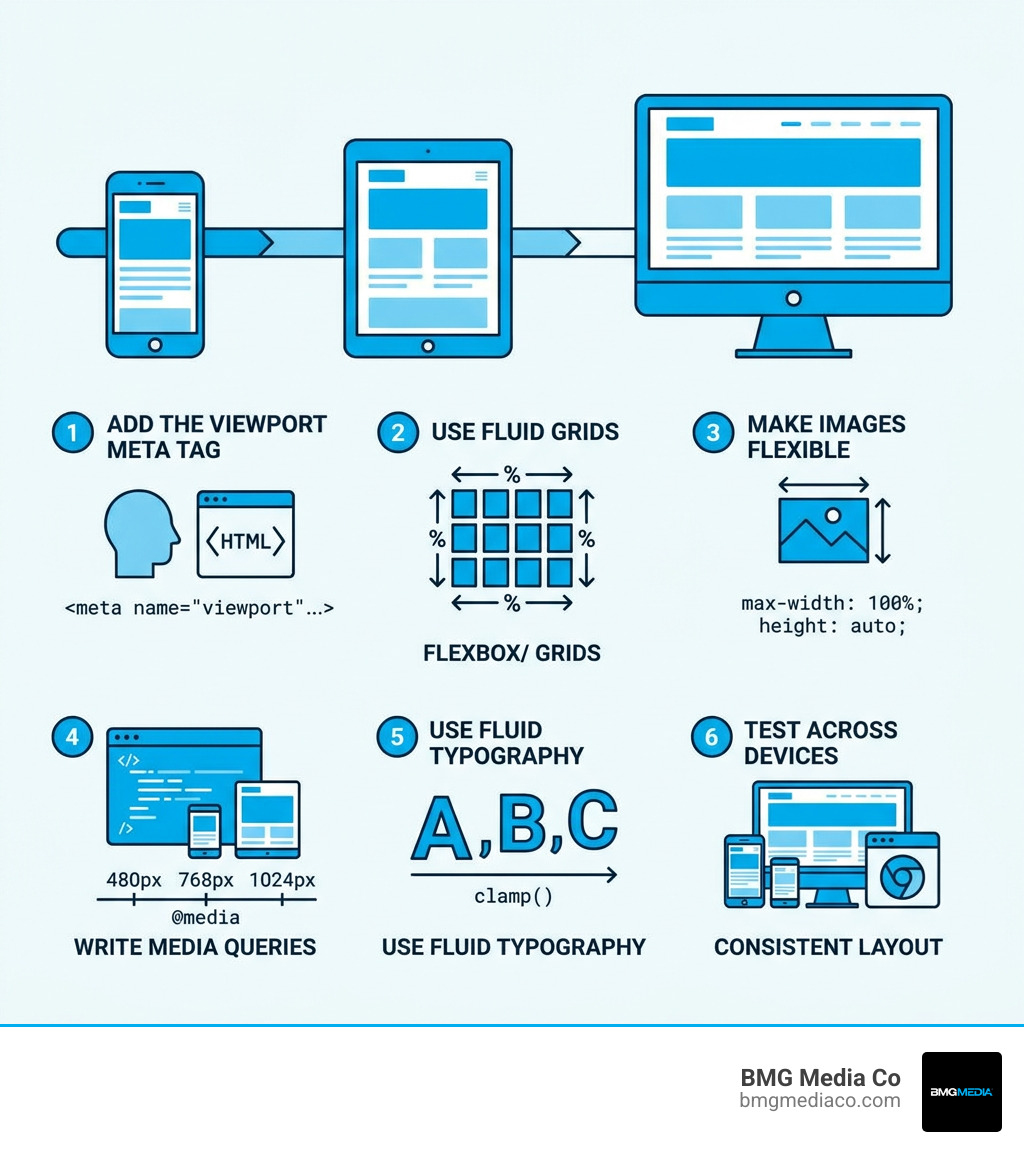
Custom responsive web design terms at a glance:
When we talk about custom responsive web design, we are talking about a “from-scratch” philosophy. In the early days of the web, developers often created separate “m.dot” sites (like m.facebook.com) specifically for mobile. In 2010, Ethan Marcotte coined the term “responsive web design” to describe a single codebase that uses fluid grids and media queries to adapt to any screen.
Today, many developers use frameworks like Bootstrap or Tailwind CSS to achieve this. While frameworks provide a head start, they come with “code bloat”—thousands of lines of CSS you don’t actually use. By contrast, a custom web design approach involves hand-coding only what is necessary. This results in faster load times and a truly unique brand identity that isn’t constrained by a framework’s pre-set “look.”
| Feature | Custom Responsive Web Design | Frameworks (Bootstrap/Tailwind) |
|---|---|---|
| Design Control | 100% – No limits on creativity | Limited to framework components |
| Performance | High – Minimal, optimized code | Lower – Significant “code bloat” |
| SEO | Superior – Faster speeds, cleaner code | Good – But requires heavy optimization |
| Maintenance | Easier – You know every line of code | Harder – Dependent on third-party updates |
| Brand Identity | Unique and tailored | Often looks “templated” |
At BMG Media Co, we believe your website should be as unique as your business. Using a framework is like buying a suit off the rack and pinning it to fit; custom design is having that suit handmade by a tailor in Birmingham, Michigan. It simply fits better.
To build a site that flows like water into different containers, we rely on three pillars: fluid grids, flexible media, and media queries. We shift away from fixed pixel widths (like width: 960px) and embrace relative units.
Understanding the difference between UX and UI design is vital here. UI is how the responsive elements look, but UX is how they feel. A responsive site that stacks content but makes the buttons too small to tap is a failure of UX. We use container elements and a clear visual hierarchy to ensure that as the screen shrinks, the most important information—like your phone number or “Book Now” button—stays front and center.
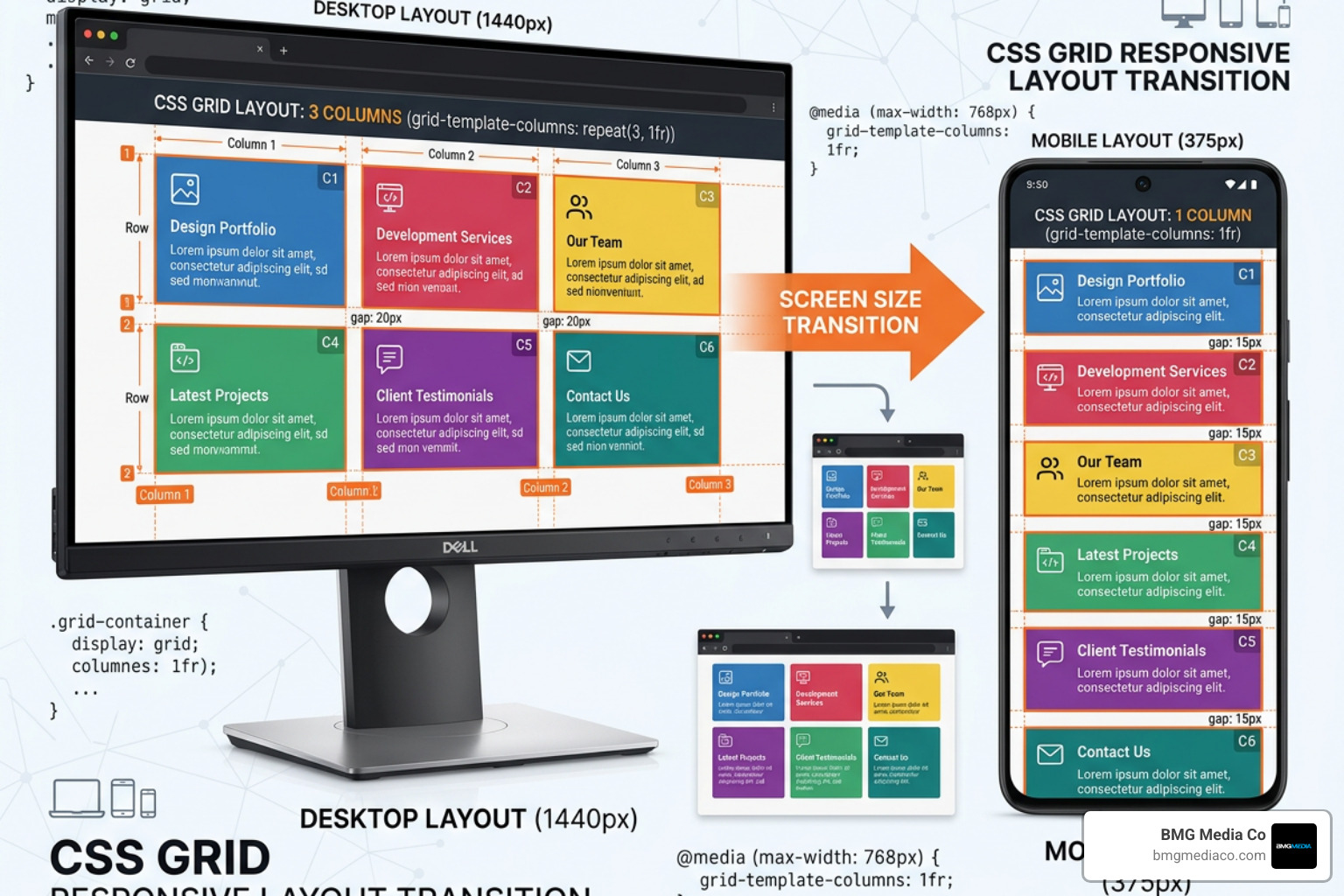
The secret to a flexible grid is math. Instead of fixed pixels, we use percentages. The old-school formula was target / context = result. If your sidebar is 300px in a 1000px container, it becomes 30%.
Modern CSS has made this even easier. We use:
grid-template-columns: repeat(auto-fit, minmax(250px, 1fr)); allows the browser to automatically decide how many columns fit on the screen.rem (based on root font size) and em (based on parent font size) for spacing and margins, ensuring everything scales proportionally.One of the biggest headaches in web design is text that is too big on mobile or too small on a giant 4K monitor. Traditionally, developers used dozens of media queries to change font sizes at every breakpoint.
Now, we use the clamp() function. It looks like this: font-size: clamp(1rem, 5vw, 2.5rem);.
This tells the browser: “Keep the text at least 1rem, but let it grow at 5% of the viewport width, and never let it exceed 2.5rem.” This creates a responsive text size that flows perfectly without the need for manual intervention.
To make a website responsive, you have to tell the browser how to handle the “viewport”—the visible area of the web page. Without specific instructions, mobile browsers assume they are looking at a desktop site and zoom out, making everything tiny.
The first step in any custom responsive web design project is adding the viewport meta tag to the of your HTML document.
<meta name="viewport" content="width=device-width, initial-scale=1.0">
This tag tells the browser to set the width of the page to the width of the device and sets the initial zoom level to 1. This is a requirement for Google’s mobile-first indexing, which means Google primarily uses the mobile version of your site for ranking and indexing. If you miss this tag, your SEO will suffer before you’ve even started.
Breakpoints are the “points” where the website’s layout changes to better suit the screen size. While there are thousands of different devices, we generally focus on these common ranges:
However, the best practice in custom responsive web design is to let the content dictate the breakpoints. If your three-column layout starts looking cramped at 850px, add a media query there.
Example of a media query:
@media screen and (max-width: 768px) {
  .main-content {
 flex-direction: column;
  }
}
This simple rule tells the browser to stack content vertically instead of horizontally when the screen is smaller than 768px. This is the core of optimizing for mobile search.
Images are usually the heaviest part of a website. On a desktop with high-speed fiber, a 2MB hero image loads in a blink. On a phone with a spotty 4G connection in a Michigan suburb, that same image can cause a 10-second delay.
We use several techniques to ensure media doesn’t break the layout or the data plan:
img { max-width: 100%; height: auto; }. This prevents images from ever being wider than their container.object-fit: cover; to make images fill their containers without stretching or distorting.loading="lazy" to your image tags, the browser only downloads images as the user scrolls down to them, significantly improving initial page speed.These are fundamental web design principles that separate professional builds from DIY projects.
Google has been clear: speed and mobile-friendliness are ranking factors. By using custom responsive web design, you improve your “Core Web Vitals”—the metrics Google uses to measure user experience.
A custom site loads faster because it doesn’t have the “dead weight” of a framework. This leads to lower bounce rates (people leaving because the site is slow) and higher conversion rates. When a site is easy to navigate on a phone, users stay longer, engage more, and are more likely to fill out a contact form. Google’s mobile-friendly priority isn’t just a suggestion; it’s the law of the modern internet.
Our workflow at BMG Media Co starts in Figma. We use “Auto-layout” features to prototype how elements will shift before we ever write a line of code. This allows our clients to see the mobile and desktop versions side-by-side.
width: 600px; for a container. Use max-width: 600px; width: 100%; instead.We also emphasize the importance of A/B testing. Sometimes, a layout that looks great in theory doesn’t convert in reality. Testing different responsive configurations helps us find the “sweet spot” for your specific audience.
Responsive design is fluid. It uses one layout that “responds” and flows to fill any screen size, like water in a glass. Adaptive design uses several fixed layouts (e.g., one for iPhone 13, one for iPad) and “snaps” to the one that fits best. Responsive is generally superior because it covers devices that haven’t even been invented yet.
The easiest way is using “Inspect Element” in your browser (F12). Click the “Device Toggle Toolbar” icon to simulate different phones and tablets. For more professional testing, tools like BrowserStack or the Responsively App allow you to see your site on dozens of real device configurations simultaneously.
Frameworks like Bootstrap are “one-size-fits-all.” They include CSS for carousels, modals, buttons, and grids that you might never use. A custom site only contains the code necessary for your design. This makes the file sizes smaller, the browser’s job easier, and your site much, much faster.
Building a custom responsive web design from scratch is the most effective way to ensure your brand looks professional, ranks high on search engines, and converts visitors into customers. While it requires more expertise than dragging and dropping a template, the payoff in performance and brand authority is undeniable.
At BMG Media Co, based in Birmingham, Michigan, we specialize in this “no-template” approach. We’ve built over 1,000 high-performance websites and web apps that are award-winning and tailored to the unique needs of our clients. Whether you need a complex web app or a high-converting WordPress site, we handle the hand-coding so you can focus on running your business.
Ready to make your website look good on every screen? Explore our custom web design and development services and let’s build something that truly stands out.
