June 2026
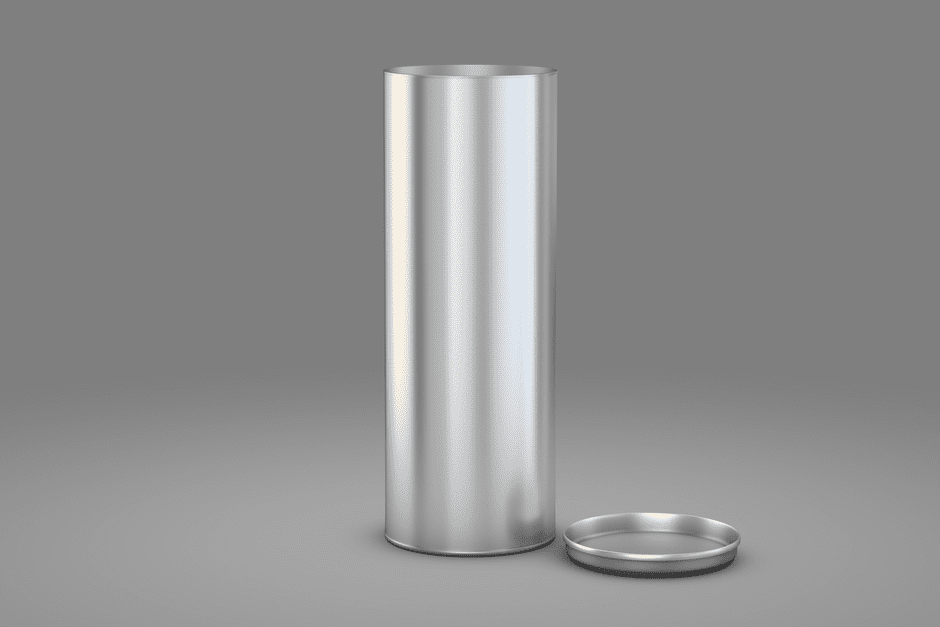
3D rendering of products is the process of creating photorealistic digital images from 3D computer models — no camera, no studio, no physical sample required.
Here’s a quick breakdown of what that means in practice:
Think about the last time you tried to launch a product but couldn’t get a photo shoot scheduled, or needed 40 color variants photographed on a deadline. That’s exactly the problem 3D rendering solves.
One furniture brand eliminated $3.2 million in sample production costs simply by rendering fabric options digitally instead of producing physical swatches. That’s not a small efficiency gain — that’s a fundamental shift in how products get marketed.
And yet, most business owners still think of 3D rendering as something only big-budget brands or Hollywood studios use.
That’s changing fast. As of 2026, rendering technology is accessible, scalable, and — when done right — indistinguishable from real photography.
I’m Blake George, founder of BMG Media Co, a digital strategy and web design agency with over a decade of experience helping brands build high-performance online platforms — including integrating 3D rendering of products into eCommerce sites and marketing workflows. This guide covers everything you need to make smart decisions about 3D rendering for your business.
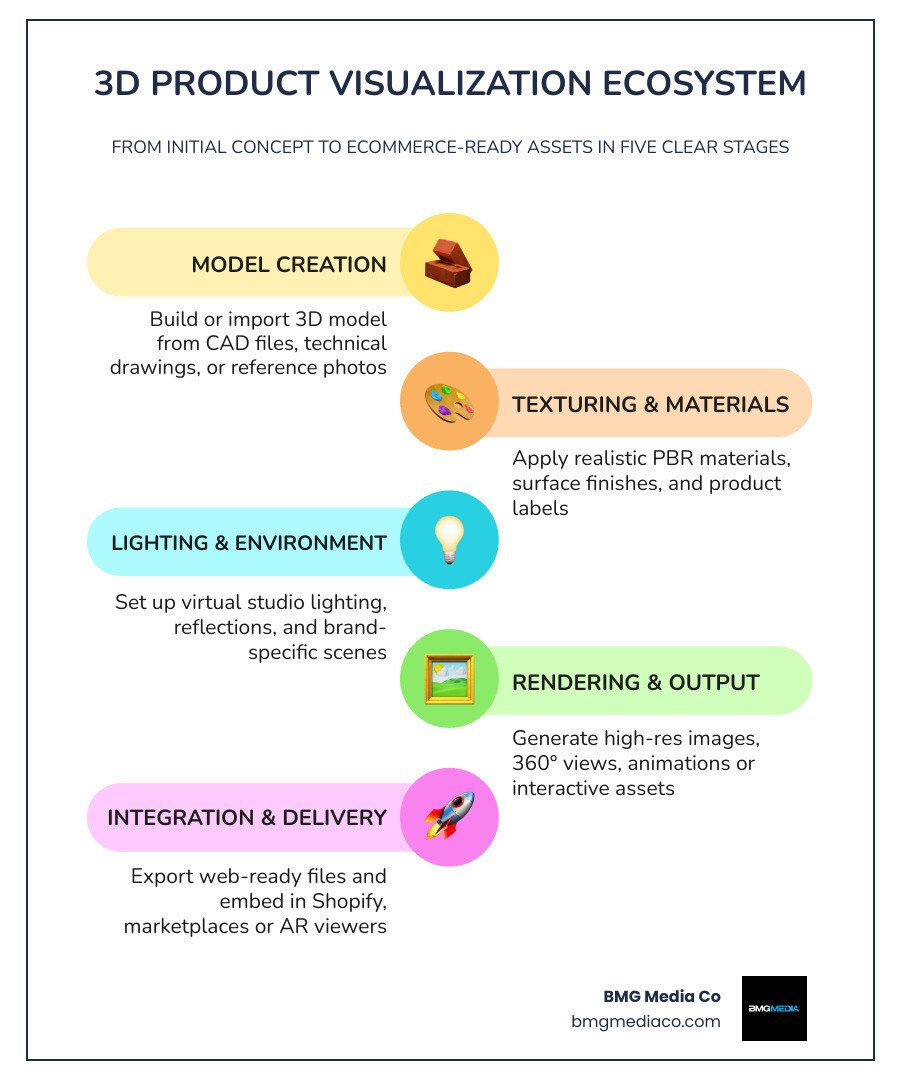
At its core, 3D product rendering is digital product photography without the physical limitations. We create or use a 3D model of a product, place it in a virtual studio, apply realistic materials, light it like a real set, and export finished visuals for websites, ads, marketplaces, packaging previews, and sales tools.
That means no waiting for final manufacturing, no shipping products to a studio, and no panic when marketing asks for “just one more angle” at 4:58 p.m.
The process is easier to understand if you think of it like this:
So yes, the output is usually a 2D image, but it comes from a fully three-dimensional digital asset. That is why one model can produce dozens, or hundreds, of useful assets.
Traditional product photography still has value. It captures real-world surfaces exactly as they exist, and it can be great for organic, tactile, or handmade items where natural imperfections help sell authenticity.
But rendering wins on flexibility.
| Factor | 3D Rendering | Traditional Photography |
|---|---|---|
| Physical sample required | Usually no | Yes |
| Changes to colors/materials | Fast, digital updates | Often requires reshoots |
| Launch before production | Yes | Usually no |
| Variant scalability | Excellent | Expensive and slow |
| Lighting/environment control | Complete | Limited by setup/location |
| Cross-sections/interior views | Possible | Difficult or impossible |
| Reuse for animation/AR | Yes | No |
We usually recommend:
That hybrid method is especially useful for “product replacement rendering,” where a 3D product is inserted into a real scene. It can keep lifestyle content believable while avoiding full reshoots.
Brands are not adopting rendering just because it looks cool. They are using it because it improves speed, consistency, and buying confidence.
For eCommerce teams, it solves a very modern problem: customers want more detail, more angles, more customization, and faster launches.
Here are the biggest gains we see:
One standout stat from the research: a brand eliminated $3.2 million in sample production costs by rendering fabric options digitally. Another cut physical sampling waste by about 60% for product collection approvals. That is not just a creative improvement. That is operational efficiency.
Returns often happen because customers are surprised. The product looks different online than it does in real life. Or they could not fully understand size, finish, layout, or options before buying.
3D helps by making expectations clearer.
Research also shows customer decision time decreased by nearly 30% when buyers used rendered cabinet layouts instead of traditional photography. In another case, digital product variation workflows shortened the sales cycle by 17%.
Some categories get especially strong ROI from 3D rendering:
In general, the more customizable, technical, or variant-heavy the product is, the more value rendering creates.
Interactive product content keeps shoppers engaged longer and helps them feel more certain. That matters on mobile, where buyers cannot physically inspect products and usually make decisions quickly.
The headline stat is hard to ignore: 3D models can boost conversions by up to 94%. Interactive viewing also tends to increase time on page, which gives shoppers more chances to compare, explore, and commit.
If you want to see how web experiences can support this kind of engagement, our illustrations and animations web design services show how motion and interaction fit into modern digital experiences.
Good rendering is not just “make it shiny.” It is a production pipeline.
A rendering project begins with geometry.
That model can come from:
A strong model matters because accuracy upstream saves time downstream. Better geometry means fewer texture fixes, fewer silhouette problems, and more believable final renders.
Digital twins also fit here. A digital twin is a virtual replica of a real product that can support design reviews, marketing, and sometimes even performance simulation before production.
Next comes surface realism.
We define:
Physically based rendering, or PBR, is the standard here. It helps materials react to light more like they do in the real world. That is why a cosmetic bottle, corrugated package, or brushed aluminum device can all feel believable when rendered correctly.
If packaging is part of your workflow, Photorealistic 3D Packaging Visualizations with Blender | PackCAD Mockup shows a useful example of turning flat packaging artwork into rendered 3D visuals.
Lighting is where a lot of the magic happens.
We use studio lighting setups, environment maps, reflections, shadow control, and focal lengths to shape the product visually. A neutral 50mm-style camera view often works well for realistic product presentation, while tighter or wider shots can add drama.
This stage also defines brand style:
Rendering generates the actual image or video output. Then we refine it in post-production:
Most projects reach final quality in about two to three revision rounds when the inputs are clear.
To make a project efficient, brands should ideally provide:
A single 3D asset can power a lot more than one hero image.
Static rendering is still the most common deliverable. This includes:
For a deeper look at photorealistic deliverables, see our product rendering services for photorealistic results.
If static images answer basic questions, interactive assets answer “what does this really look like?”
Popular options include:
Useful examples of this category include Showcase Products in 3D and Build Buyer Confidence | Zakeke and 3D Product Viewer: Premium Interactions Component by Chris Lacorte — Framer Marketplace.
This is where things get fun.
Animations can show:
Configurators let users choose options in real time, such as:
Digital twins take it a step further by acting as reusable product systems that support the full lifecycle from design review to sales enablement.
If animation is part of your strategy, our guide on why custom animations are the future of brand engagement explains why motion often outperforms static explanation.
Common outputs include:
Web delivery matters. Assets need to be optimized for speed, mobile usability, and platform compatibility. Many eCommerce systems support 3D viewers directly or through apps and plugins, but large files can still create friction if not handled correctly.
This is the question everyone asks right after “Can it look real?”
Short answer: yes, and the cost depends on scope.
Based on the research, pricing generally falls into these broad ranges:
The biggest pricing variables are:
A simple bottle on white is not priced like a configurable sectional sofa with 90 fabrics and a lifestyle animation. Shocking, we know.
Typical turnaround for simple projects can be 2 to 3 days, while more complex work may take up to a week or longer depending on approvals and scope.
Revision norms are usually around 2 to 3 rounds, which is enough when the project is defined well at the start.
At scale, rendering becomes a content engine. Some production pipelines can generate 2,000+ images per week, which shows why larger brands increasingly use CGI for ongoing SKU libraries.
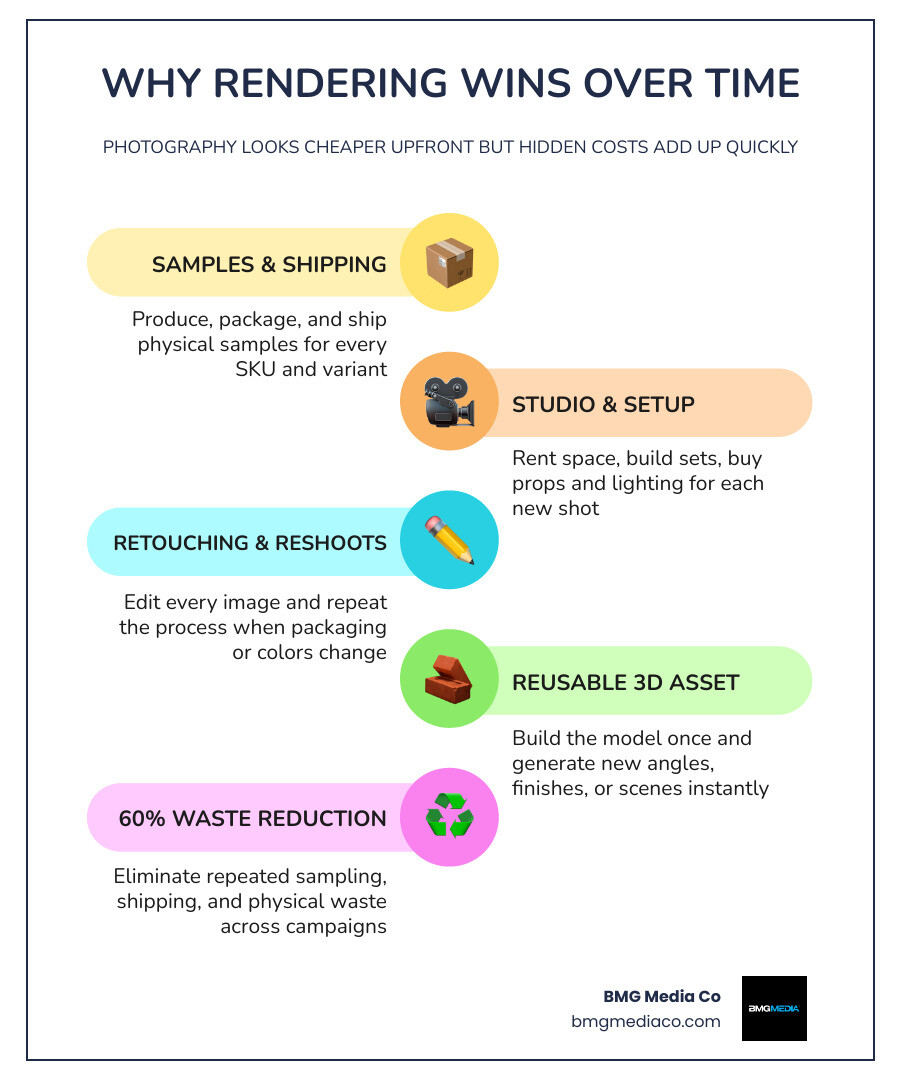
Photography can look cheaper at first if you only need a handful of shots. But the total cost grows when you add:
Rendering often becomes more economical over time because the asset is reusable. Once the model exists, producing new angles, finishes, labels, scenes, and spin assets is usually much faster and cheaper than starting from scratch.
Not every rendering provider is built for eCommerce performance. Great visuals are only part of the job. The assets also need to work inside real marketing and website workflows.
Ask these before signing anything:
Look for:
This part gets overlooked constantly.
A beautiful render is far more valuable when it is integrated into a high-performance product page with strong UX, fast load times, mobile-friendly presentation, and conversion-focused layout.
That is where our approach matters. At BMG Media Co, we do not just create visuals. We build custom websites and product experiences around them. If you are exploring interactive implementation, see Make Your Website Dimensionally Gifted with These 3D Tools and our 3D rendering web design services.
Yes. In many cases, that is the whole point.
Projects can begin from:
That means brands can start pre-launch marketing before inventory exists.
A practical breakdown:
The best format depends on where the asset will live and how interactive it needs to be.
Very accurate when the source inputs are good.
Accuracy improves when brands provide:
That said, brands should still review proofs carefully, especially for color-sensitive products like cosmetics, textiles, packaging, and finishes that change under different lighting.
3D rendering of products is no longer a niche production trick. It is a practical way to launch faster, show more variants, reduce waste, improve customer understanding, and build better digital buying experiences.
For brands selling online, the real value is not just the image itself. It is what that image unlocks: scalable content, interactive product pages, stronger buyer confidence, and more flexible marketing.
At BMG Media Co, we build fully custom digital experiences that combine performance, visual quality, and usability. If you are ready to turn 3D assets into a smarter product experience, explore our 3D renderings services.


