June 2026
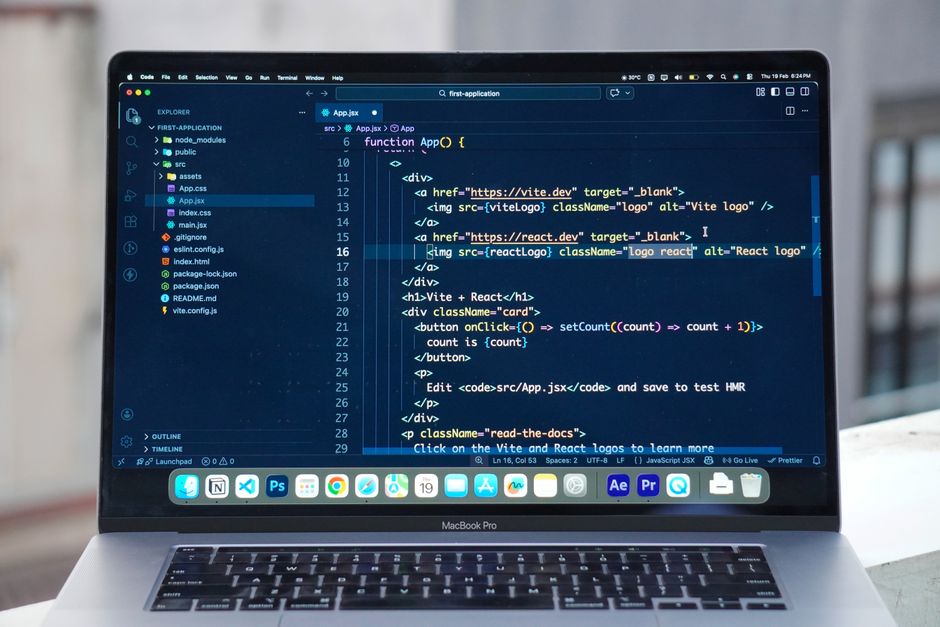
Learning to build a web app on AWS is one of the most practical skills any business owner or developer can have right now. AWS gives you the tools to go from a blank project to a live, scalable application — often in under an hour.
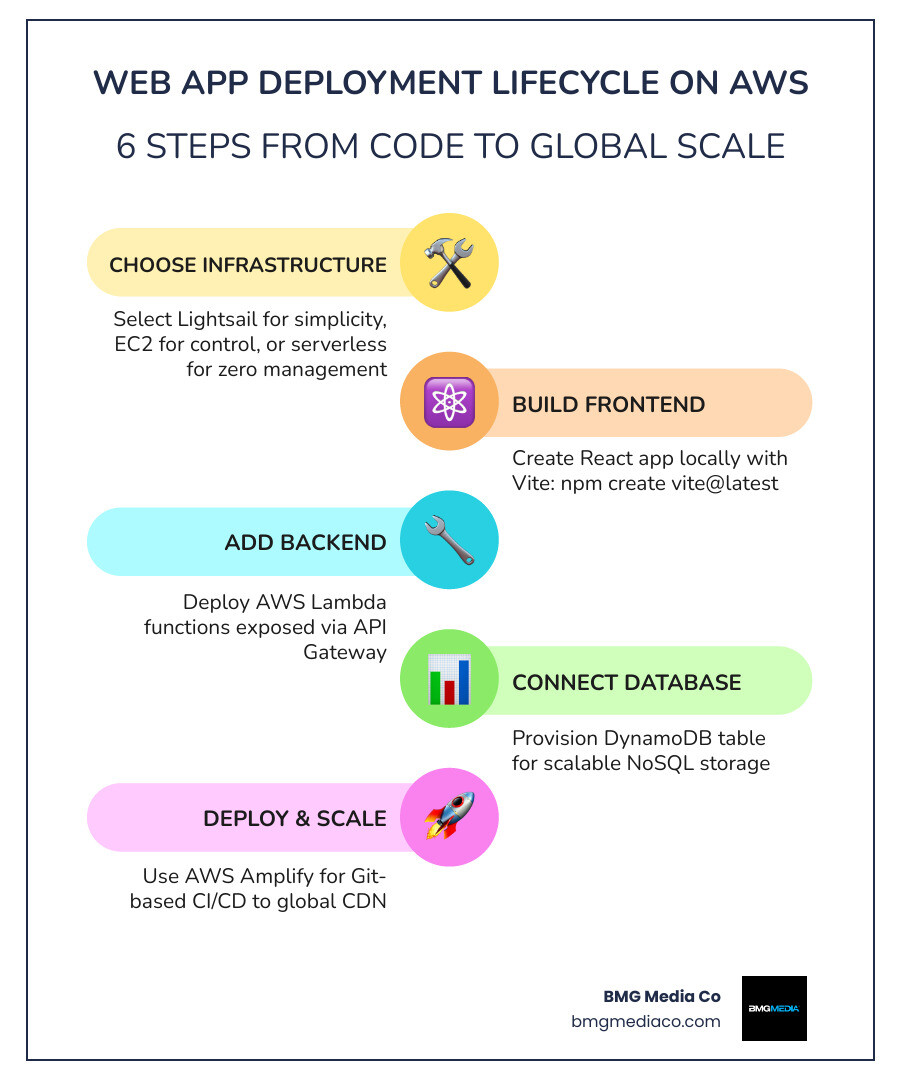
Here’s how to build a web app on AWS in 6 steps:
npm create vite@latest)The entire process — from static page to a fully interactive, database-backed web app — is beginner-friendly and free tier eligible. AWS tutorials show beginners completing a full-stack build in as little as 35 minutes.
Whether you’re a developer looking to ship faster or a business owner trying to understand what your tech team is building, this guide walks you through every step.
I’m Blake George, founder of BMG MEDIA Co., a web design and development agency that has built over 1,000 custom websites and digital platforms across industries like real estate, healthcare, and manufacturing — including projects that leverage AWS to build a web app on AWS at scale. Over the past decade, I’ve seen how the right cloud infrastructure can transform a business’s online presence from a liability into its greatest growth asset.
Build a web app on aws definitions:
Before we write a single line of code, we need to decide where our application is going to live. In 2026, AWS offers a variety of “homes” for your code, ranging from hands-off managed services to total-control virtual servers.
If you are looking for speed and simplicity with fixed, predictable pricing, Amazon Lightsail is your best bet. It’s designed for those who want to launch a website or a simple web application without getting bogged down in complex networking configurations. Lightsail offers seven different virtual machine sizes and is perfect for hosting WordPress sites or small business applications.
For projects that require ultimate scalability and granular control over the entire technology stack, Amazon EC2 (Elastic Compute Cloud) is the gold standard. With over 250 server size options and support for multiple operating systems, EC2 allows us to customize every aspect of the environment. It is the go-to choice if you are migrating a legacy application or need specific hardware optimizations.
If your team is already using Kubernetes, Amazon EKS (Elastic Kubernetes Service) provides a managed control plane that allows you to run containerized applications with open-source APIs. It offers the flexibility of the cloud-native ecosystem while AWS handles the heavy lifting of managing the Kubernetes infrastructure.
The right choice depends on your specific needs. Do you want to spend your time managing servers, or do you want to focus entirely on your product?
| Feature | Amazon Lightsail | Amazon EC2 | Serverless (Amplify/Lambda) |
|---|---|---|---|
| Setup Speed | Very Fast | Moderate | Fast |
| Control | Limited | Total | Abstracted |
| Pricing | Fixed Monthly | Pay-as-you-go | Pay-per-use |
| Scalability | Manual/Regional | Global/Auto-scaling | Automatic |
For more help deciding, check out the official guide on How to Choose Your Web Application Infrastructure | AWS.
In our experience at BMG Media Co., the most exciting way to build a web app on AWS is by going serverless. “Serverless” doesn’t mean there aren’t servers; it means you don’t have to think about them.
With serverless architecture, AWS handles all the maintenance, patching, and capacity planning. This allows us to move from a script to a cloud-ready platform without the “ops” headache. If you’re coming from a different background, you might find our Python Web Development 101: From Script to Cloud helpful for understanding this transition.
Serverless applications have no idle capacity costs. You aren’t paying for a server to sit there at 3:00 AM waiting for a visitor; you only pay when your code is actually running. When traffic spikes, the system scales automatically by adjusting units of consumption rather than requiring you to manually add more servers.
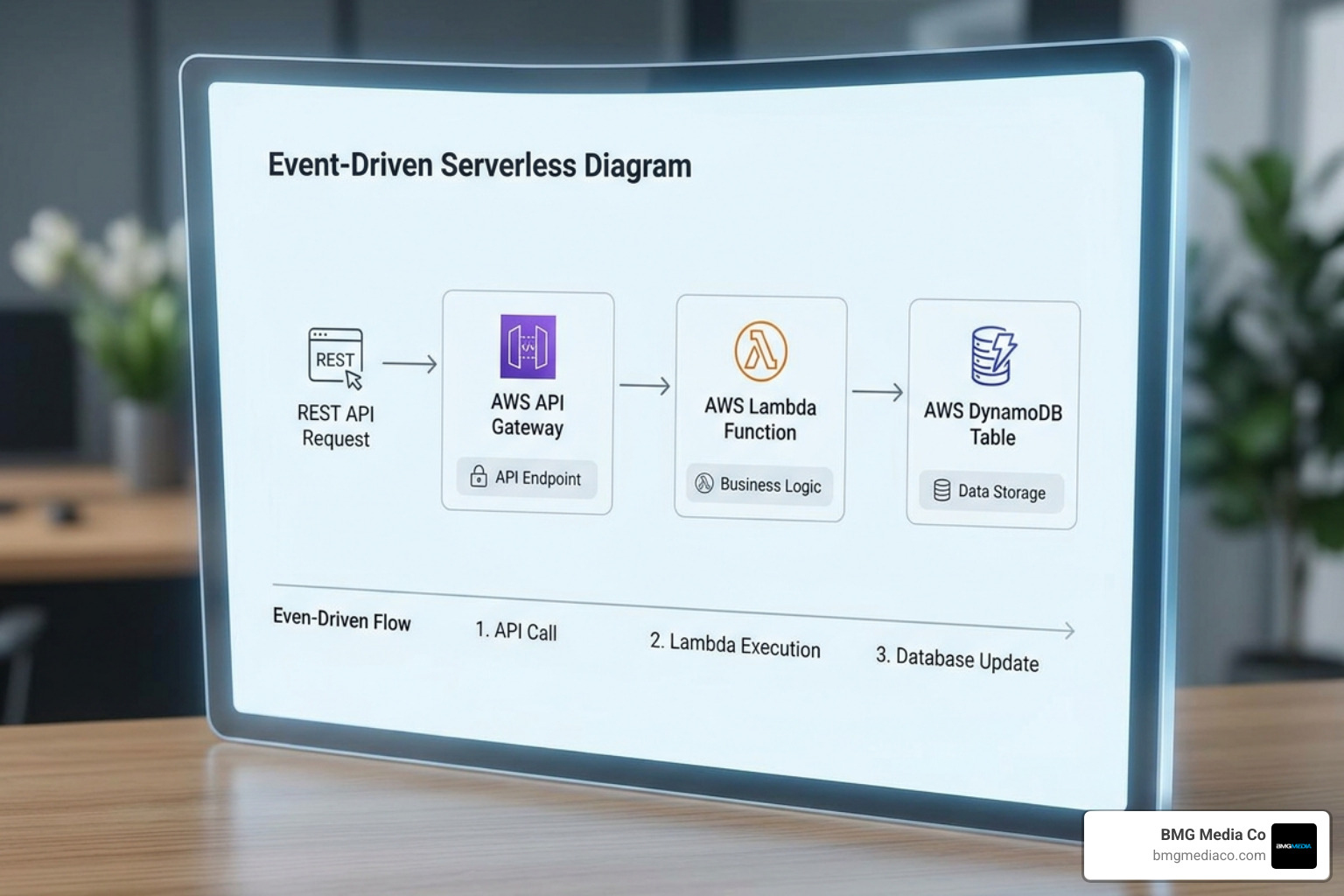
To build a functional application, we need to connect several key services:
By combining these, we can perform standard CRUD (Create, Read, Update, Delete) operations—like saving a user’s profile or retrieving a list of products—without ever managing a traditional database server.
If you want to build a web app on AWS with the modern speed expected in 2026, AWS Amplify is your secret weapon. It simplifies the entire development lifecycle by combining hosting, authentication, and backend integration into one streamlined workflow.
The beauty of Amplify lies in its Git-based CI/CD (Continuous Integration and Continuous Deployment) workflow. Once you connect your GitHub repository, Amplify automatically detects your build settings. Every time you push a code commit to GitHub, Amplify triggers a build and deploys the updates to a global Content Delivery Network (CDN) in as little as 5 minutes.
This eliminates the manual “uploading” process. It’s a huge win for developers who want to Stop Procrastinating and Start Building a Web App with JavaScript because the feedback loop is nearly instantaneous.
Amplify isn’t just for hosting static files; it’s a full-stack powerhouse. We can easily incorporate advanced features:
A common concern when we discuss how to build a web app on AWS is the cost. Fortunately, AWS provides one of the most generous free tiers in the industry, making it incredibly affordable to experiment and launch your first MVP.
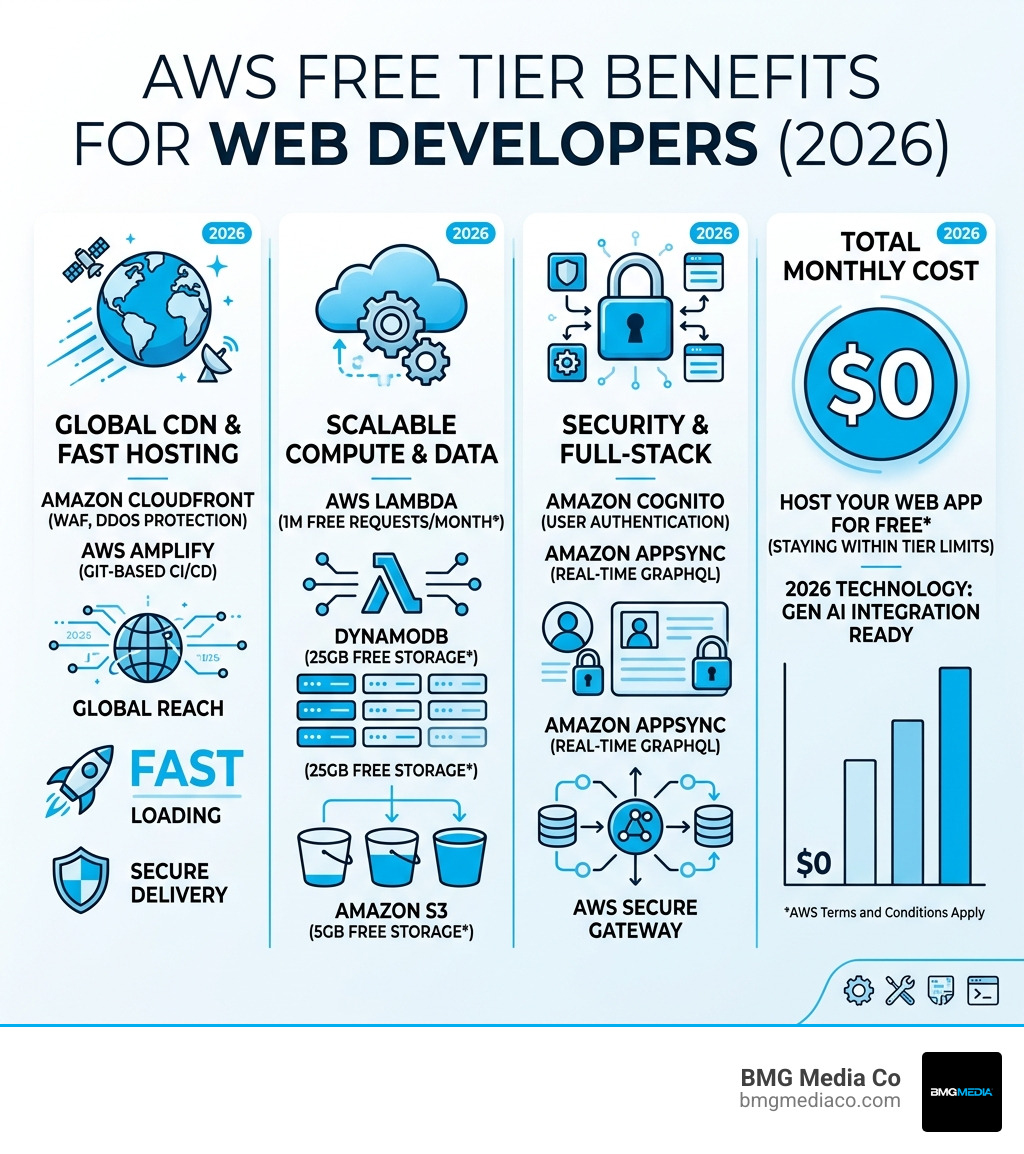
By staying within these limits, you can host a production-ready application for $0 while you find your product-market fit. AWS even offers up to $200 in credits at sign-up to help you get started.
For a beginner following a standard tutorial (using Amplify, Lambda, and DynamoDB), a basic full-stack app can be built and deployed in approximately 35 minutes. More complex custom builds, like the ones we handle at BMG Media Co., take longer but benefit from this rapid foundational setup.
You’ll need an AWS account, a basic understanding of Git/GitHub, and Node.js installed on your local machine. If you are building a React app, using Vite as your build tool is highly recommended for speed.
Amazon Lightsail is the best choice for WordPress. It offers a pre-configured WordPress instance that you can launch in minutes with a fixed monthly price, making it much easier to manage than a custom EC2 setup.
When you decide to build a web app on AWS, you aren’t just picking a hosting provider; you’re choosing a platform that can grow with you from your first user to your first million. From the simplicity of Lightsail to the “infinite” scale of serverless Lambda functions, the tools available in 2026 make cloud development more accessible than ever.
At BMG Media Co., we specialize in taking these complex cloud architectures and turning them into high-performance, award-winning digital experiences. We believe in fully custom solutions—no templates, no shortcuts. Whether you are looking for Custom Web Design and Development Services or need a strategic partner to architect your next big idea, we are here to help.
Choosing the right infrastructure is just the beginning. To ensure your project succeeds, check out The Ultimate Guide to Picking a Web App Partner to find the team that can bring your vision to life on the AWS cloud. Ready to build something great? Let’s get started.
