April 2026
WordPress sites for doctors are one of the most effective ways for medical practices to attract new patients, build credibility, and streamline appointment booking online.
Here are the top WordPress themes and site types used by healthcare providers:
| Theme / Site Type | Best For | Key Feature |
|---|---|---|
| MedicalPress | General practice, clinics | Clean layout, appointment forms |
| HEALTHFLEX | Multi-specialty practices | Best-selling, highly customizable |
| MediCenter | Hospitals, large practices | 20+ page templates, 6 homepage layouts |
| MedicalPro | Individual doctors | Professional design, mobile-ready |
| Mega Medical | Clinics, health centers | E-commerce compatible |
| Custom WordPress Build | Any specialty | Full control, HIPAA-ready, conversion-focused |
Patients today search for doctors on their phones before they ever call your office. If your website is slow, outdated, or hard to navigate, they move on to a competitor. A well-built WordPress site does more than just look professional — it converts visitors into booked appointments.
Over a quarter of the top 10 million websites on the internet run on WordPress, and for good reason. It’s flexible, scalable, and supported by thousands of plugins built specifically for healthcare needs like booking, payments, and patient communication.
I’m Blake George, founder of BMG Media Co, a web design and development agency that has built over 1,000 custom websites — including wordpress sites for doctors and healthcare practices across the country. In this guide, I’ll walk you through exactly what separates a high-performing medical website from one that quietly loses patients every day.
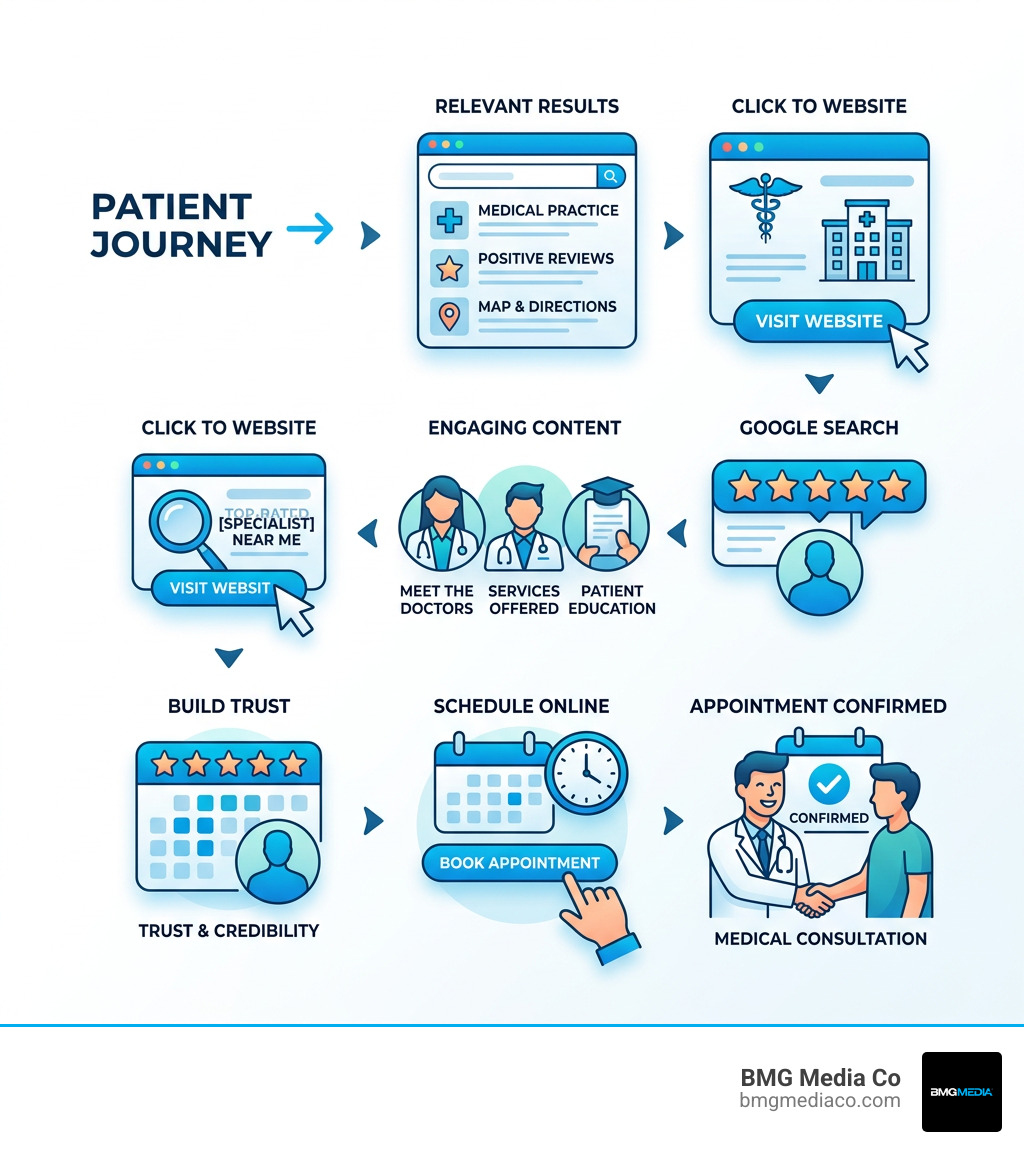
When we talk about building a digital home for a medical practice, we aren’t just looking for a digital business card. We are looking for a powerhouse. WordPress currently powers over half of all websites where a content management system (CMS) can be identified. For healthcare providers, this dominance translates to stability and endless possibilities.
The beauty of WordPress software for medical websites lies in its open-source nature. This means your site isn’t trapped in a proprietary “walled garden.” You own your data, your design, and your destiny. Whether you are a solo practitioner in Birmingham, Michigan, or a large multi-state clinic, WordPress scales with you.
At BMG Media Co, we lean into WordPress technology because it allows us to build fully custom, high-performance environments that don’t rely on clunky, one-size-fits-all templates. It provides the perfect foundation for “conversion-focused” design—where every button and every line of text is A/B tested to ensure patients actually take action.
If a patient in your neighborhood searches for “top dermatologist near me” and your site doesn’t show up on the first page, you effectively don’t exist to them. WordPress is inherently SEO-friendly, but “out of the box” settings aren’t enough for the competitive medical field.
To dominate local search, wordpress sites for doctors must be optimized for Google’s latest algorithms. This includes:
By focusing on Healthcare Industry Web Design, we ensure that the technical structure of your site—from sitemaps to image alt-tags—is working 24/7 to boost your organic rankings.
Trust is the currency of healthcare. Patients are anxious, and they are looking for a steady hand. WordPress makes it incredibly easy to integrate a blog or a video library to educate your community.
Whether it’s a pediatrician sharing a “Preparing for Baby Checklist” or a psychiatrist explaining the balance between “Ancient Wisdom and Modern Medicine,” content marketing builds authority. When you provide useful healthcare information to your local community, you aren’t just a doctor; you become a trusted resource. This engagement keeps existing patients loyal and makes it easier for other physicians to find you and send electronic referrals.
A pretty website that doesn’t work is just a liability. To be truly effective, wordpress sites for doctors must include a specific set of features designed for the modern patient experience.
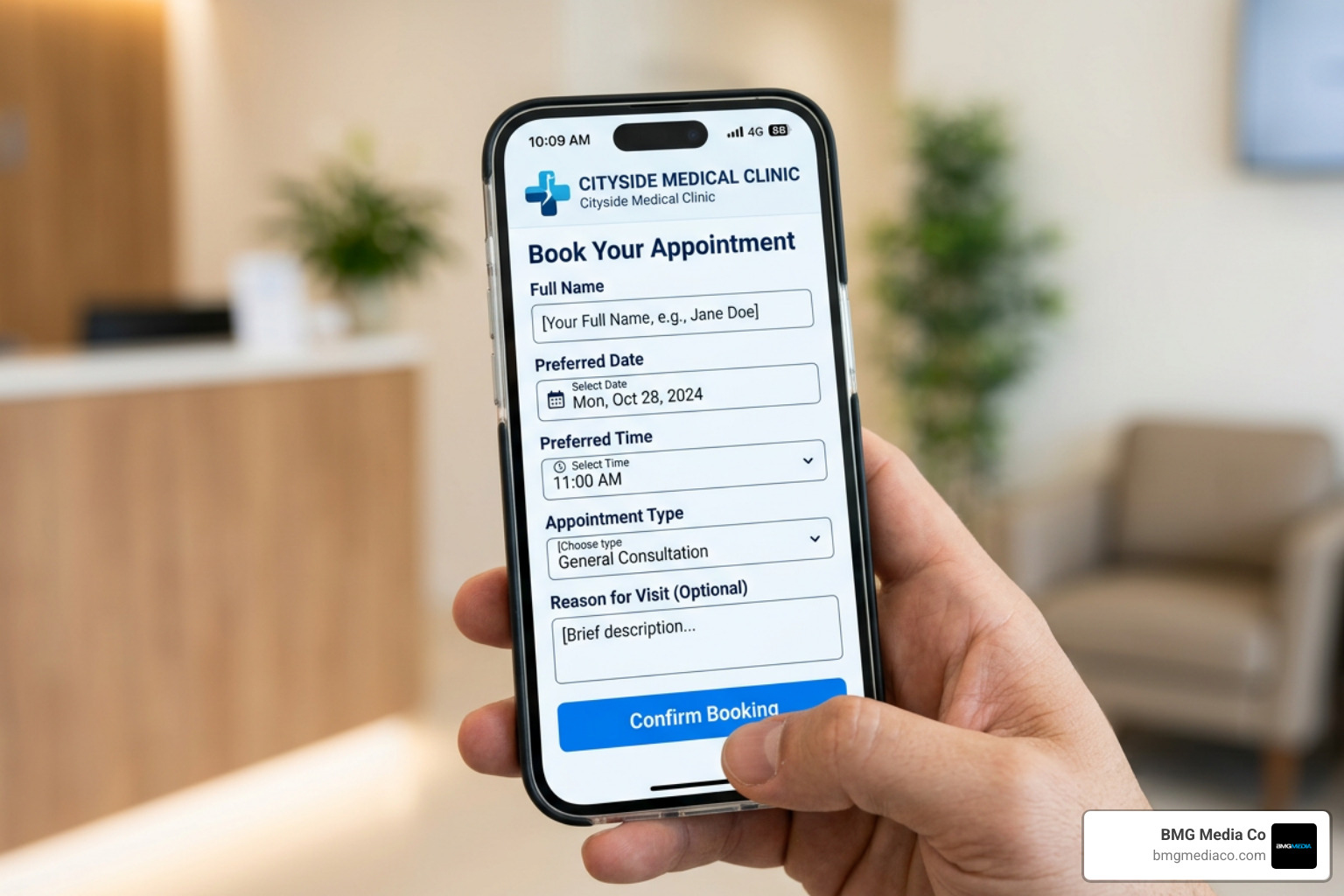
Our approach to Medical Healthcare Web Design prioritizes these features to ensure that your site functions as a “conversion engine” rather than just a brochure.
Medical websites are high-value targets for hackers because they handle sensitive information. You cannot afford a security breach. WordPress is a secure platform, but it requires active management to stay that way.
Essential security steps include:
As recognized in the Top WordPress Developers Press Release, professional developers prioritize these “under the hood” security measures to protect your practice’s reputation.
This is the big one. To be HIPAA compliant, any data you collect—names, emails, symptoms—must be stored in a secure, compliant CRM. WordPress itself isn’t “HIPAA compliant” out of the box, but it can be made compliant through the right architecture.
One clever tool we often use is data redaction. For example, using a utility that redacts sensitive patient data from the WordPress database while still allowing it to be sent to your secure office email ensures that no protected health information (PHI) is sitting on a vulnerable server.
| Feature | Standard WordPress | HIPAA-Compliant Build |
|---|---|---|
| Form Storage | Saved in WP Database | Redacted or sent to Secure CRM |
| Data Encryption | Optional | Mandatory (At rest and in transit) |
| Access Logs | Basic | Detailed Audit Trails |
| Hosting | Shared/Generic | Healthcare-grade (e.g., Google Cloud) |
While we advocate for custom builds at BMG Media Co, many practices start with premium themes. MedicalPress and HealthFlex are industry favorites because they come with pre-built layouts for doctors, dentists, and clinics. MediCenter is particularly robust for larger facilities, offering over 20 page templates.
However, the real magic happens with plugins. Think of a plugin like a lamp you plug into a wall; you don’t need to build the electrical outlet, you just need the right tool to light up the room. We’ve been recognized among the Best WordPress Development Companies for our ability to select and customize these tools without slowing down the site.
To turn your website into a 24/7 administrative assistant, you need the right integrations:
Beyond booking, you can use WordPress to manage the “business” of being a doctor. WooCommerce Memberships can be used to give patients exclusive access to medical records or educational videos. If your practice uses QuickBooks, there are integrations that allow you to monitor your clinic’s finances directly from the WordPress dashboard.
Furthermore, integrating a “Review Magnet” system is vital. Automated requests for Google reviews post-visit can dramatically improve your online reputation, turning happy patients into your best marketing team. We stay at the forefront of these trends as one of the Top WordPress Web Design Companies, ensuring our clients have every tool they need to succeed.
What does a successful medical site actually look like? It’s clean, calming, and focuses on the patient’s needs.
Take a look at a high-conversion dermatology site. It shouldn’t just list services; it should show before-and-after galleries (with patient consent) and feature educational videos that build trust before the patient even walks through the door.
In our Motor City Orthopedics Portfolio, you can see how we prioritize functionality—getting a patient from “I have knee pain” to “I have an appointment” in as few clicks as possible. Similarly, our work in the Legacy Dermatology Group Portfolio demonstrates how a sleek, modern design can elevate a brand’s perceived value.
We’ve seen real-world data where a simple redesign of wordpress sites for doctors led to a 30% increase in patient inquiries. In another instance, a specialist saw a 40% increase in bookings simply by making the “Schedule Now” button easier to find on mobile devices.
By integrating testimonials and professional video content, these practices moved from being “just another doctor” to the “only choice” in their local market. The goal is to create a digital bridge that connects a searching patient to your exam room.
Building a professional medical site is an investment, not an expense. While you can find “free” themes, they often lack the security and customization needed for a serious practice.
Expect to invest in:
Avoid the common mistake of “setting it and forgetting it.” A website is like a piece of medical equipment; it requires regular calibration and maintenance to function at peak performance. If you ignore updates, your site will slow down, or worse, become a security risk.
While WordPress itself isn’t a “HIPAA-certified” product, you make your site compliant by using encrypted hosting (like Google Cloud), ensuring all forms are encrypted, and using a secure CRM to store patient data rather than the WordPress database. At BMG Media Co, we build these safeguards into the architecture from day one.
A high-quality, custom WordPress site for a medical practice typically starts around $4,000 to $8,000 for a standard build, though complex systems with deep EHR integration or concierge subscription models can range higher. Monthly maintenance plans are also standard to ensure security and speed.
Yes. Many modern Electronic Health Record (EHR) systems offer APIs or “embeddable” patient portals that can be seamlessly integrated into your WordPress site. This allows patients to stay on your branded website while accessing their private health data securely.
Your website is the front door to your practice. WordPress sites for doctors offer the perfect blend of flexibility, SEO power, and patient-centric features. But to truly stand out and ensure your practice is protected, you need more than a template—you need a custom, high-performance solution.
At BMG Media Co, we specialize in creating award-winning, custom WordPress sites that don’t just look good—they grow your practice. With over 1,000 sites completed, we know exactly what it takes to build a secure, HIPAA-ready, and conversion-optimized digital presence.
Ready to elevate your practice? Start your medical website project today and let us help you turn your website into your most valuable employee.
