July 2026

To build web app with Flask, follow these core steps:
pip install flask@app.route() decoratorflask run --debugFlask is a lightweight Python web framework that gets out of your way. No massive configuration files. No rigid folder structures. Just Python code that responds to web requests — fast.
That simplicity is exactly why Flask has earned 68,000+ GitHub stars and why millions of developers reach for it when they need to ship something real without the overhead of a full-stack framework.
Whether you’re building an internal business tool, a customer-facing portal, or a data-driven dashboard, Flask gives you the building blocks without forcing you into a box.
Most developers are surprised by how little code it takes to get a working web app running. A single Python file is all you need to start.
I’m Blake George, founder of BMG MEDIA, and over more than a decade of building 1,000+ custom web platforms for businesses across healthcare, real estate, and manufacturing, I’ve seen how the right framework choice — including the decision to build web app with Flask — can dramatically speed up development without sacrificing performance. In the sections below, I’ll walk you through everything step by step, from environment setup to production deployment.
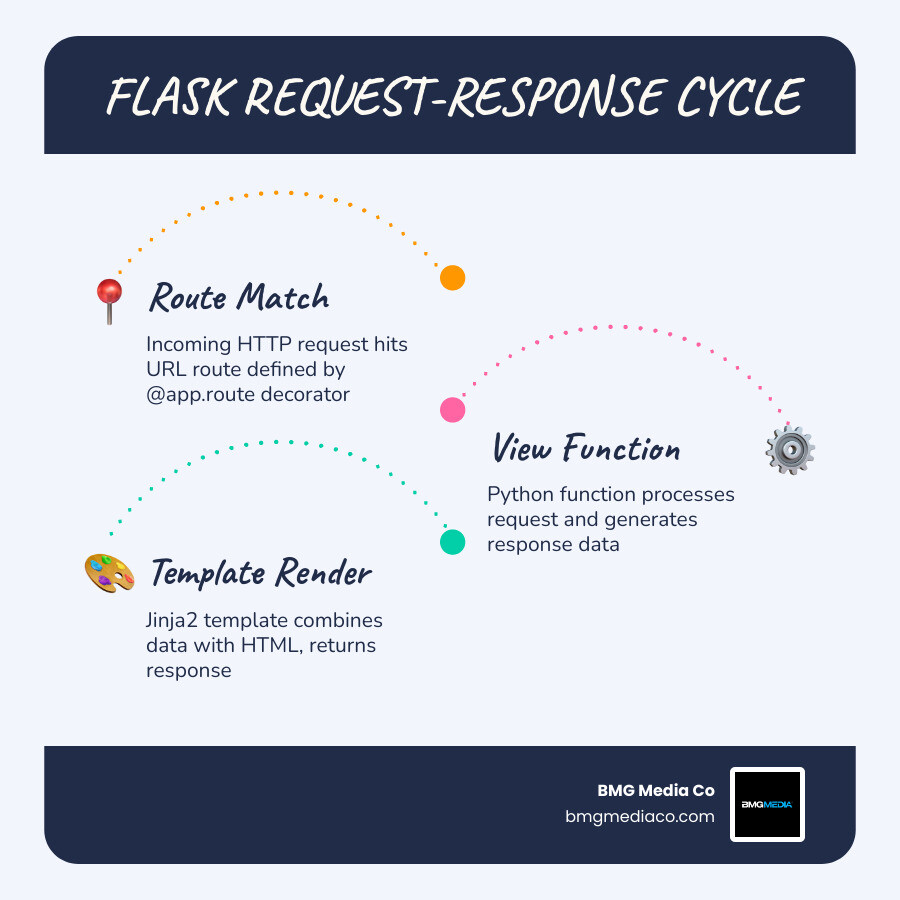
Quick build web app with flask definitions:
Before we dive into the code, we need to ensure your development environment is ready for May 2026 standards. Flask is a Python-based framework, so having a modern version of Python (3.12 or newer is recommended) is the first requirement. You can verify your installation by typing python3 --version in your terminal.
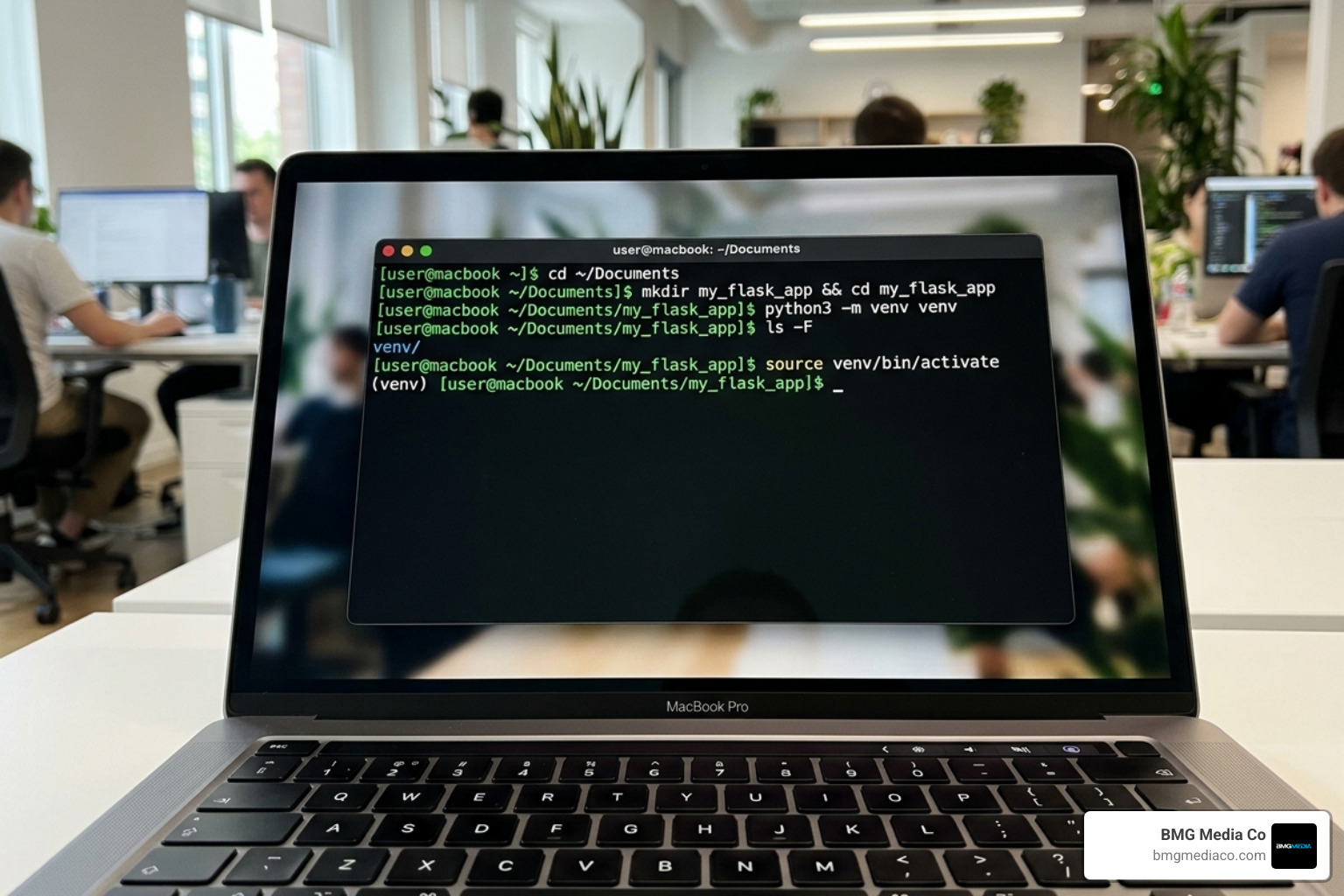
One of the most critical best practices in Python development is the use of virtual environments. Think of a virtual environment as a private sandbox for your project. Without it, installing different versions of libraries for different projects can lead to “dependency hell,” where updating one app breaks another.
To set up your environment, follow these steps:
mkdir my_flask_app && cd my_flask_apppython3 -m venv venvsource venv/bin/activatevenvScriptsactivateOnce activated, your terminal prompt will usually show (venv), indicating that any libraries you install will stay contained within this folder. Now, you can install Flask using pip, the Python package manager:
pip install flask
For more foundational knowledge on moving from simple scripts to professional environments, check out our guide on Python Web Development 101: From Script to Cloud. For a deep dive into the official setup procedures, the Tutorial — Flask Documentation (3.1.x) is an excellent resource.
The beauty of Flask lies in its minimalism. Unlike other frameworks that generate dozens of files and folders automatically, a Flask app can start as a single file.
The heart of your application is the application instance. This is an object of the Flask class that acts as the central registry for your application’s configuration, routes, and error handlers.
In this snippet, __name__ tells Flask where the application is located so it can find templates and static files later. The @app.route('/') line is a decorator. It tells Flask that whenever a user visits the root URL of your website, it should execute the home() function. This function is known as a view function, and its job is to return a response—in this case, a simple string of text.
To learn more about the philosophy behind this lightweight approach, read Flask It Up: The Beginners Guide to Building Web Apps with Python. You can also find technical specifics in the Quickstart — Flask Documentation (3.1.x).
Routes are the backbone of any web application. They map URLs to specific pieces of code. Flask makes it incredibly easy to handle dynamic data through URL variables. For example, if you want to create a profile page for users, you don’t need a separate route for every person. Instead, you use a variable:
Beyond simple URLs, you must consider HTTP methods. By default, routes only respond to GET requests (requesting data). If you are building a form to collect user information, you need to handle POST requests (sending data). You can specify this in the decorator: @app.route('/login', methods=['GET', 'POST']).

Returning plain text or raw HTML strings from your Python functions is “not fun,” as the official documentation puts it. It’s messy and hard to maintain. That’s where Jinja2 comes in. Jinja2 is the templating engine that comes bundled with Flask. It allows you to write HTML files with placeholders for Python variables.
To use templates, create a folder named templates in your project directory. Inside, you might create an index.html file. In your Python code, you use the render_template function to serve it:
One of the most powerful features of Jinja2 is template inheritance. Instead of copying your navigation bar and footer into every single HTML file, you create a base.html file with “blocks” that child templates can fill in. This keeps your code DRY (Don’t Repeat Yourself) and makes site-wide updates a breeze.
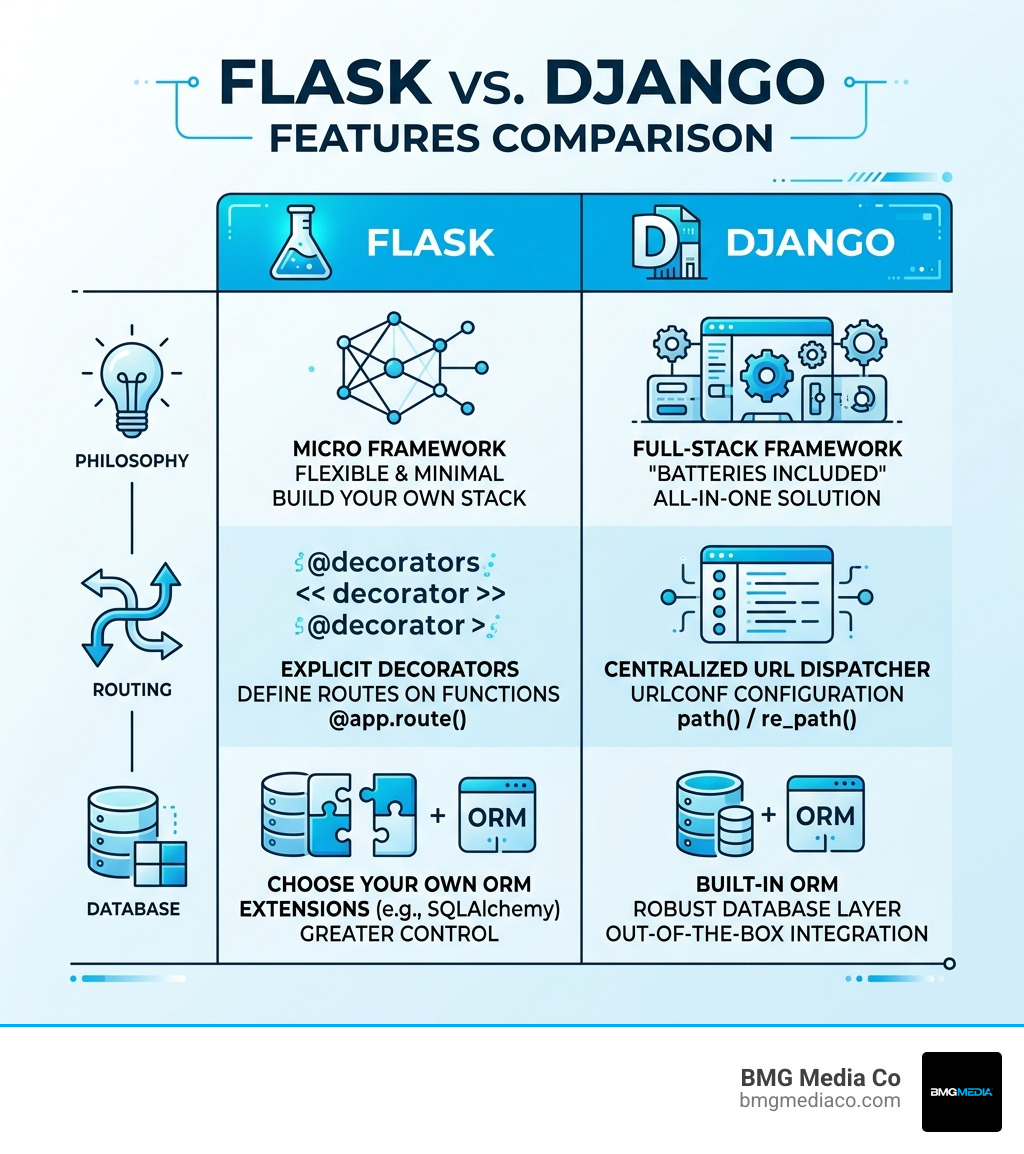
| Feature | Flask | Django |
|---|---|---|
| Philosophy | Micro (flexible, minimal) | Full-stack (“Batteries included”) |
| Routing | Explicit decorators | Centralized URL dispatcher |
| Database | Choose your own (SQLAlchemy, etc.) | Built-in ORM |
| Admin Panel | None by default | Automatic admin interface |
| Learning Curve | Low / Beginner-friendly | Moderate / Steep |
A modern web application isn’t just HTML; it needs CSS for styling and JavaScript for interactivity. Flask looks for these in a folder named static.
To link a CSS file in your template, you should never hardcode the path. Instead, use the url_for function. This ensures that if you move your project to a different server or subdirectory, your links won’t break. For example:
.
We often see developers struggle with organizing assets as they scale. We recommend a structured approach from day one, which you can learn more about in our technology/python/ section or by reading about how to Build a Scalable Flask Web Project From Scratch – Real Python.
To truly build web app with Flask that provides value, you need a way to store and retrieve data. For beginners and medium-sized projects, SQLite is the perfect choice because it’s a file-based database that requires zero configuration.
While you can use raw SQL commands, many Flask developers prefer SQLAlchemy, an Object Relational Mapper (ORM). SQLAlchemy allows you to interact with your database using Python classes instead of SQL queries. However, if you want to stick to basics, Flask works beautifully with the standard sqlite3 module.
A great tip for using SQLite is setting the row_factory to sqlite3.Row. This allows you to access database columns by name (like a dictionary) rather than by index number, making your code much more readable.
As your project grows, you’ll need to handle more complex scenarios. Flash messages are a simple way to provide feedback to users (e.g., “Your post was saved!”). Flask stores these messages in a session, which uses a secret key to sign data so it can’t be tampered with by the user.
Handling errors gracefully is another hallmark of a professional app. Instead of showing a generic browser error, you can use @app.errorhandler(404) to render a custom, branded “Page Not Found” template.
For scalability, we highly recommend the Application Factory pattern. Instead of creating your app object globally, you wrap it in a function like create_app(). This prevents circular imports and makes it easier to run multiple instances of your app for testing. Combined with Blueprints, which allow you to modularize your routes into separate files (like auth.py, blog.py, etc.), you can manage even massive applications with ease.
If you’re still deciding on the right path for your project, our article Stop stressing and pick a web app development framework already can help you weigh your options.
The built-in server you use when running flask run is fantastic for development because it reloads automatically when you change code. However, it is not secure or efficient for production. It can only handle one request at a time and is prone to crashing under heavy load.
When you’re ready to go live, you need a WSGI server like Gunicorn. WSGI (Web Server Gateway Interface) is the standard that allows Python apps to communicate with high-performance web servers like Nginx.
For deployment, many developers choose platforms like DigitalOcean or Heroku. These services allow you to connect your GitHub repository and deploy your Flask app in minutes. To see this in action, the guide on how to Build a Flask Python Web App from Scratch | DigitalOcean provides a comprehensive walkthrough.
Flask is a “micro” framework, meaning it provides only the essentials (routing and templating) and lets you choose your own tools for everything else. Django is a “batteries-included” framework that comes with a built-in ORM, admin panel, and authentication system. Flask is better for flexibility and learning, while Django is often chosen for rapid development of standard “database-heavy” sites.
Absolutely. While it’s called a “micro” framework, companies like Netflix, Reddit, and Lyft use Flask for various parts of their infrastructure. By using Blueprints and the Application Factory pattern, you can organize a Flask app to be just as maintainable as a Django project.
Always use the POST method for forms that change data. Additionally, protect against Cross-Site Request Forgery (CSRF) by using extensions like Flask-WTF, which adds a unique token to every form to ensure the submission is coming from your actual website and not a malicious third party.
When you decide to build web app with Flask, you aren’t just choosing a tool; you’re choosing a philosophy of simplicity and control. Flask allows you to understand every moving part of your application, making you a better developer in the process.
At BMG Media Co, we specialize in taking these powerful technologies and turning them into high-performance, custom business solutions. We don’t believe in templates; we believe in building exactly what your business needs to scale. With over 1,000 sites completed and a focus on award-winning, custom development, we know how to bridge the gap between a simple Python script and a production-ready enterprise platform.
If you’re looking for a partner to help bring your web app vision to life, check out The Ultimate Guide to Picking a Web App Partner or explore our Custom Web Design and Development Services. Whether you’re in Michigan or beyond, we’re here to help you build something extraordinary.
