September 2026
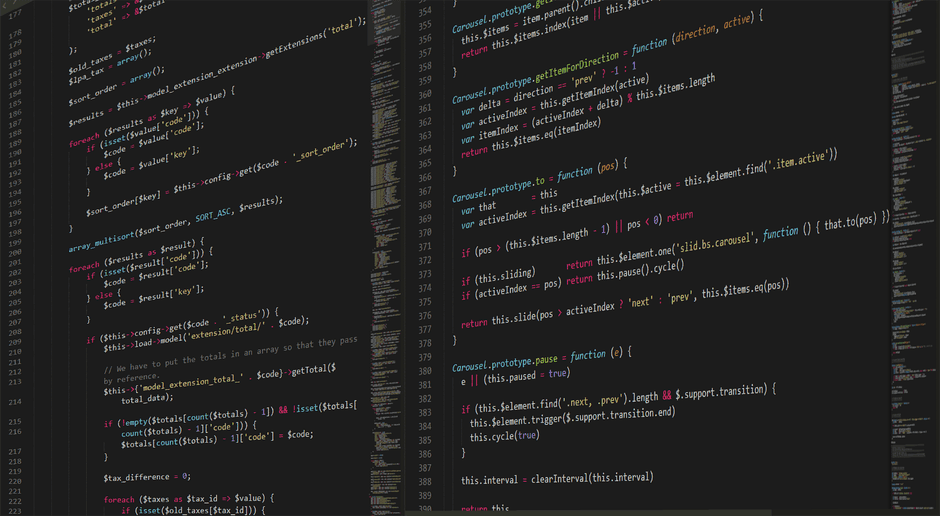
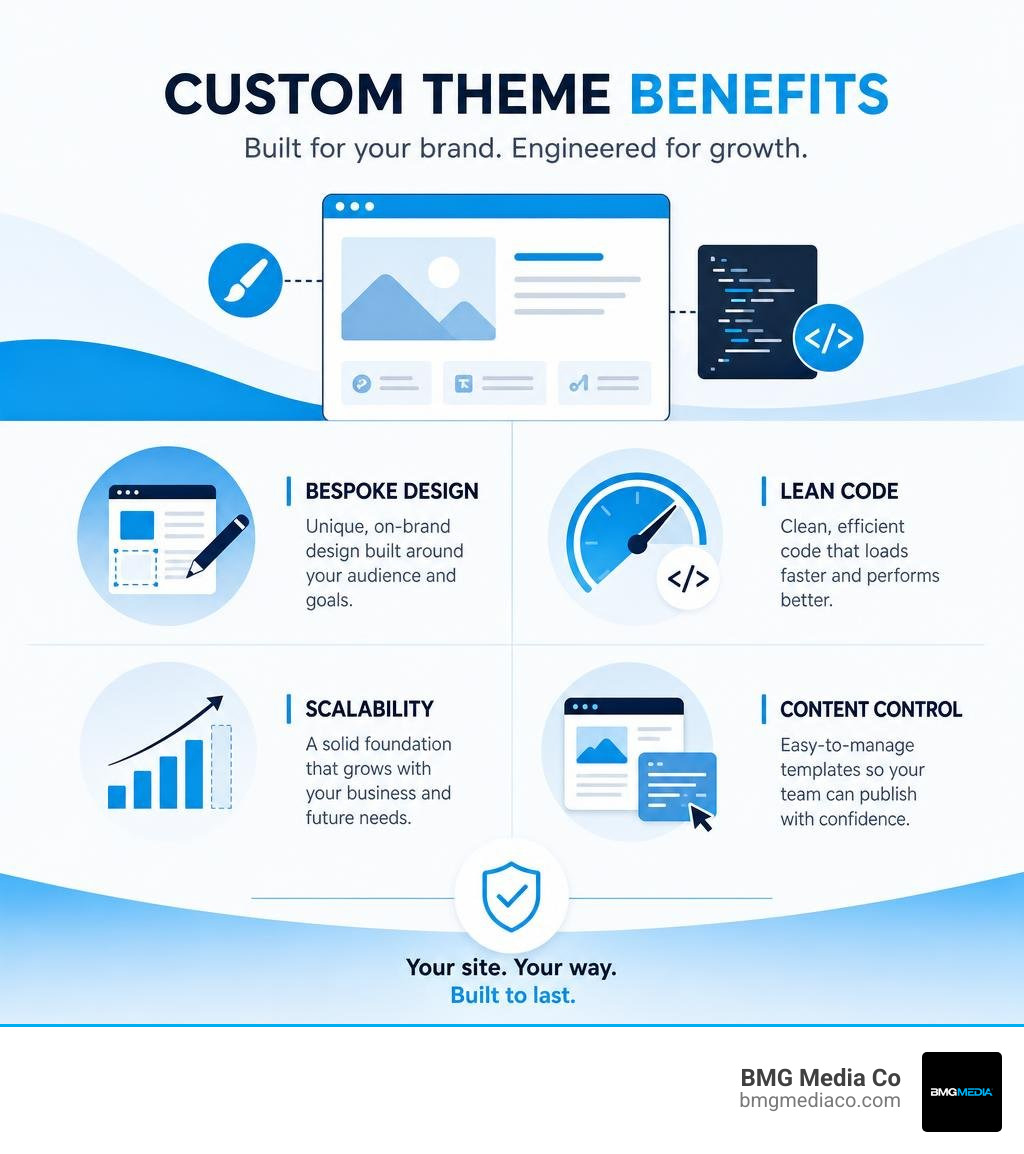
Custom WordPress theme development services create a website’s design and presentation layer from the ground up for your brand, content, and growth goals. Unlike a pre-built theme or page builder setup, a custom theme is not shaped around someone else’s layouts, feature set, or excess code.
A well-built custom WordPress theme gives businesses:
Templates can be useful for simple, short-term sites. But as a business grows, added plugins, overrides, and page-builder modules can turn a quick launch into a slow, hard-to-manage website. The better question is not whether a site looks polished today. It is whether its underlying structure can support what comes next.
I am Blake George, founder of BMG Media Co. Since 2009, I have helped lead more than 1,000 custom website projects, including custom WordPress theme development services for growing organizations that need speed, flexibility, and a site they can confidently build on. In this guide, I will break down what separates a true custom theme from a dressed-up template and what a durable WordPress build requires.
To make smart digital investments, you need to understand how a custom WordPress theme works under the hood compared to commercial off-the-shelf templates and child themes. A custom theme is purpose-built software. It defines the exact presentation layer of your site without unnecessary features, heavy page builders, or thousands of unused CSS and JavaScript lines.
When you purchase a pre-built off-the-shelf theme, you receive a layout framework designed to appeal to tens of thousands of different buyers. To satisfy everyone, these templates bundle dozens of slider plugins, visual builders, and complex admin option panels. The result is structural bloat that slows down page execution and inflates DOM complexity.
By contrast, professional custom wordpress theme development services focus strictly on your company’s layout architecture and user experience. We build custom themes around specific business strategies, pairing clean, semantic HTML templates with tailor-made Gutenberg block configurations or Advanced Custom Fields (ACF Pro) content structures. This ensures content managers edit text, images, and media effortlessly while the design remains locked to exact brand standards.
To see why strategic structure matters for your web presence, explore our guide on Why Your Business Needs a Custom Website Design and Development Strategy.
| Architectural Feature | Bespoke Custom WordPress Theme | Commercial Off-the-Shelf Template | Standard Child Theme |
|---|---|---|---|
| Primary Purpose | Precision-engineered user experience and brand styling | Mass-market appeal with generalized feature sets | Overriding specific files of a parent theme |
| Codebase Footprint | Minimal, targeted CSS, JS, and PHP files | Extremely heavy, bundled with page builders and excess stylesheets | Dependent on parent theme size and complexity |
| Page Velocity & Core Web Vitals | Optimized by default through clean DOM rendering | Often compromised by redundant scripts and inline styling | Tied directly to parent theme rendering speed |
| Content Portability | High, when core logic is decoupled into custom plugins | Low, content often locked into proprietary shortcodes or page builders | Medium, strictly bound to parent theme data architecture |
| Long-term Maintainability | High control, minimal third-party breakages | Risk of plugin conflicts and abandoned parent themes | Safe for minor updates, but vulnerable to parent architectural updates |
A common point of confusion among business owners is the distinction between a child theme and a full custom theme. A child theme is an architectural extension that inherits its functionality, stylesheets, and template files from a designated parent theme. Developers historically used child themes to override specific CSS rules or small PHP file structures without losing their modifications whenever the parent theme updated.
While child themes serve a clear purpose when tweaking established themes, they do not equal custom theme development. If the parent theme is inherently bloated, slow, or poorly structured, your child theme inherits every single piece of that technical debt. Wrapping a heavy parent framework inside a child theme is like painting a sports car shell over a broken engine—it may look different on the surface, but the underlying performance remains bottlenecked.
Custom theme development bypasses parent inheritance entirely. By building an independent theme from scratch, we remove framework dependencies and design a streamlined codebase where every single file serves an explicit purpose for your digital operations.
Investing in specialized custom wordpress theme development services transforms your web presences from a generic digital brochure into a high-performance business asset. When you remove third-party builder bloat, you gain complete control over both front-end experience and back-end editorial workflows.
Key benefits of a custom theme build include:
For businesses growing across competitive markets like Metro Detroit or expanding nationally, these architectural advantages yield measurable organic visibility and conversion improvements. Discover how targeted code solutions drive company growth in our detailed write-up on Why Your Business Deserves Custom Web Development Solutions.
To understand how a custom WordPress theme delivers exceptional performance, we must look at how WordPress processes template rendering. At its core, a classic WordPress theme requires only a minimum file set to function, but enterprise custom developments utilize structured file organizations that strictly adhere to the native WordPress Template Hierarchy.
The foundation of a classic custom theme relies on three core files:
style.css: The primary stylesheet containing theme meta-header comments (such as Theme Name, Version, and Author) and foundational global styles.index.php: The master fallback template file that renders page views if no specific template file exists in the directory hierarchy.functions.php: The theme initialization file used to enqueue styles, scripts, register navigation menus, define thumbnail sizes, and declare native theme support features.Beyond these required core files, WordPress operates on an intelligent fallback engine called the Template Hierarchy. When a user navigates to an archive page, a single post, a taxonomy term, or a custom landing page, WordPress queries the database and searches the theme directory for the most specific template file available. If that specific file is missing, it systematically traverses down the hierarchy until it reaches index.php.


A clean custom theme directory separates concerns across logical directories, preventing asset contamination and messy root folders. Rather than scattering files randomly, standard enterprise themes organize template parts, asset pipelines, and core initialization classes logically.
A standardized custom theme directory structure typically includes:
/assets/: Subdirectories for clean distribution of /css/, /js/, /images/, and web font assets./inc/: Specialized PHP helper files, custom enqueue scripts, setup functions, and block setup configurations modularized away from functions.php./template-parts/: Reusable, modular layout fragments (such as headers, footers, card modules, and hero sections) included inside primary page templates.header.php and footer.php: Global site header and footer structures incorporating necessary wp_head() and wp_footer() action hooks.single.php and page.php: Standard single blog post and page display templates.archive.php and search.php: Native collection layout templates for content archives and site search results.By modularizing code into dedicated template parts, developers build cleaner interfaces that follow DRY (Don’t Repeat Yourself) programming principles. Learn how modular structures transform custom content setups in our breakdown on How to Build a Custom Blog Without Using a Single Template.
The evolution of modern WordPress development has introduced a structural distinction: Classic PHP-based themes versus modern Block Themes designed for Full Site Editing (FSE). Understanding how these models operate allows organizations to choose the exact technical approach for their editorial team.
Classic themes rely primarily on PHP files to generate markup and presentation logic. In a classic build, template processing uses standard PHP conditional loops to fetch and display content from the database. Styles and scripts are registered through standard action hooks inside functions.php.
Conversely, modern Block Themes rely on HTML-based template structures located within /templates/ and /parts/ directories, combined with a central theme.json configuration file. The theme.json file serves as a global design system declaration, defining color palettes, typography scales, spacing variables, and editor capabilities natively within the core WordPress Gutenberg ecosystem.
theme.json.Our professional custom wordpress theme development services evaluate your internal management processes to deliver either pure custom block systems, bespoke classic architectures, or hybrid setups engineered for your organizational workflow.
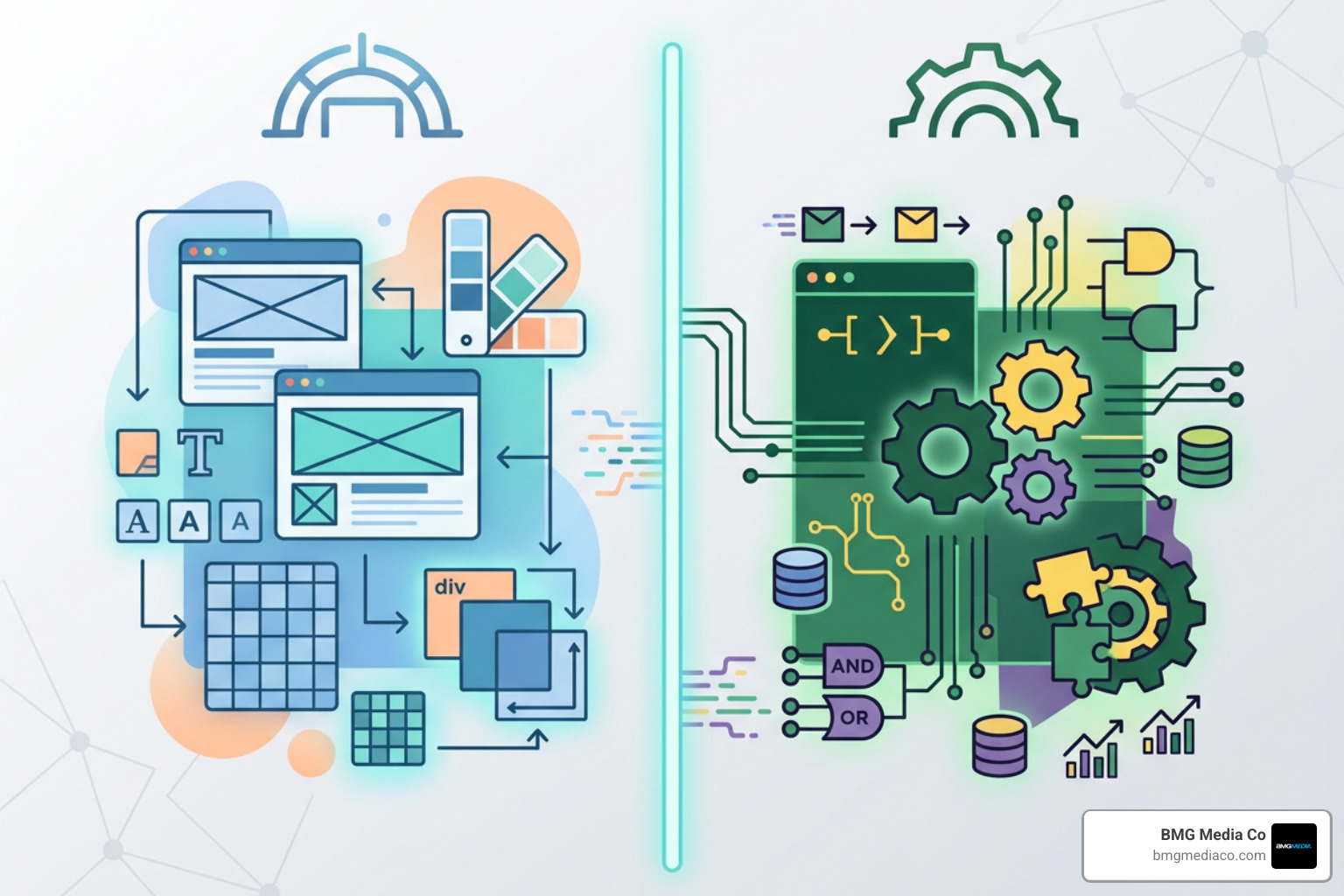
The most critical architectural principle in high-end WordPress engineering is the strict separation of concerns. According to the official WordPress Theme Developer Handbook, a theme’s primary responsibility is exclusively content presentation—how your site looks and feels to users. Business logic—how data is collected, processed, and stored—must strictly reside in custom plugins or site-specific functionality modules.
When unseasoned developers build custom sites, they often make the mistake of dropping Custom Post Types (CPTs), tax registration codes, e-commerce payment pathways, and custom API endpoints directly into the theme’s functions.php file.
This creates immediate technical debt. If your business ever updates its design or transitions to a new visual presentation layer down the line, deactivating the old theme immediately destroys your site’s content structure. Custom post categories vanish, custom database fields fail to load, and shortcodes break across your entire page ecosystem.
By building clean plugin modules for business logic while reserving the theme strictly for layout architecture, your enterprise maintains total content portability. If you update your front-end presentation five years from now, every custom post, client testimonial, case study, and customer data point remains completely intact.
Learn more about building clean, high-privacy content architectures in our guide on Professional WordPress Customization for People Who Hate Cookies.
To safeguard your digital investment, our custom wordpress theme development services implement structural guidelines across every project. We enforce modular design standards that keep code readable, testable, and completely decoupled.
Our non-negotiable architectural standards include:
functions.php Files: The theme’s core functions file acts exclusively as a traffic controller, delegating tasks to organized class structures or modular include files.Establishing this structural discipline ensures long-term system maintainability and simplified software updates across enterprise web platforms. Read more about architectural planning in our article on Why Your Business Needs a Custom CMS or Ecommerce Build.
Avoiding technical debt requires recognizing structural antipatterns early in the development lifecycle. Over our 15+ years building web platforms across Michigan and national markets, we frequently audit legacy sites crippled by predictable developer shortcuts.
Watch out for these high-risk theme architecture mistakes:
header.php instead of using proper wp_enqueue_script() and wp_enqueue_style() functions.WP_Query instances or native WordPress transient APIs.functions.php files spanning thousands of unorganized lines that make debugging code nearly impossible.Delivering an enterprise-grade web application demands a rigorous, repeatable software engineering pipeline. Custom theme development is not merely an exercise in writing CSS; it is a discipline that integrates localized development environments, modern asset compilation, security validation, and automated quality assurance.
Our modern workflow follows a precise progression:
To see how advanced engineering supports enterprise optimization, review our insights on How to Scale with Advanced SEO, Web Optimization, and Custom WordPress Development.
Custom theme code must be built like a fortress. Because themes dynamically print user content, taxonomy values, and database entries directly onto the front end, unescaped code introduces serious cross-site scripting (XSS) and database injection risks.
Our custom wordpress theme development services follow rigid security protocols:
esc_html() for plain text, esc_attr() for HTML attributes, esc_url() for link paths, and wp_kses_post() for sanitized HTML content.sanitize_text_field() or sanitize_email() before touching database tables.wp_verify_nonce() to block cross-site request forgery attacks.$wpdb->prepare() to eliminate SQL injection vulnerabilities.Quality assurance in custom theme engineering goes far beyond quick visual checks on a mobile screen. True QA is an exhaustive architectural audit verifying structural code integrity, accessibility standards, and search engine readability across every device breakpoint.
Accessibility is an essential standard in modern web development. Custom themes must incorporate Web Content Accessibility Guidelines (WCAG 2.1 AA) principles directly into template markup:
To explore how high-performance markup aligns directly with technical search optimization, read The Developer’s Guide to SEO-Driven Web Apps.
Custom WordPress theme development encompasses the complete end-to-end design and engineering of your site’s front-end presentation layer. This includes:
Theme development focuses exclusively on the presentation and user interaction layer. It explicitly excludes:
No. Treating performance optimization as an afterthought is one of the costliest mistakes an organization can make. Retrofitting speed into a poorly architected, bloated site after deployment requires extensive re-engineering and often fails to resolve foundational DOM complexity issues.
Performance is an architectural discipline. In bespoke development, speed considerations—such as lightweight CSS delivery, conditional asset enqueuing, asynchronous script loading, optimized web fonts, and clean HTML nesting—are baked into every line of code from day one. Designing for efficiency from the start ensures your web application achieves near-instant loading times natively.
A bloated website built on off-the-shelf templates and heavy visual builders may offer a temporary shortcut, but it ultimately costs your business in slow loading speeds, constant plugin breakdowns, poor search rankings, and restricted scalability. To build a powerful digital asset that supports long-term growth, you need custom architecture built with precision and structural discipline.
At BMG Media Co., we have spent more than 15 years engineering high-performance web solutions for organizations across Metro Detroit, Southeast Michigan, and major business hubs nationwide. Founded in Birmingham, Michigan during the Great Recession, our team operates on a non-negotiable core standard: every site is built 100% custom from scratch. No templates. No page builders. No shortcuts.
Whether you need a bespoke content engine, a high-converting e-commerce platform, or enterprise-grade custom WordPress development, we bring the scale, craft, and founder-direct attention your business deserves.
Ready to leave template bloat behind and unlock true web performance? Explore our expert Web Design Services | Custom Web Design and Development Services today, or reach out directly to start building your custom WordPress theme build.
