August 2026
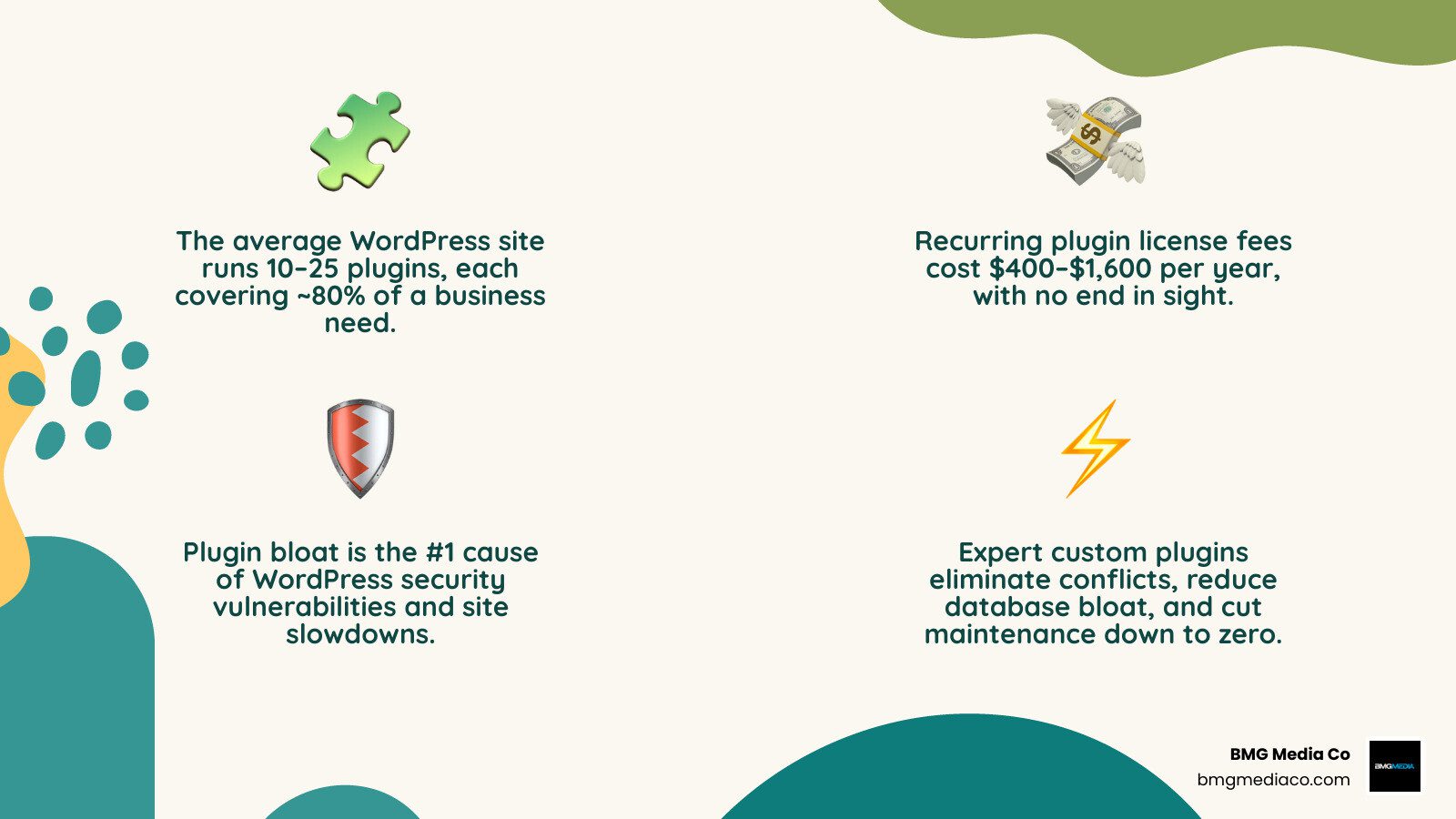
Expert WordPress plugin development is the practice of building custom WordPress plugins from scratch using secure, standards-compliant PHP, modern JavaScript, and the WordPress Plugin API — instead of stacking generic third-party plugins that do 70–90% of what your business actually needs.
Here’s what expert plugin development includes, at a glance:
Most WordPress sites quietly accumulate 10 to 25 plugins, each covering roughly 80% of a real business need. That gap adds up fast. You end up with plugin conflicts, database bloat, update anxiety on every WordPress release, and security vulnerabilities you didn’t know existed — all while paying $400 to $1,600 per year in recurring license fees that never stop.
And when something breaks? The trail almost always leads back to a plugin.
The WordPress plugin repository holds over 60,000 free plugins, with thousands more sold commercially. The sheer volume creates a false sense of choice. More plugins rarely means more capability — it usually means more risk.
I’m Blake George, founder of BMG Media Co., where I’ve spent over 15 years delivering expert WordPress plugin development across 1,000+ custom builds for clients ranging from growth-stage businesses to enterprise organizations. In that time, I’ve seen how the difference between a plugin built right and one built fast can cost a business months of maintenance, lost revenue, and serious security exposure.
Below, I’ll walk you through exactly what separates a production-grade custom plugin from the shortcuts that come back to haunt you.
Expert wordpress plugin development basics:
When businesses in Birmingham, Troy, or Chicago scale up, they often run into a common roadblock: plugin sprawl. Most growing platforms end up running 10 to 25 generic plugins. Because each off-the-shelf solution only covers 70% to 90% of what’s actually needed, developers are forced to string them together with duct tape and custom CSS.
This creates a compounding mess of maintenance debt. Overlapping admin dashboards, conflicting hooks, and massive database bloat degrade your Core Web Vitals and frustrate your users. Furthermore, license costs compound silently. Paying $50 to $200 annually per premium plugin across eight plugins means you are spending $400 to $1,600 annually forever.
Worse yet, WordPress security incidents almost always trace back to vulnerabilities in third-party plugins, not the core platform itself. When an abandoned plugin is sold to a new owner or left unmaintained, your entire customer database is exposed.
This is why forward-thinking companies choose custom development. Instead of a fragile stack of 20 generic tools, we build a single, lightweight plugin that contains your exact business logic. You own the code outright, eliminate recurring licensing fees, and gain complete control over your site’s security and performance. To learn more about this transition, check out our Beginners Guide to Custom Plugins.
| Feature / Metric | Generic Plugin Stack (10–25 Plugins) | Custom Plugin (Expertly Engineered) |
|---|---|---|
| Annual Licensing Costs | $400 to $1,600+ (recurring forever) | $0 (one-time build cost, total ownership) |
| Performance & Load Times | High database bloat, redundant asset loading | Optimized database queries, zero asset bloat |
| Security Risk Profile | High (dominated by unmaintained 3rd-party code) | Low (hardened, fully audited, isolated environment) |
| Update Anxiety | Extreme (every core update risks breaking a plugin) | Zero (built strictly to WordPress.org standards) |
| Typical Timelines | Instant install, months of configuration patching | Simple: 3–4 weeks | Standard: 5–8 weeks | Complex: 8–12 weeks |
| Cost to Build | Cheap upfront, highly expensive over time | Simple: $1,499–$2,499 | Standard: $2,999–$5,999 | Complex: $5,999–$14,999 |
A professional, enterprise-grade WordPress plugin should never be written as a single, procedural PHP file stuffed with hundreds of raw add_action hooks. That approach is a relic of 2013. Modern, production-grade development requires clean, maintainable software engineering.
We architect our custom plugins using namespaced Object-Oriented Programming (OOP) and PSR-4 autoloading via Composer. This ensures that every class has a single responsibility and is loaded only when needed. To manage complex dependencies cleanly, we implement a lightweight PSR-11 service container. This container handles dependency injection, ensuring that your database services, external API clients, and admin handlers are instantiated cleanly without global variables.
To see how seasoned engineers structure enterprise systems, we adhere to strict PSR standards and industry-proven design patterns that ensure scalability and maintainability.
To build a plugin that handles millions of requests without breaking, a developer needs a highly specialized, modern technical stack:
@wordpress/scripts toolchain for Gutenberg blocks.If you are looking to level up your team’s understanding of these core APIs, our guide on WordPress Plugin Development From Zero to Hero in Five Steps provides an excellent roadmap.
While custom post types (CPTs) and custom taxonomies are perfect for managing content, high-volume transactional data (like custom analytics, payment logs, or inventory queues) should never be shoved into the default wp_postmeta table. Doing so causes massive database bloat and slows down every query on your site.
For specialized data, we create custom database tables using the standard dbDelta function during plugin activation. This ensures that the tables are safely created and updated without wiping existing data. When displaying custom fields and metadata seamlessly on the frontend, we leverage Advanced Custom Fields in our builds. You can read more about rendering these structured fields in our guide on ACF Frontend Display A Step-by-Step Guide to Showing Your Fields.
Security is not an afterthought or a feature to be added right before launch. In custom plugins, security is the foundation. Every single line of code must be written with the assumption that malicious actors are actively trying to exploit it.
To understand the core mechanics of security-first development, we implement rigorous code reviews and adhere strictly to the official WordPress security guidelines.
To ensure your custom plugin is completely hardened, we enforce four non-negotiable security practices across every build:
current_user_can() on every single admin handler, AJAX endpoint, and custom REST API route.wp_create_nonce() and wp_verify_nonce() on every state-changing request.sanitize_text_field(), sanitize_email(), and esc_url_raw().esc_html(), esc_attr(), esc_url(), or wp_kses_post(). PHPCS combined with the WordPress-Extra ruleset catches approximately 95% of these missing-escape bugs.Additionally, we never string-concatenate SQL queries. We always use prepared statements via $wpdb->prepare() to eliminate the risk of SQL injection. For a deeper dive into user privacy and secure data handling, see our article on Professional WordPress Customization for People Who Hate Cookies.
For a complete reference on writing secure code, you can also review the public developer guidelines at plugins/developer-kit-php/agents/wordpress-development-expert.md at main · giuseppe-trisciuoglio/developer-kit .
The block editor has matured dramatically. Modern custom plugins should leverage the native block editor rather than relying on legacy shortcodes. When building custom blocks, we use the WordPress Interactivity API by default. It provides a standard frontend framework for building highly interactive elements (like live search, calculators, or dynamic filters) with zero JavaScript overhead for non-interactive blocks. For complex, state-heavy interfaces, we build custom React components wrapped in standard block.json metadata.
Beyond the editor, a production-grade plugin must handle its entire lifecycle gracefully:
dbDelta for custom tables, and flushes rewrite rules.uninstall.php file must completely clean up all custom options, custom tables, and metadata from the database.We don’t ship untested code. To ensure our custom plugins are stable, secure, and ready for high-traffic production environments, we set up robust CI/CD pipelines using GitHub Actions. Every commit automatically runs:
We also build internationalization (i18n) directly into our workflow. By using standard translation functions like __() and _e(), and generating clean translation .pot files via WP-CLI (wp i18n make-pot), we ensure your plugin is fully prepared for global audiences. For businesses looking to scale their organic reach alongside custom engineering, our guide on How to Scale with Advanced SEO Web Optimization and Custom WordPress Development is an invaluable resource.
The most dangerous anti-pattern is executing direct SQL queries using string concatenation instead of $wpdb->prepare(). Other common mistakes include missing output escaping at the point of rendering, hardcoding absolute file paths instead of using plugins_url(), and polluting the global namespace with procedural functions instead of using namespaced OOP.
To keep your platform performing optimally, check out our insights on 12 Maintenance Tricks to Boost Your WordPress Conversion Rate and Stop Boring Your Visitors and Add a Custom Facebook Feed WordPress Plugin Today.
The official directory accepts public submissions, but the review cycle typically takes 2 to 6 weeks. To pass on the first try, your plugin must include a comprehensive readme.txt file formatted to WordPress standards, follow strict naming guidelines to prevent namespace collisions, use standard licensing (GPLv2 or later), and pass all automated checks inside the official wp-plugin-check tool.
More hosting is rarely the cure for a slow site. The root cause is almost always plugin sprawl, bad database query patterns, or poorly structured data models. If a plugin is executing un-cached queries on every page load or running heavy cron jobs during peak traffic hours, even the most expensive enterprise server will struggle.
For highly specialized industries like healthcare, clean database design is critical. You can read about how we handle this in The Best WordPress Sites for Doctors and Why They Work, or explore general core performance concepts at Technology WordPress.
At BMG Media Co., we don’t believe in shortcuts. We don’t build with templates, and we don’t stack bloated, off-the-shelf page builders that slow down your business. Founded in 2009 by Blake George, BMG Media Co. was built during the Great Recession on a simple promise: delivering 100% custom, hand-crafted web engineering that helps businesses scale.
With over 1,000 completed projects and a distributed team offering 24/7 support, we have the enterprise-grade capabilities to bring your custom plugin to life. Whether you need a secure payment gateway, a complex third-party API integration, or a custom Gutenberg solution, we build it from scratch, to the highest standards, so you own the code forever.
Ready to eliminate plugin bloat and secure your platform? Get custom web design and development services from BMG Media Co. today, and let’s build something built to last.
