October 2026

Health website design is the practice of building medical websites that help patients find, trust, and take action with a healthcare provider online.
Here’s what effective healthcare web design requires at a glance:
Nearly 80% of internet users have searched for health information online. That means your website isn’t just a marketing tool — it’s often the first clinical impression a patient gets of your practice. A slow, confusing, or outdated site doesn’t just hurt your brand. It can mean a patient chooses someone else for their care.
And yet most healthcare websites are built like online brochures — static, generic, and easy to ignore.
The stakes are higher in healthcare than almost any other industry. Patients visit your site during stressful moments. They’re scared, overwhelmed, or in pain. They need to find what they’re looking for fast, trust what they see, and book an appointment without friction. Poor design makes all of that harder.
I’m Blake George, founder of BMG MEDIA, and over more than a decade of building 1,000+ custom websites — including projects across the healthcare space — I’ve seen how strategic health website design separates practices that grow from those that stagnate. This guide covers everything you need to build one that actually works.
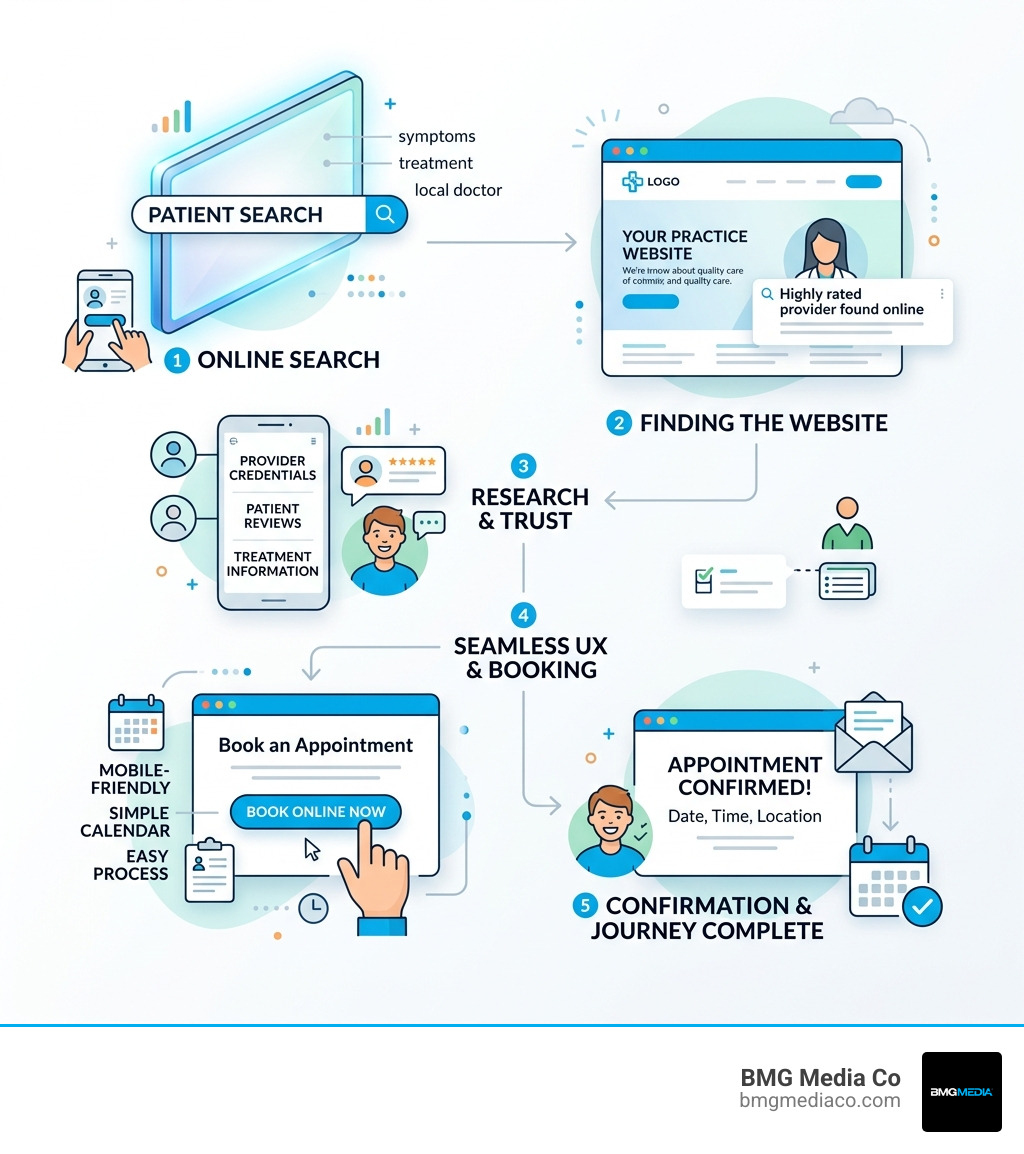
Simple guide to health website design terms:
When we talk about Creative Medical Website Designs That Actually Convert, we aren’t just talking about pretty pictures. High-performance design is about service design, emotional intelligence, and usability engineering. In the medical world, your website is the digital front door to your clinic. If that door is stuck or hard to find, patients will go elsewhere.
The best healthcare websites function as “clinical infrastructure.” This means they don’t just sit there; they do work. They reduce administrative burdens by allowing for online bill pay, provide clarity through searchable physician directories, and offer secure patient portals where people can access their own data.
To succeed in 2026, your site must satisfy Google’s E-E-A-T (Experience, Expertise, Authoritativeness, and Trustworthiness) standards. Because healthcare falls under the “Your Money or Your Life” (YMYL) category, search engines hold these sites to a much higher standard of truth and security.
A website that truly serves patients needs to go beyond a basic “About Us” page. Every modern medical site should include:
Trust is the currency of healthcare. If your website looks like it was designed in 2005, patients will wonder if your medical equipment is just as outdated. We focus on empathy-driven design that acknowledges the user’s state of mind.
Using calming color palettes—like soft blues, greens, or earthy sage and coral—can help reduce the anxiety a patient feels while researching a diagnosis. We also advocate for high-quality, original photography. Stock photos of people with impossibly white teeth and stethoscopes often feel “sterile” and fake. Real photos of your Michigan office and your actual team convey an unhurried, personalized patient experience.
Clear value propositions are also vital. Within seconds of landing on your site, a visitor should know exactly what you specialize in and why they should trust you. Using social proof, such as patient testimonials or a “97% referral rating” (like the one reported by SAC Health), provides the external validation needed to turn a visitor into a patient.
Compliance isn’t exactly a “fun” topic, but in The Developers Guide to Healthy Medical Tech Sites, we emphasize that it’s the most critical foundation you’ll build. In healthcare, a data breach isn’t just a PR nightmare; it’s a legal and ethical catastrophe. HIPAA standards require that any Protected Health Information (PHI) collected via your website—whether through a contact form, a booking tool, or a chat box—be encrypted and secure. This means using SSL certificates, encrypted databases, and ensuring you have Business Associate Agreements (BAAs) with every third-party vendor you use.
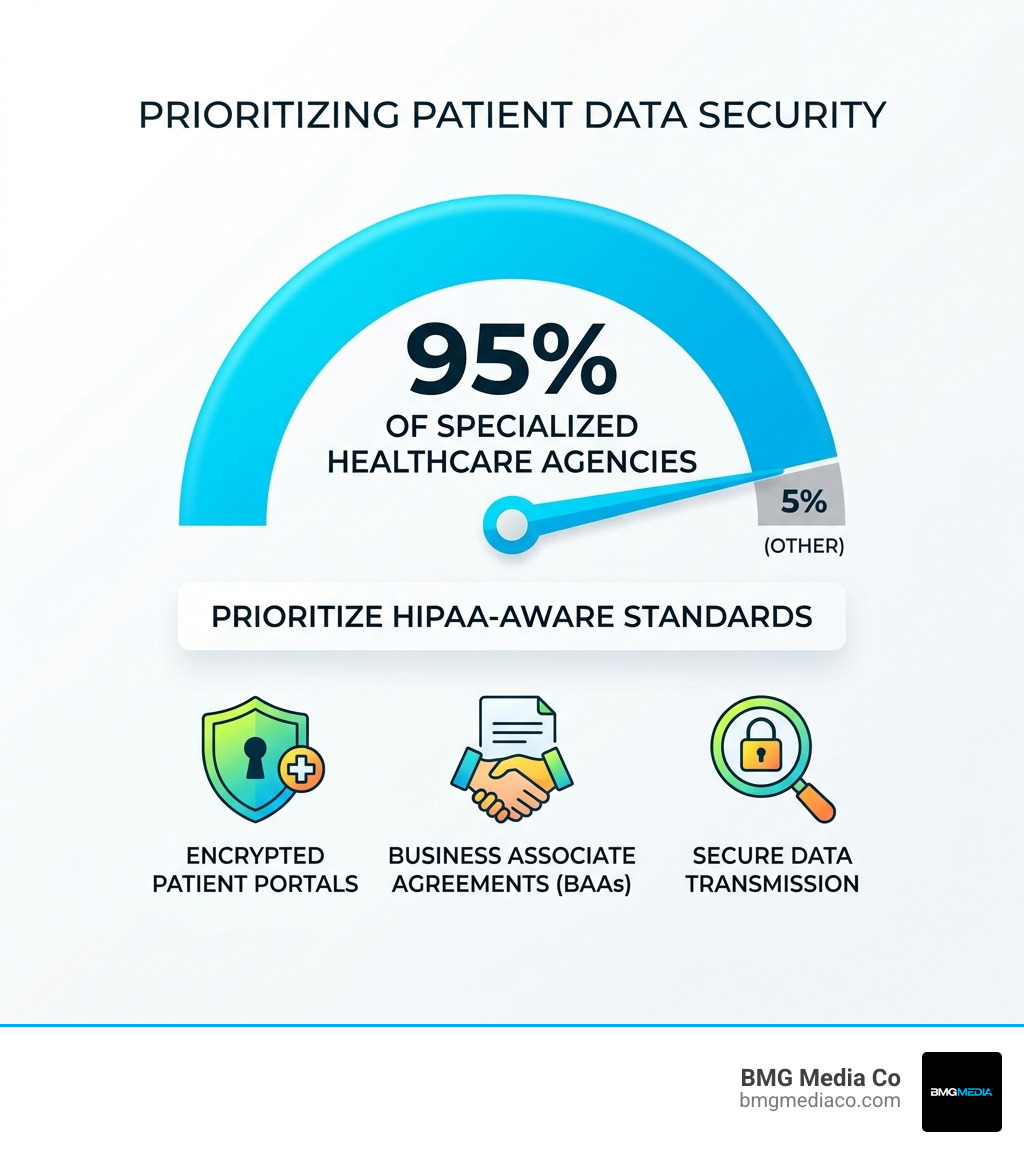
| Feature | HIPAA Requirement | ADA/WCAG Requirement |
|---|---|---|
| Data Transmission | Must use TLS/SSL encryption for all forms. | N/A |
| User Access | Role-based access and session timeouts. | Keyboard-only navigation support. |
| Visuals | N/A | High contrast ratios for text (4.5:1). |
| Forms | Encrypted storage and transmission of PHI. | Labeled fields for screen readers. |
| Media | N/A | Alt-text for images and captions for video. |
Accessibility is no longer “optional.” For healthcare organizations receiving federal funds, May 2026 marks a critical deadline for meeting WCAG 2.1 Level AA standards. Courts have increasingly ruled that websites are “places of public accommodation” under the ADA.
Inclusive design ensures that the 61 million Americans living with a disability—including seniors with reduced dexterity or patients with visual impairments—can navigate your site. This includes:
Failing to meet these standards doesn’t just invite lawsuits; it shuts out a significant portion of the population that needs your care.
If a patient searches for “best cardiologist in Birmingham, Michigan” and you aren’t on the first page, you basically don’t exist. In our guide on How to Set Up Your Medical Blog Without a PhD in Tech, we discuss how content is the engine of your SEO.
To build “topical authority,” we recommend a 100+ page strategy. This sounds daunting, but it’s how you win. By creating dedicated pages for every service, condition, and location you serve, you signal to Google that you are a comprehensive expert. For example, Komodo Health saw a 38.9% increase in organic traffic YoY simply by expanding their content depth and optimizing for medical search intent.
In 2026, 65% or more of healthcare searches happen on a smartphone. Often, these searches are done in a hurry—perhaps by a parent holding a sick child or someone looking for an urgent care center while on the road.
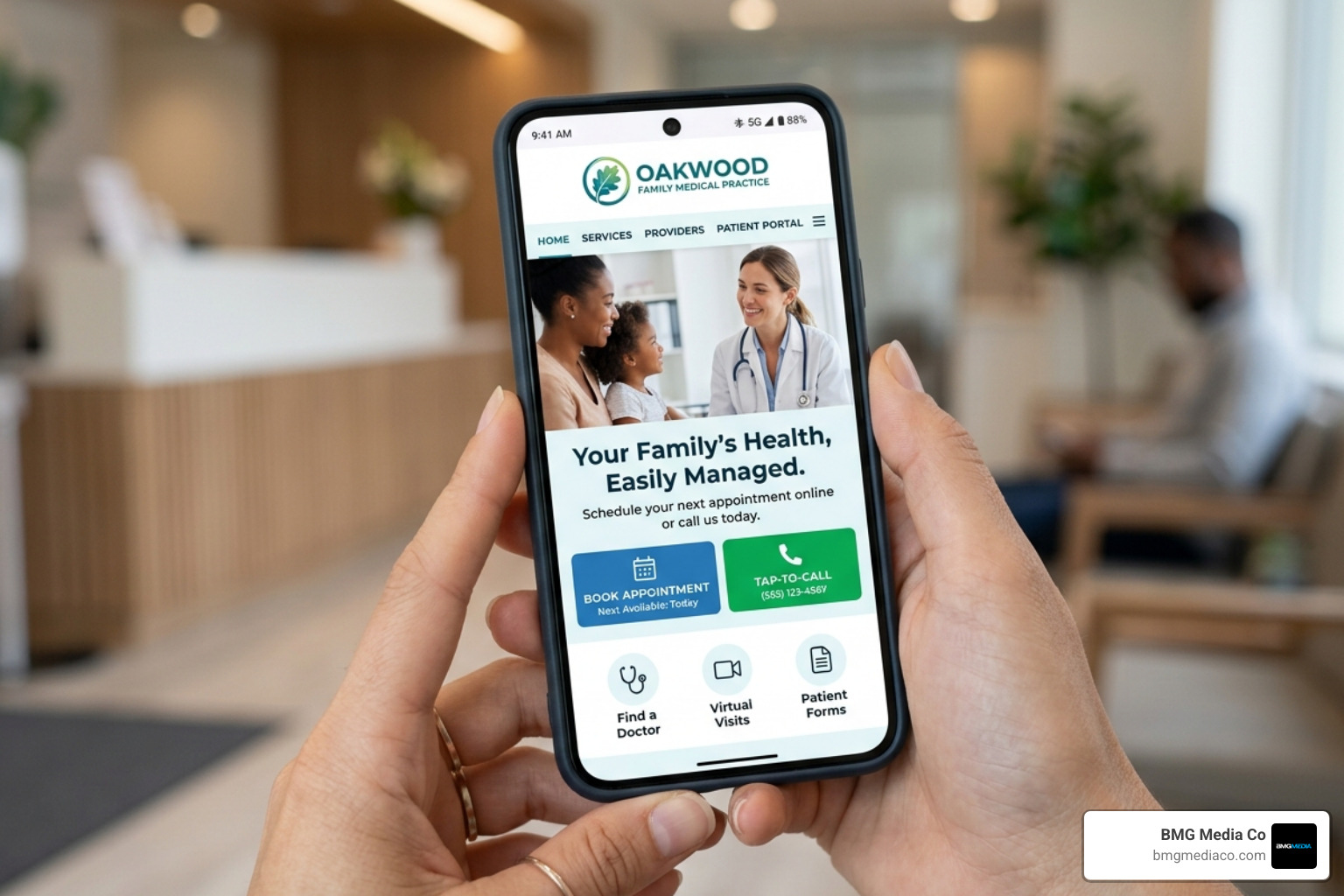
A mobile-friendly medical site isn’t just a shrunk-down version of your desktop site. It requires:
We use user journey mapping to identify “friction points.” If our data shows patients are dropping off at the “Insurance Information” step of a form, we redesign that step to be simpler or move it to a later stage.
When it comes to health website design, you generally have three choices: DIY builders (like Wix or Squarespace), templates, or fully custom development.
While DIY builders are fine for a “check the box” site, they often struggle with the complex integrations and HIPAA-compliant security needed for a growing practice. Templates can look nice, but they often come with “bloated” code that slows down your site and hurts your SEO.
At BMG Media Co, we are a Birmingham, Michigan-based agency that believes in a custom, engineering-first approach. We don’t use templates. Every site we build—over 1,000 to date—is coded from the ground up to be fast, secure, and scalable.
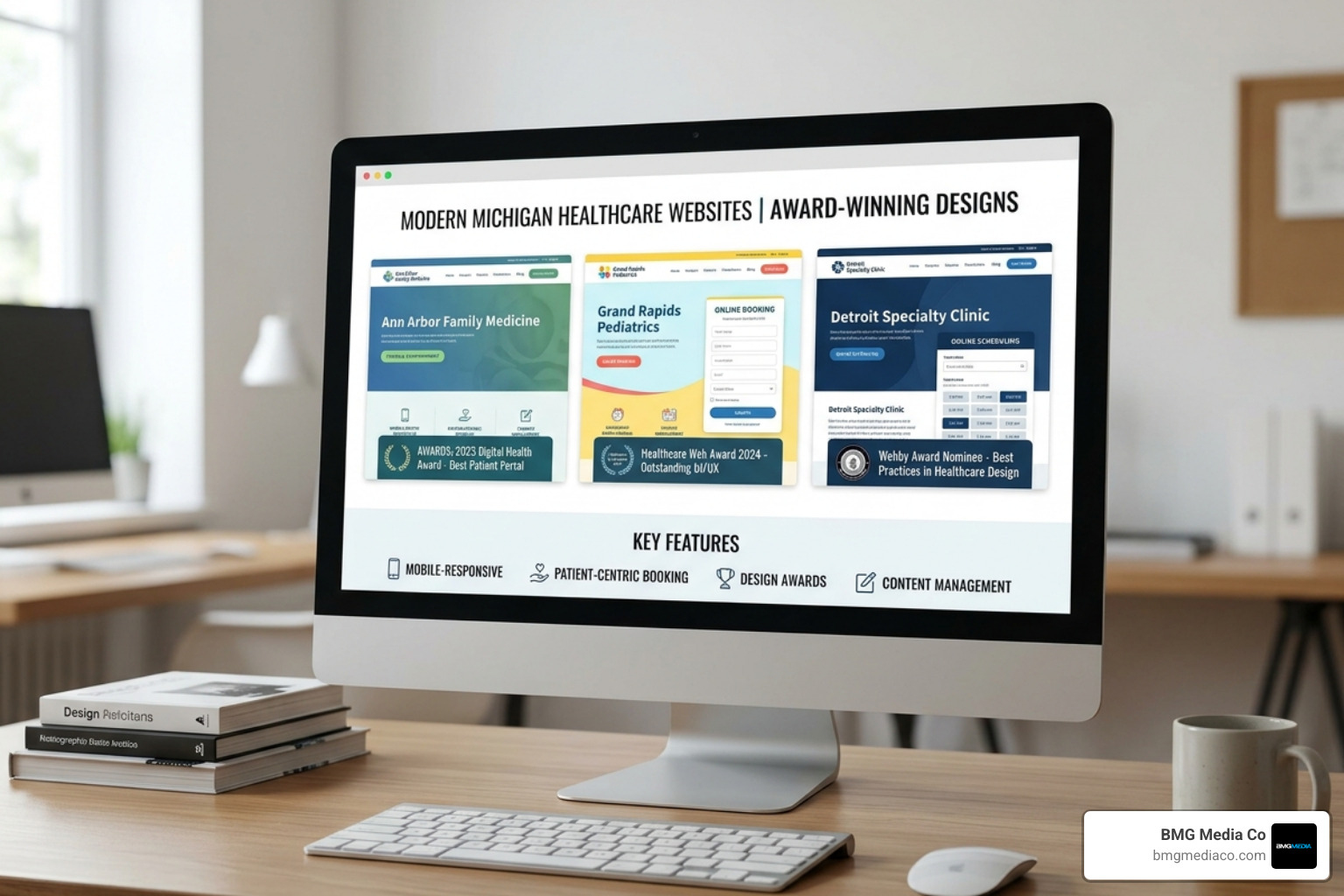
Building a high-performing medical asset is an investment, not a cost.
A custom build usually takes 8 to 12 weeks. This includes deep discovery, user research, design, development, and a rigorous compliance audit before launch.
As mentioned, a proven solution for new patient generation typically starts around $15,000 for a custom build. While you can find “leased” options or cheap templates for a few thousand dollars, these often lack the SEO depth and compliance security required to actually grow a practice in a competitive market like Michigan.
For a small to medium practice, expect about 30 to 60 days. For larger groups or complex systems with EHR integrations and 100+ pages of content, the timeline is usually 90 to 120 days.
With BMG Media, yes. You own your domain and your custom code. Beware of agencies that “lease” you a website; if you stop paying their monthly fee, they turn off your site and you lose all your SEO progress. Always ensure you have full ownership of your digital assets.
Your website is no longer just a digital brochure; it is essential clinical infrastructure. In 2026, the quality of your health website design directly impacts your patient conversion rates, your search authority, and your practice’s long-term growth.
By focusing on a patient-centric, mobile-first, and fully compliant strategy, you turn your website into your most productive employee—one that works 24/7 to answer questions, book appointments, and build trust before a patient even walks through your door.
If you’re ready to move away from “good enough” templates and build a custom digital asset that reflects the quality of care you provide, we’re here to help. Based right here in Birmingham, Michigan, our team is ready to help your practice lead the way.
